
StayWell · Case study
Research, testing and accessibility, run as one loop across four products.
Furiae led design, research and UX for StayWell and Krames products from 2017 to 2022, giving a decision aid, a hospital health library, an in-chart app and a wellness portal the same loop of review, options, testing and audit. The redesigned diabetes decision aid scored 92.5 on the System Usability Scale.
A patient education company that wanted one UX practice.
StayWell publishes Krames patient education: the handouts, videos and programs that clinicians give to patients, and that hospitals, health plans and employers offer under their own names. By 2017 that content reached people through a growing set of software: a care program platform, a hospital health library, an app inside the electronic health record and an employee wellness portal.
In August 2017 the company's technology leadership named "a centralized user experience practice" as part of its plan. Furiae led design, research and UX across StayWell and Krames products. The job was to give those products one way of working: review what exists, draw options, test them with people, check accessibility, then build. This page follows that practice through four products, starting with the one where the whole loop is on record.
Federal rules, hospital brands and someone else's platform.
Section 508 was a requirement
The Veterans Health Library is a federal client, so its tools had to meet Section 508. We tested to WCAG 2.0 AA as well, and ran the same checks on the hospital health library.
A vendor's platform underneath
The care programs ran on Doctella's platform. Some fixes were ours to make and some were requests to the vendor, so every review had to separate the two.
Every hospital's own brand
The health library and the wellness portal were sold to hospitals and employers who wanted their own colors, content and priorities. A design had to survive being reskinned.
Inside the health record
Krames on FHIR opens inside Epic and Cerner. It had to fit how a clinician already works and pass each vendor's review of security, technology, operations and user experience.
The same loop for every product.
The practice came down to a loop. A written review of what existed, against heuristics and against what earlier testing had shown. Options, drawn far enough to compare. A test with people, scored the same way each time. An accessibility audit before and after.
Design ran ahead of development. Mockups went onto the Jira ticket before grooming, so the team estimated from a design instead of a description. UX issues lived in the same backlog as development work, tagged, ranked by business value and reviewed daily.
The loop
- Review against heuristics and earlier tests
- Two to four options
- A test with five to ten people
- A System Usability Scale score
- A 508 and WCAG 2.0 audit
In the sprint
- Design ahead of development
- Mockups on the ticket before grooming
- UX tickets in the development backlog
- Backlog ranked by business value
What we measured
- Task completion
- Time on task
- Errors per task
- Perceived ease
- Satisfaction
A decision aid that kept sending people away.
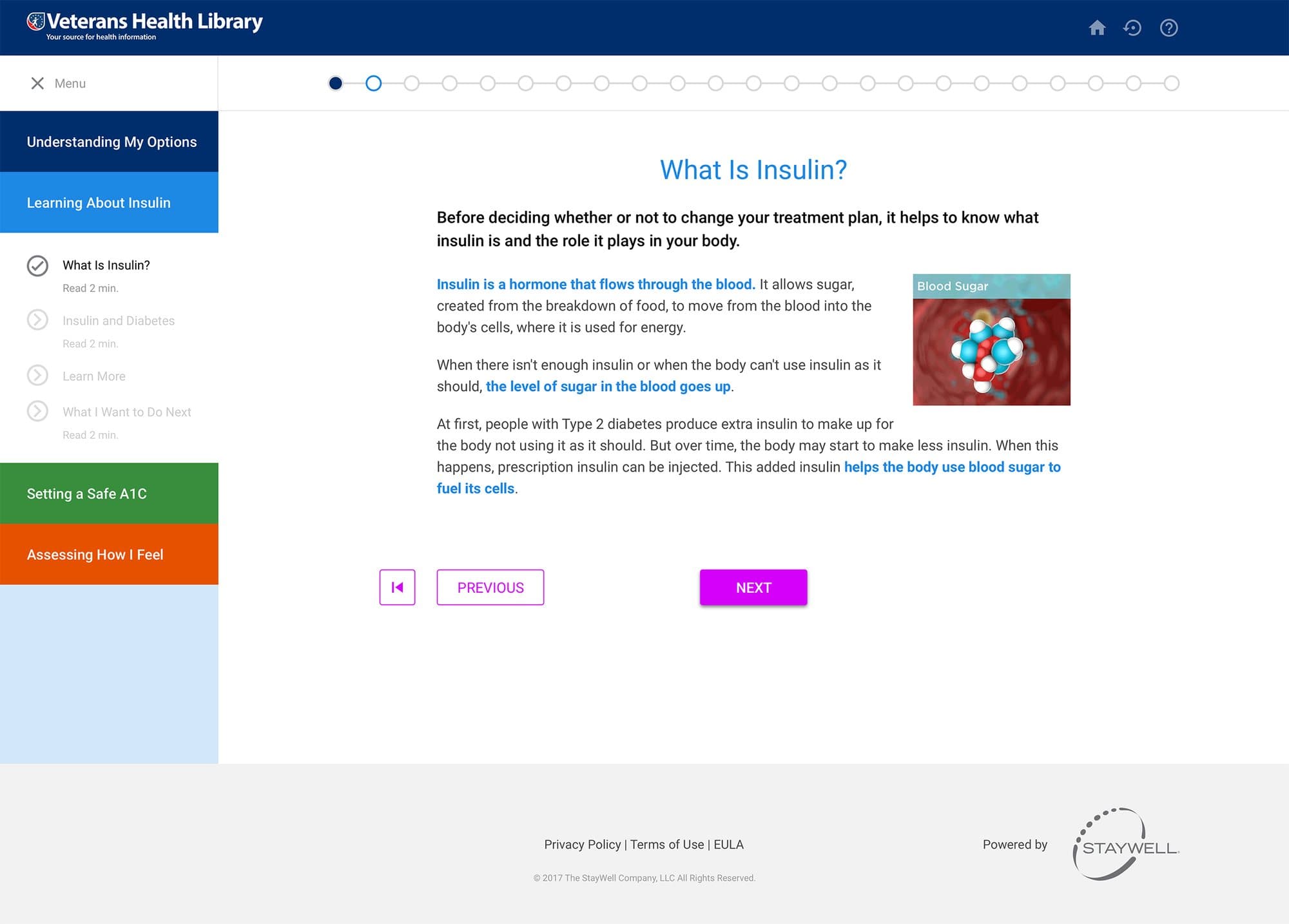
The Veterans Health Library offered a decision aid for people with type 2 diabetes who were weighing whether to start insulin. It ran on the Krames CareEngage platform: a start box, a row of identical icons and content that opened in a lightbox.
We already knew how people used that platform. In August 2017 we tested a sister program with five people who have diabetes, in one-hour sessions. They missed whatever sat below the fold. They skipped videos when a transcript sat underneath. They wanted the video first and the text as reinforcement.
In September a designer on the team reviewed the decision aid itself, 14 pages across content, design and function. Sections jumped between general and specific. Links to learn more opened the library in new windows, and people lost their place. The support tab implied live agents. The colored tabs failed a color blindness test, and automated Section 508 testing returned 23 errors.
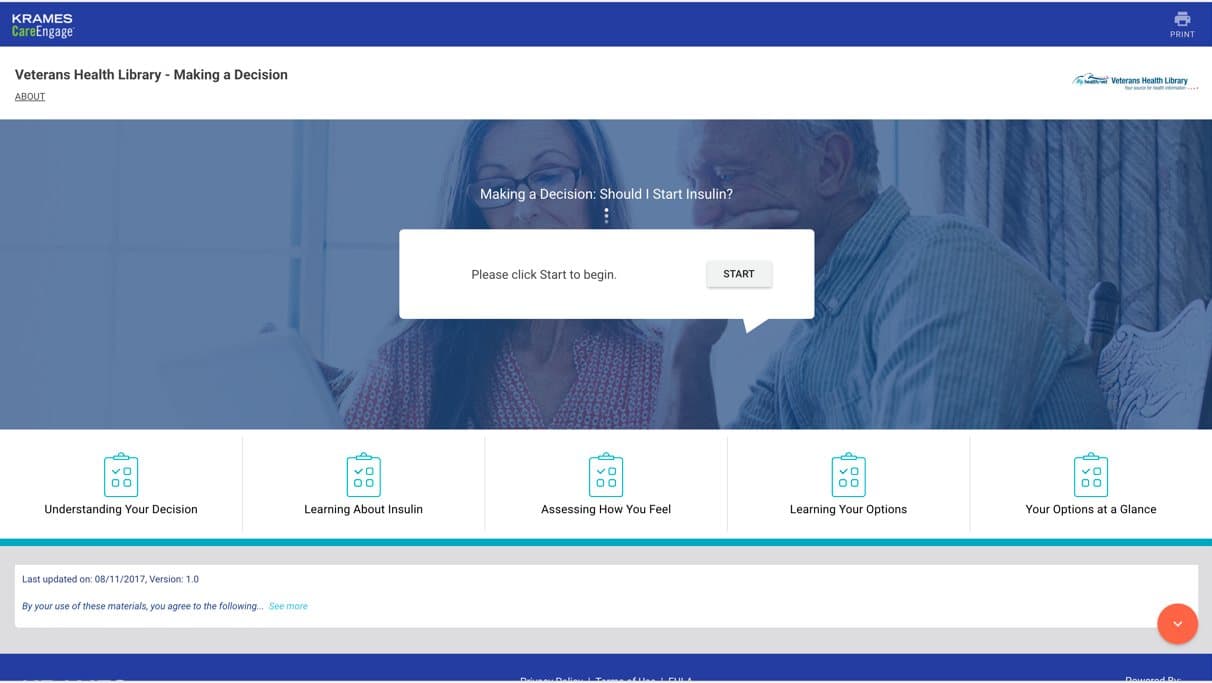
Found in review
- External links opened new windows
- Section order jumped between general and specific
- One icon for every section
- Video did not fit its box
- Progress bar passed 50% in the first few screens
- Color tabs failed a color blindness test
- 23 errors in automated 508 testing
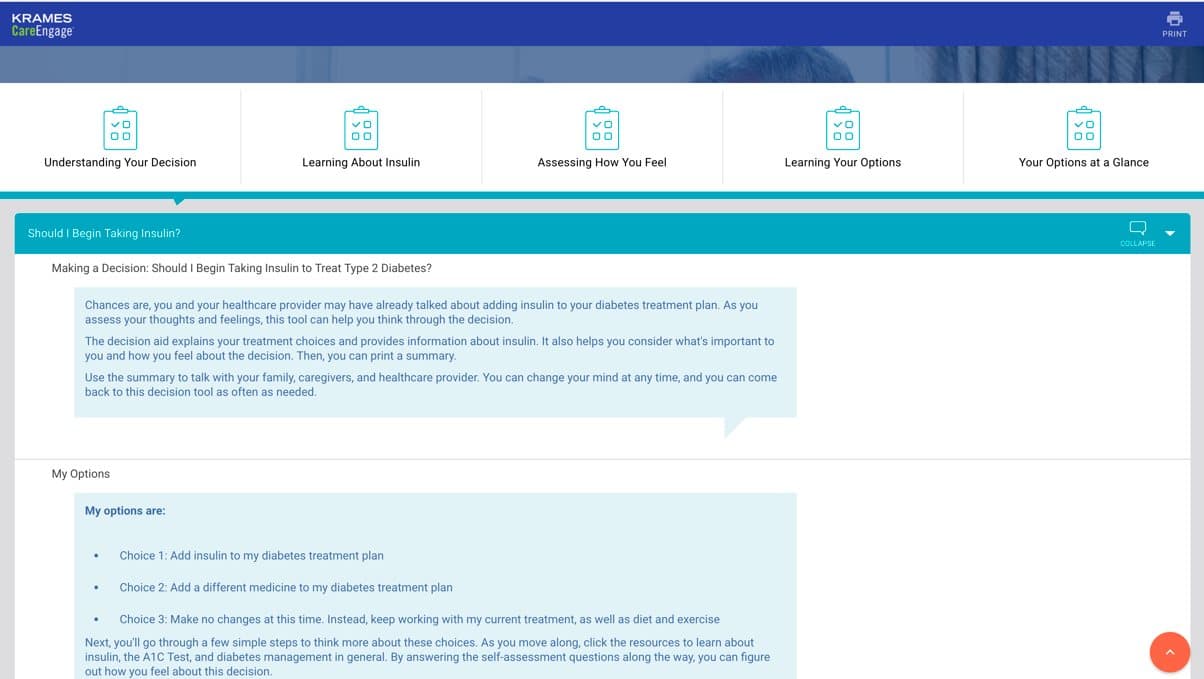
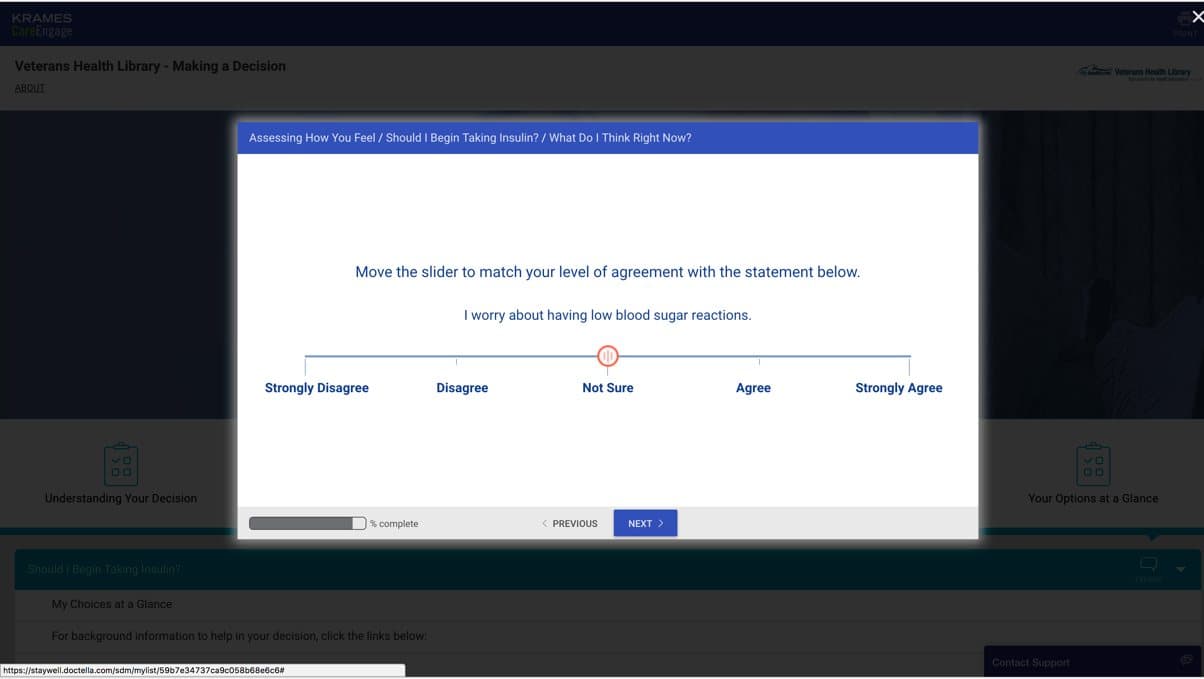
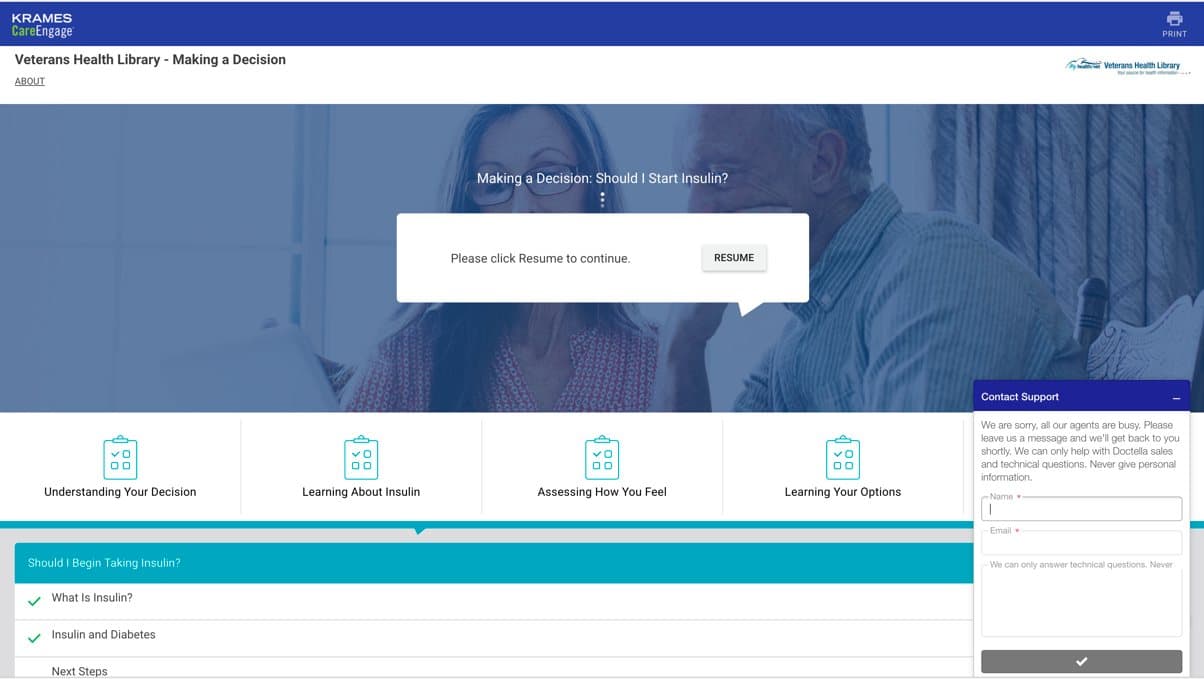
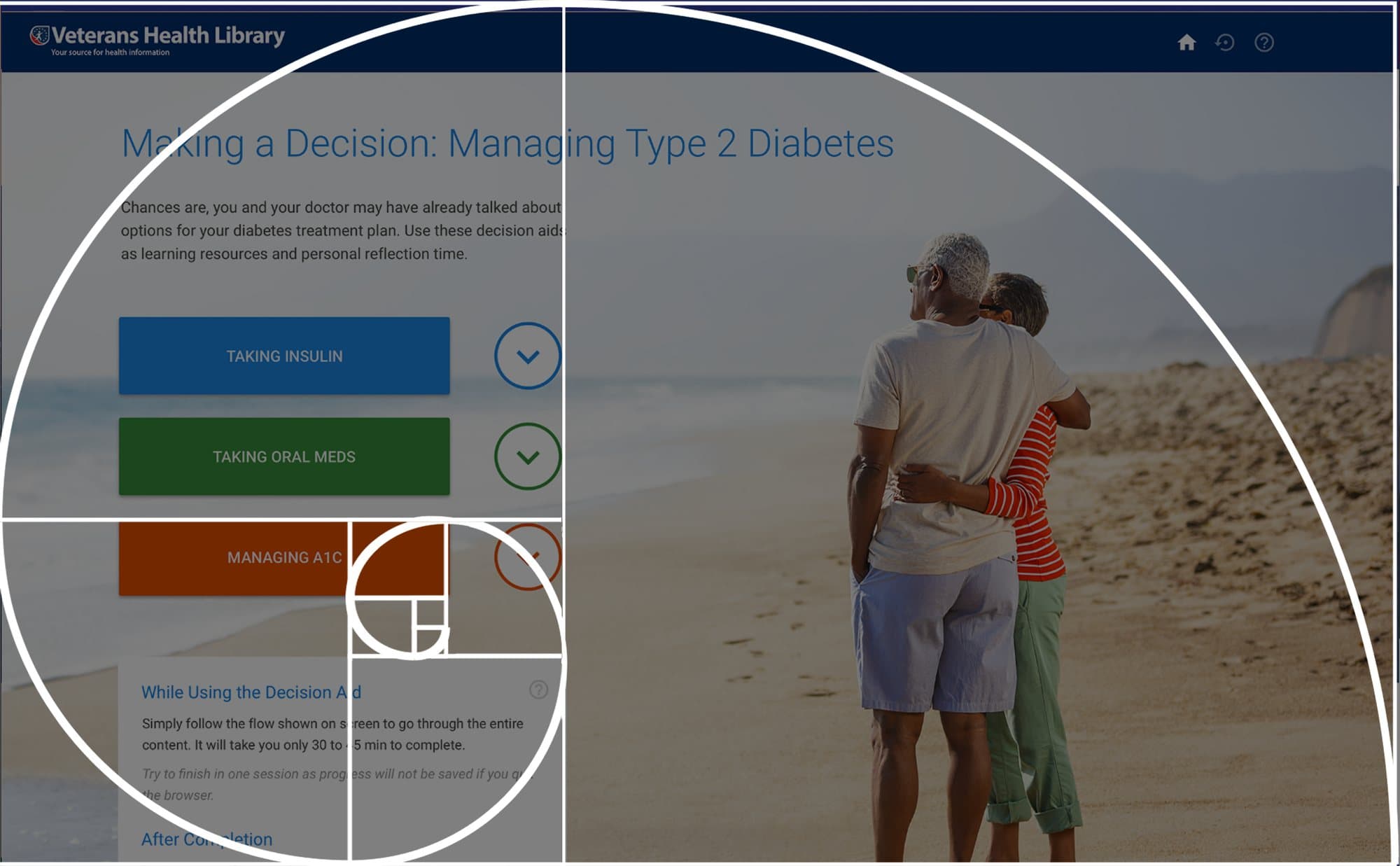
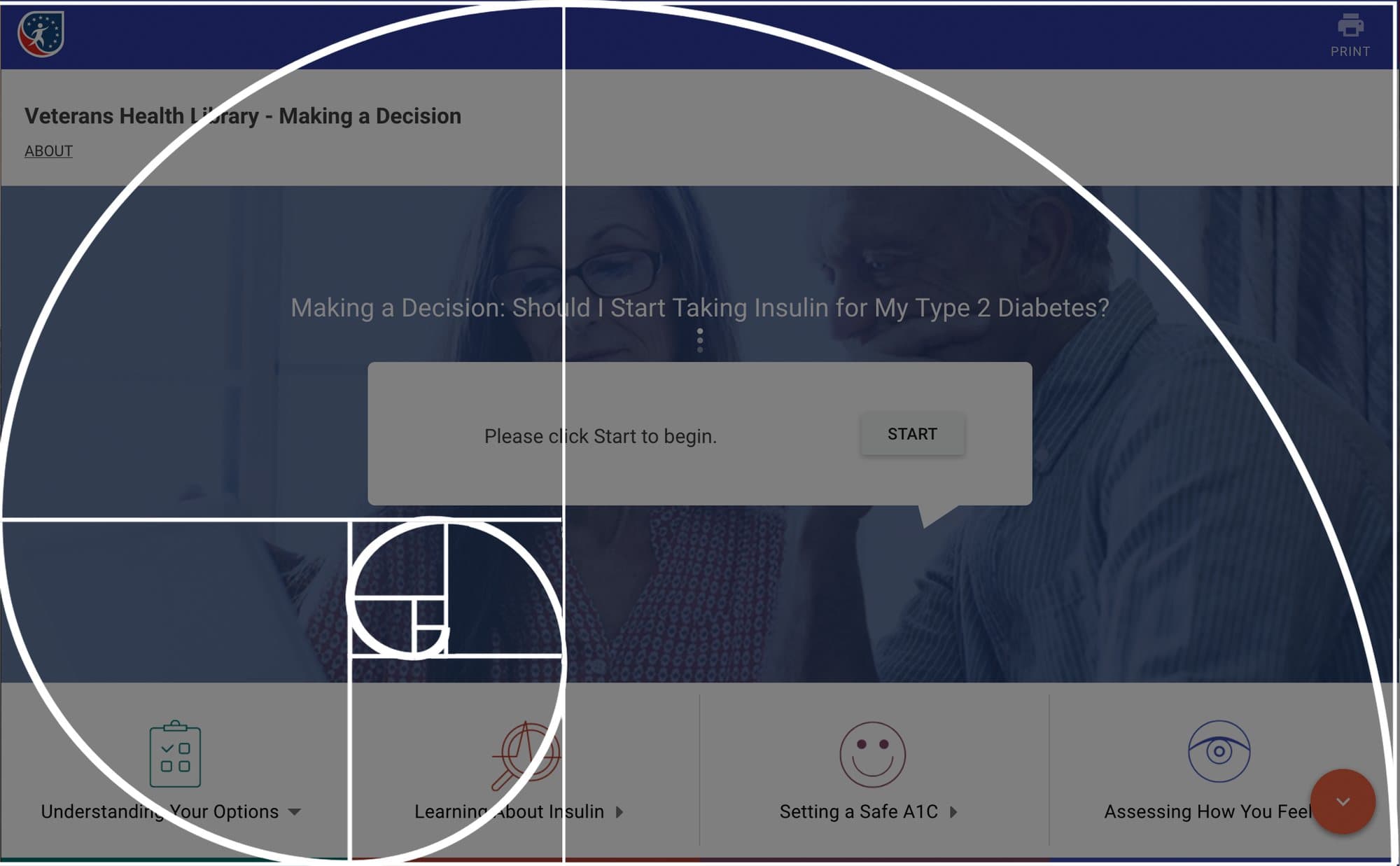
The layout was also checked against published eye-tracking research and a golden-ratio overlay. The new landing page would have to pass the same checks.
Four landing pages and two palettes.
The redesign started from a checklist out of the review: a larger area for content, a progress bar in a prominent place, no trips out to another site, more depth for people who want it and colors that pass a color blindness test.
We drew the landing page four ways along two lines. Immersive or sectioned: one photograph and three choices, or a page that explains itself as you scroll. Aspirational or clinical: a couple on a beach, or a couple at a laptop with their paperwork. The fourth option dropped photography for illustration and a single button.
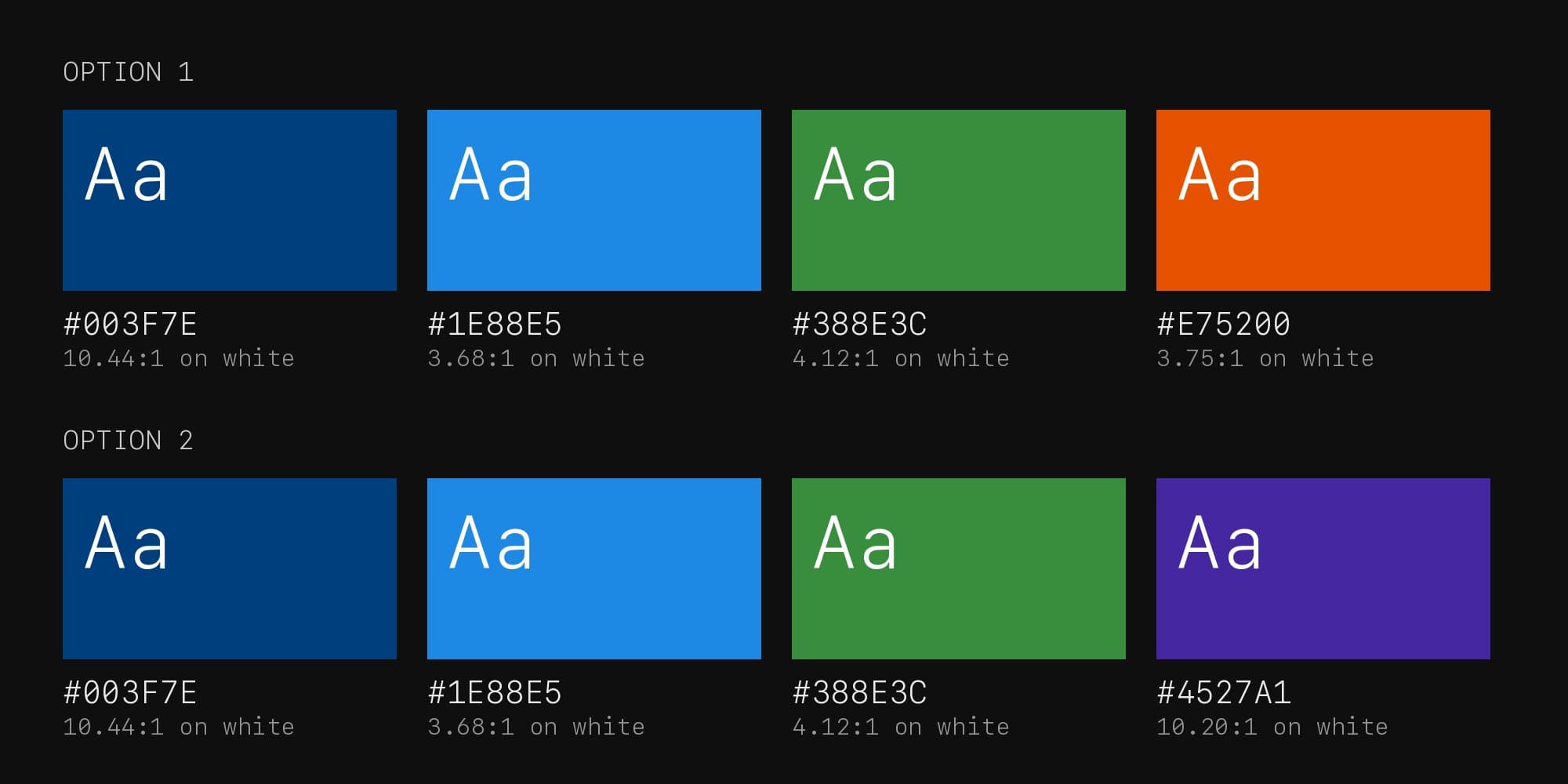
Both palettes were checked before anyone saw them. Every color carries white text at 3.68 to 1 or better, which meets Section 508 and WCAG 2.0 AA for large text. The navy reaches 10.44 to 1.
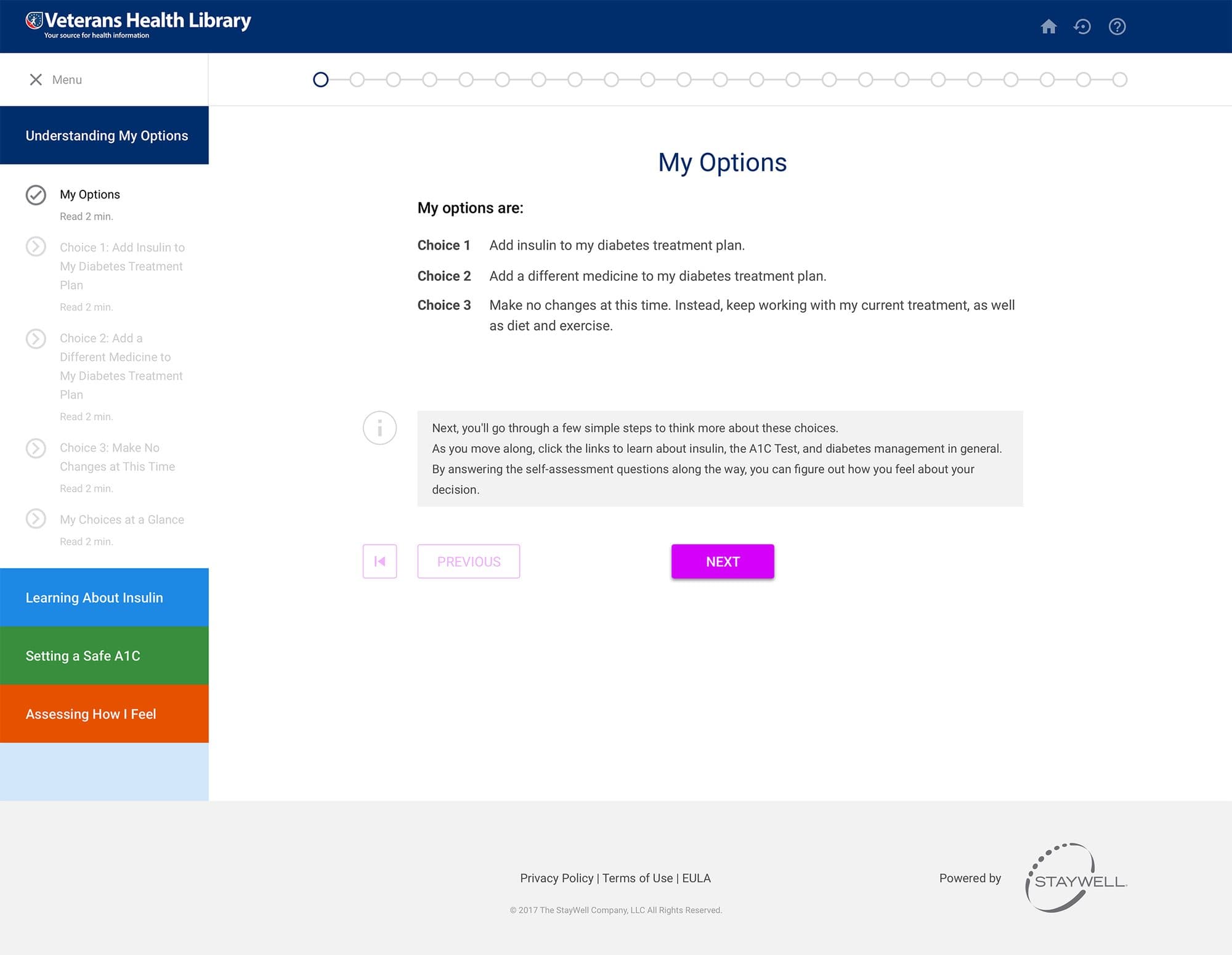
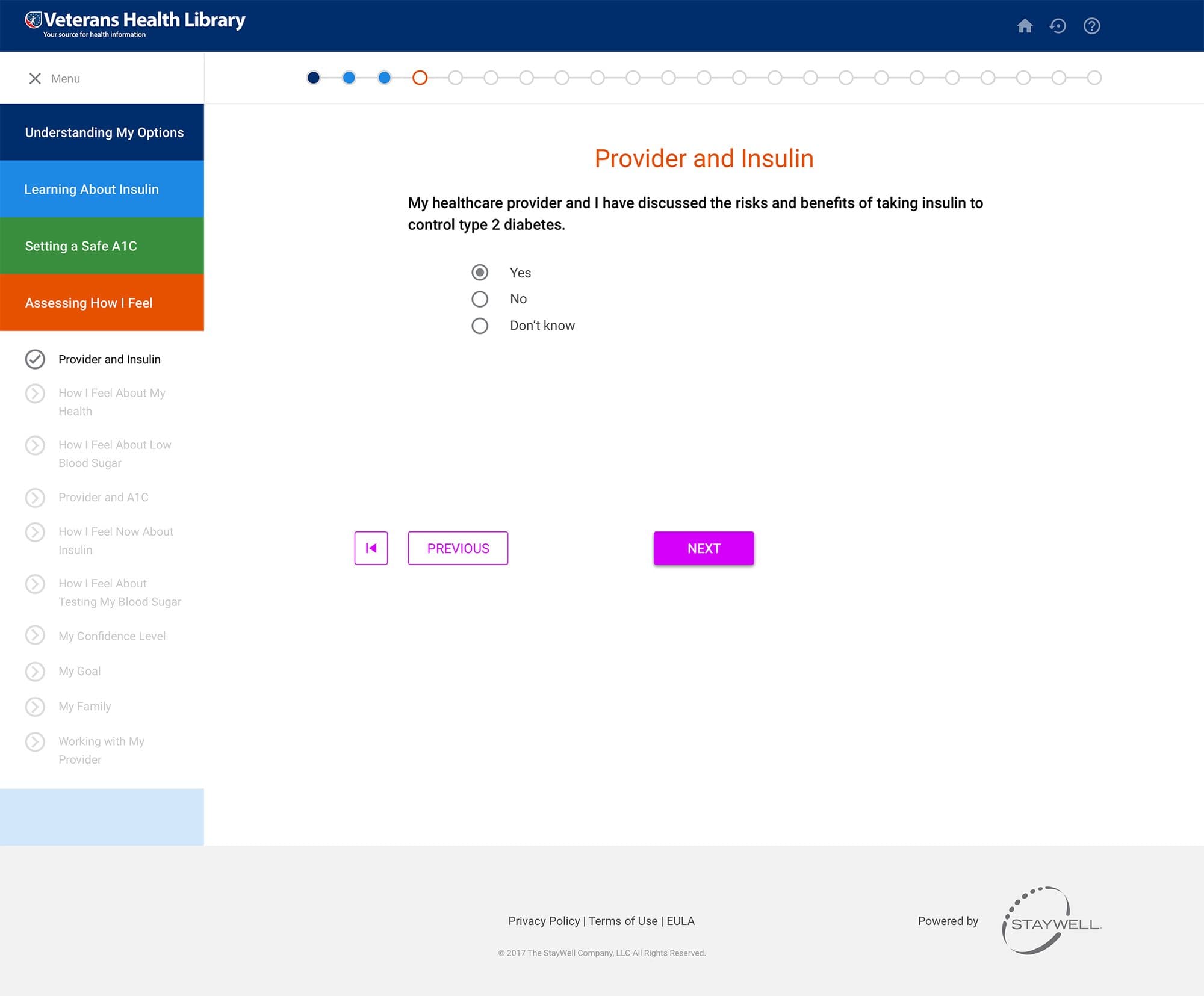
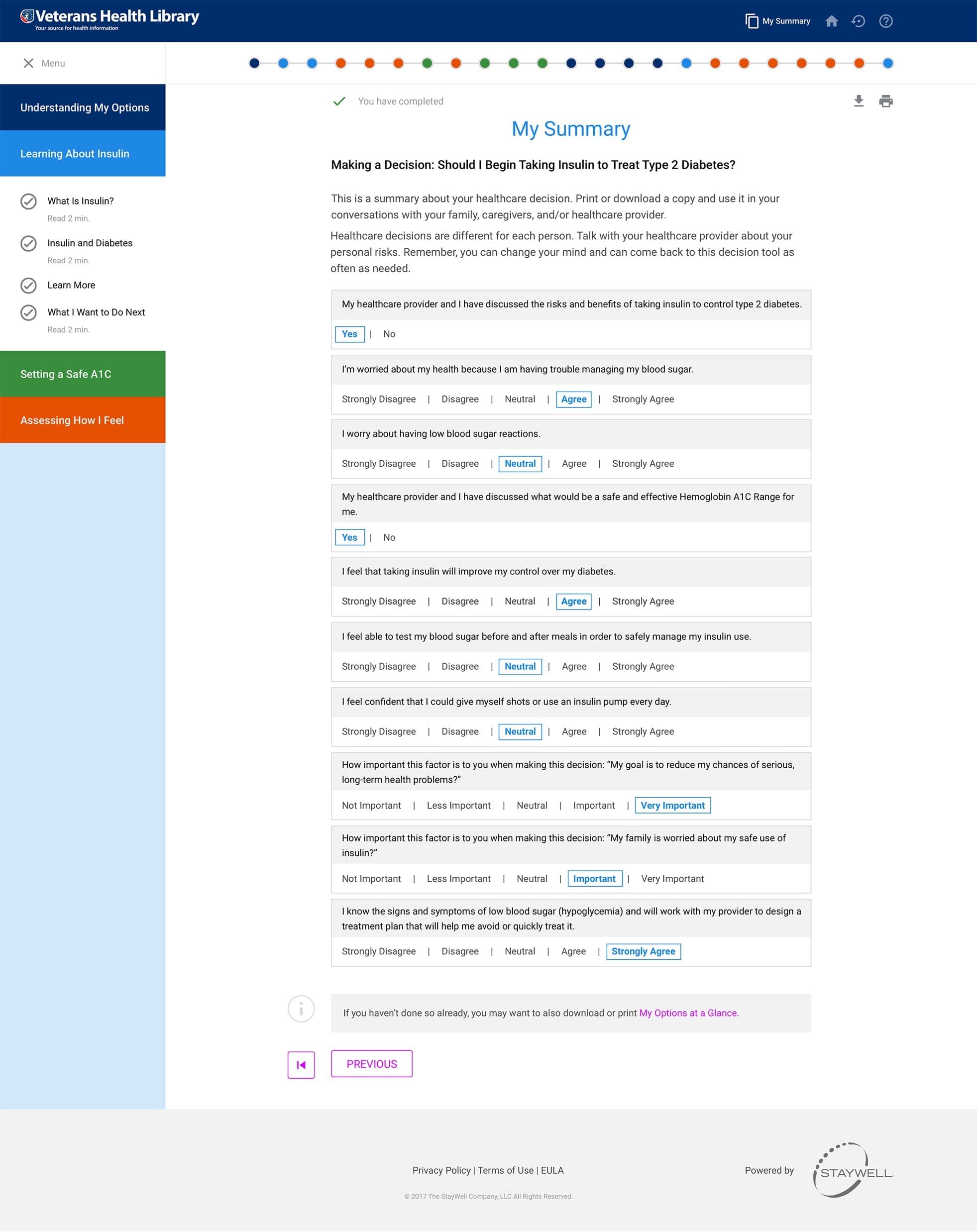
The flow behind the landing page changed too: a section menu that stays on the left, progress across the top, one question to a screen and a summary to print and take to the doctor.
Ten people, four options, no clear winner.
In December 2017 we ran the redesign through UserTesting.com with ten people: eight women and two men, ages 30 to 56. Each followed a 26-step script. They gave a first impression of each landing page, picked a first and second favorite, then worked through the decision aid on a working build and rated each task.
System Usability Scale score
Participants. 8 women, 2 men.
Steps in the test script
Findings rated serious
What worked
- Everyone found it easy to use
- The video, and a summary to print for the doctor
- A friendly tone
- A prominent Begin Session button
What did not
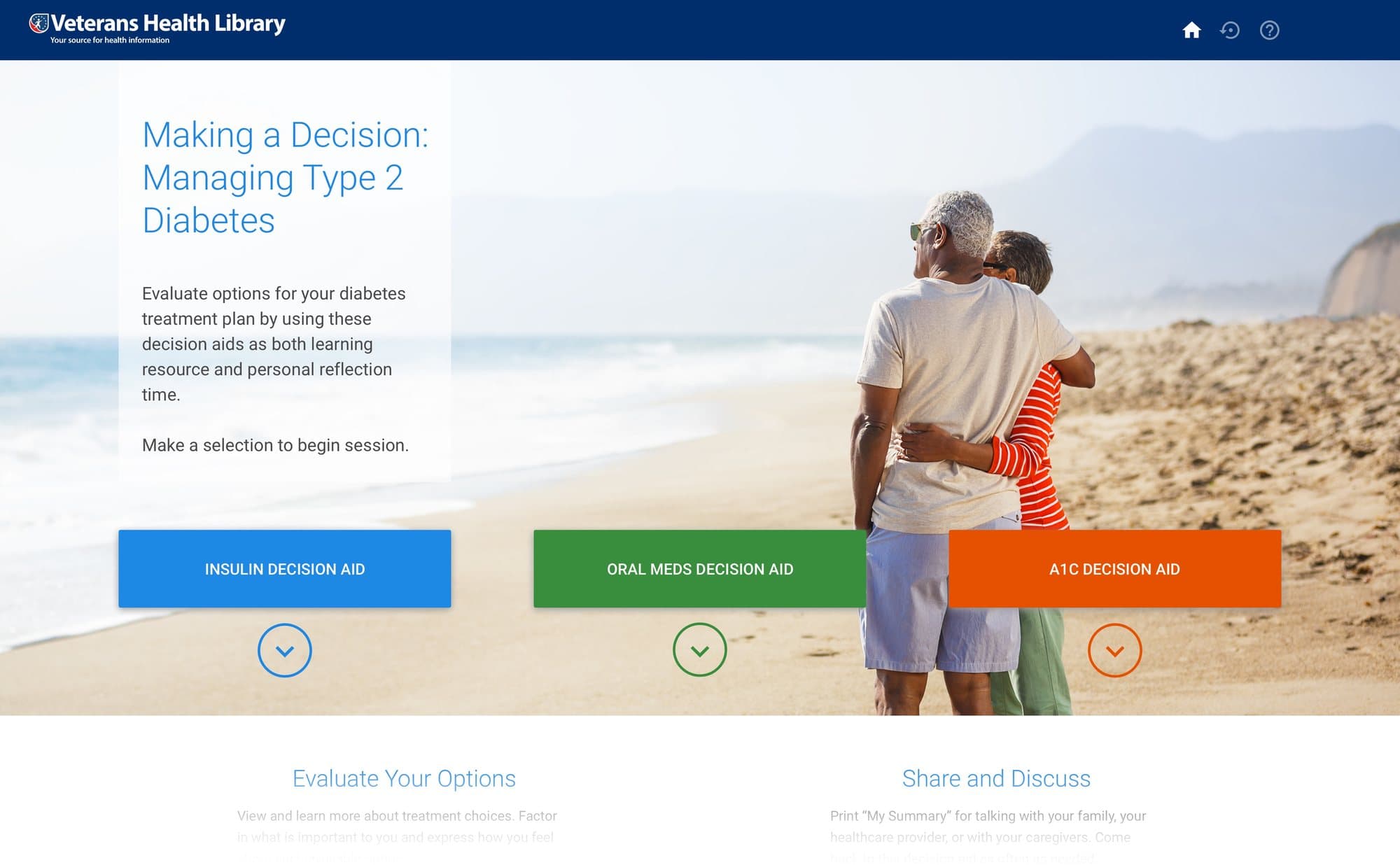
- The grey bar for agree and disagree answers
- The questionnaire ran longer than expected
- Option 3 was nobody's first choice
What we took from it
- Replace the grey bar
- Add a photograph if option 4 goes ahead
- A/B test options 1, 2 and 4
- Make the landing buttons say what they start
“It was simple, not confusing, eye catching colors, and a nice photo that didn't feel negative or depressing.”Test participant, December 2017
The vote did not settle the landing page. Option 4 took the most first choices, four of ten. Option 1 took the most votes overall, seven across first and second choice, with option 2 on six. With ten people that is a tie, and the report says so: it recommends an A/B test of the three instead of a decision.
Votes for option 1, first and second choices
Votes for option 2
Votes for option 3
Votes for option 4, with the most first choices
One caveat sits in the report as a footnote. These testers did not have diabetes, and they found the questionnaire long. The people with type 2 diabetes we tested in August had asked for more content, not less. The report treats the complaint as an effect of who was testing, not a reason to cut.
What changed after the test.
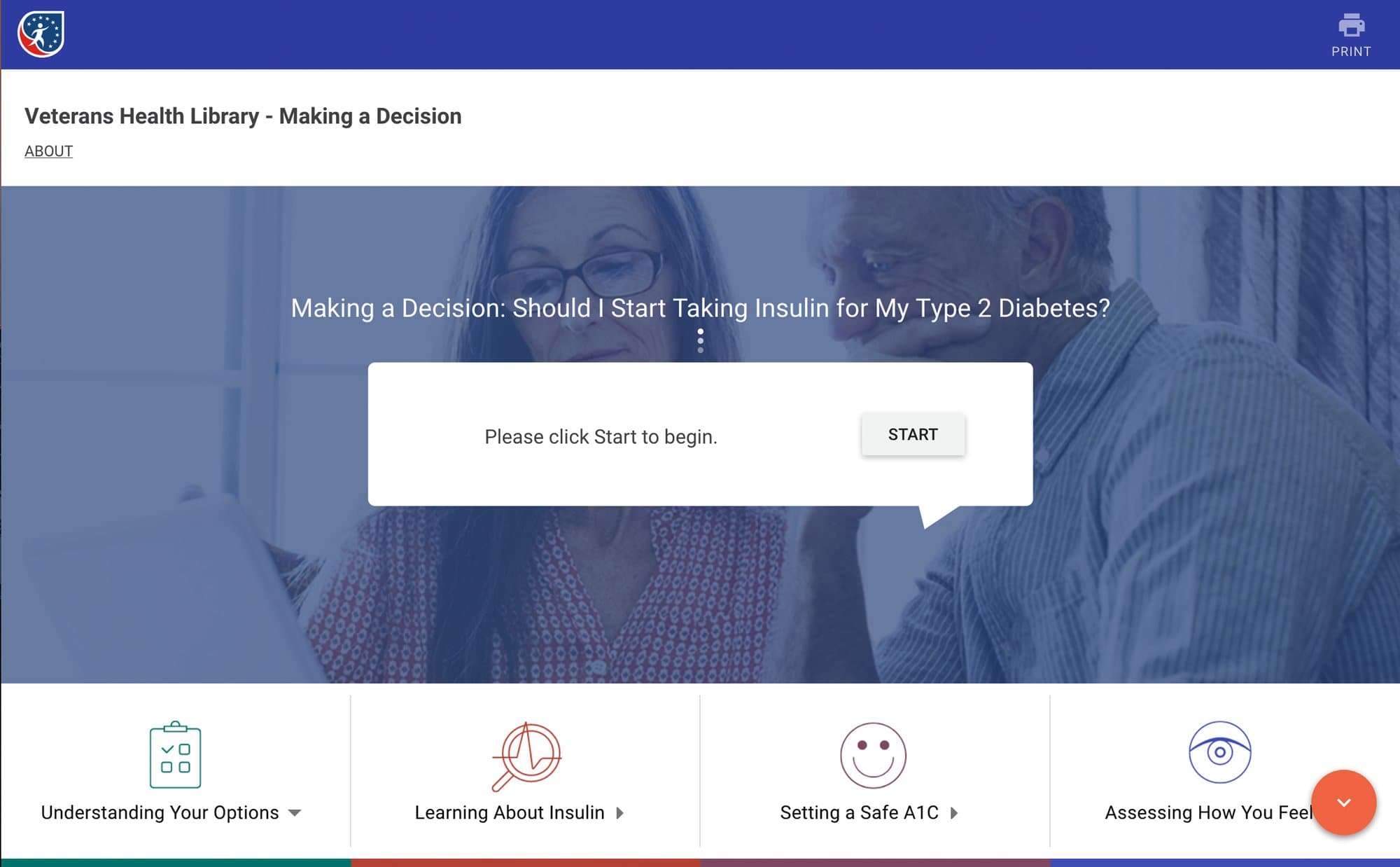
A start box became three choices
The old page asked people to click Start before telling them anything. The new one names the decision, gives one sentence of context and offers three paths. How long it takes and what happens to your answers are stated before you begin.
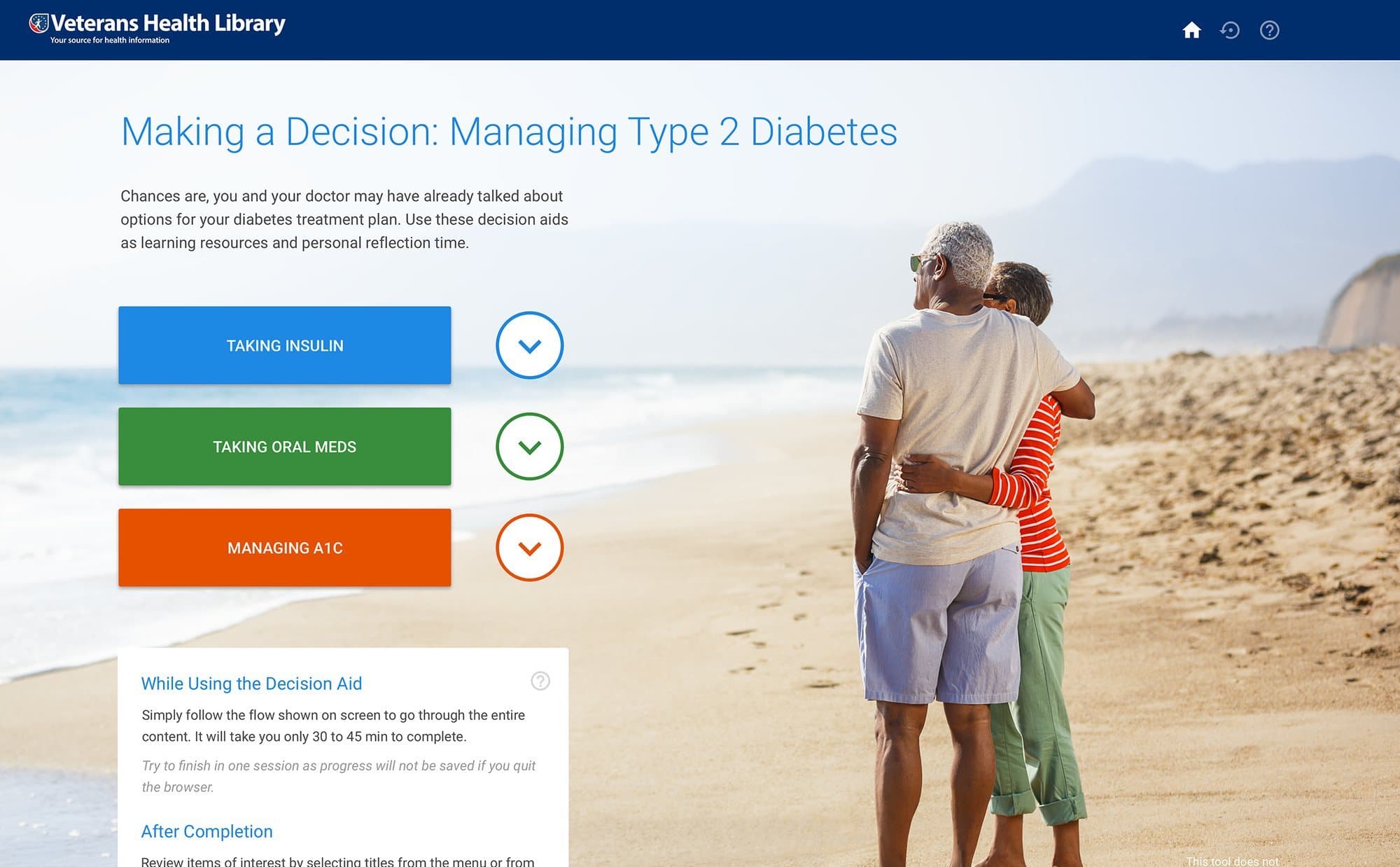
Buttons that say what they start
The finding on options 1 and 2 was clarity of action. We relabeled the three buttons as decision aids and added a line telling people to make a selection to begin.
Two replacements for the grey bar
Participants asked us to change how they picked an answer on the agree to disagree scale. We drew two replacements: a button group where the chosen answer fills with color, and classic radio buttons.
Accessibility, checked again
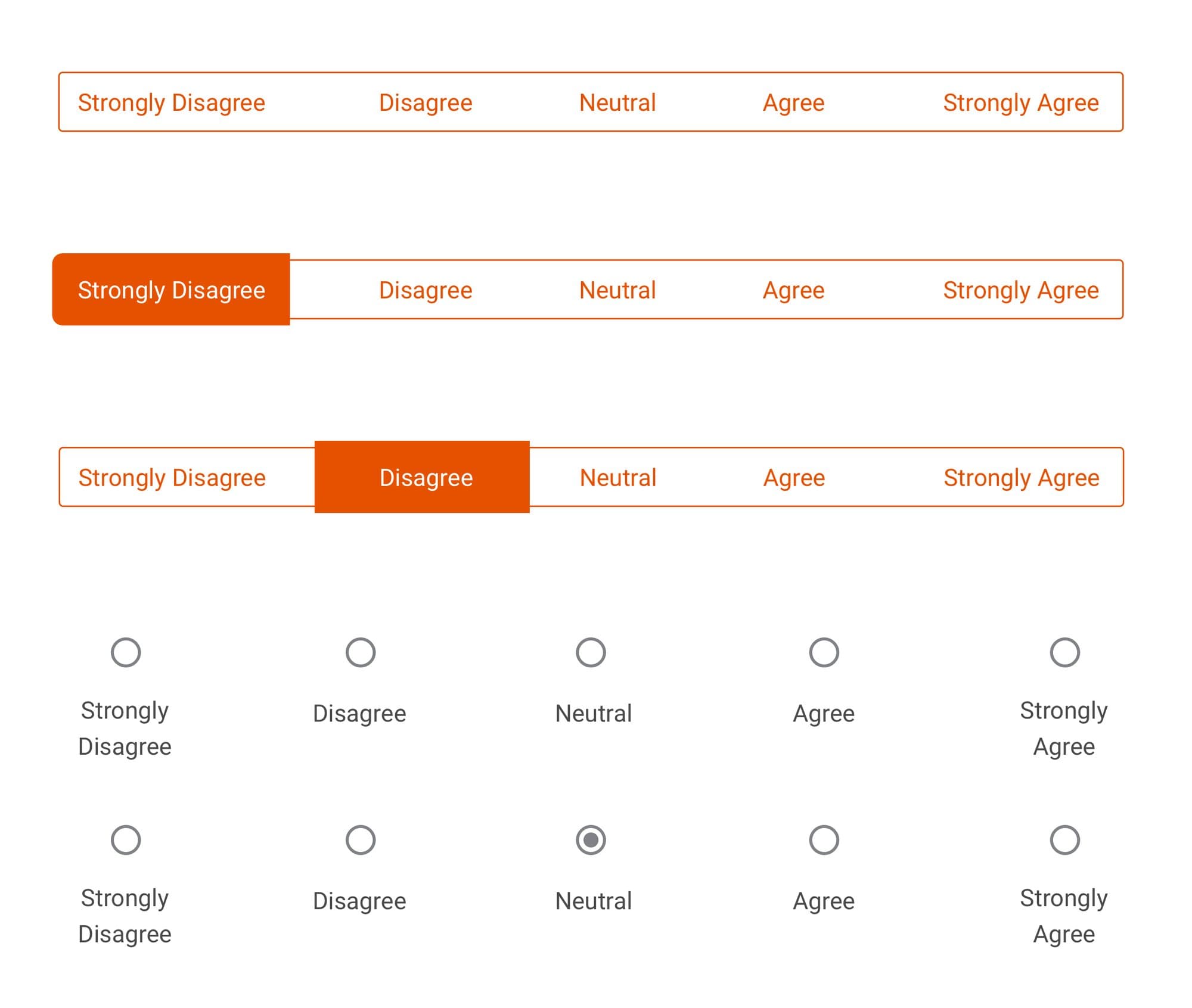
The old tool returned 23 errors in automated Section 508 testing. The same kind of check on the redesign reported no known problems and listed 14 advisory items to review by hand, such as link grouping and a skip-to-content link.
By January 2018 the design file held 86 desktop screens, including the error and recovery state for every question, plus tablet and phone layouts and a style kit.
The same loop on the hospital health library.
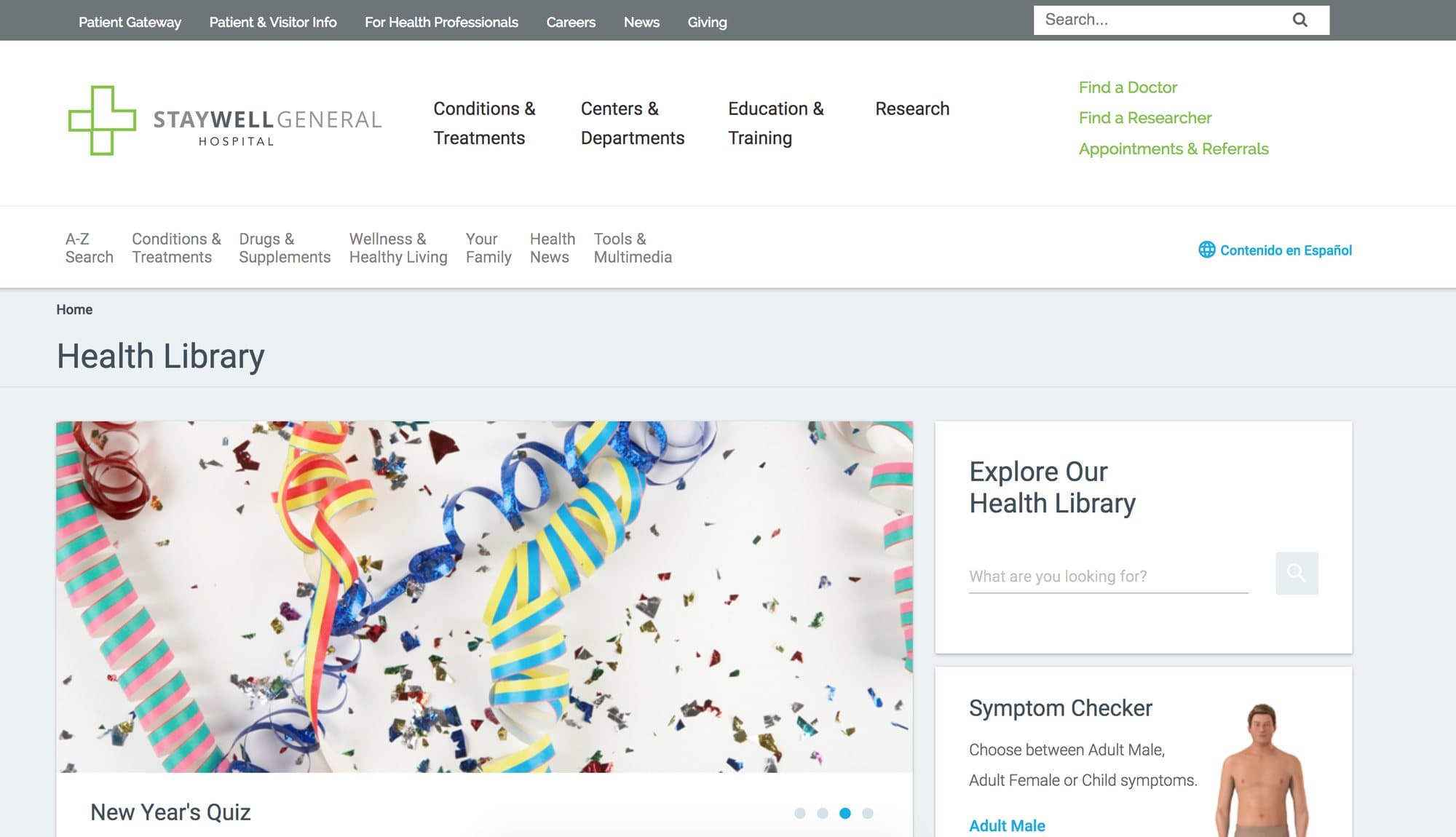
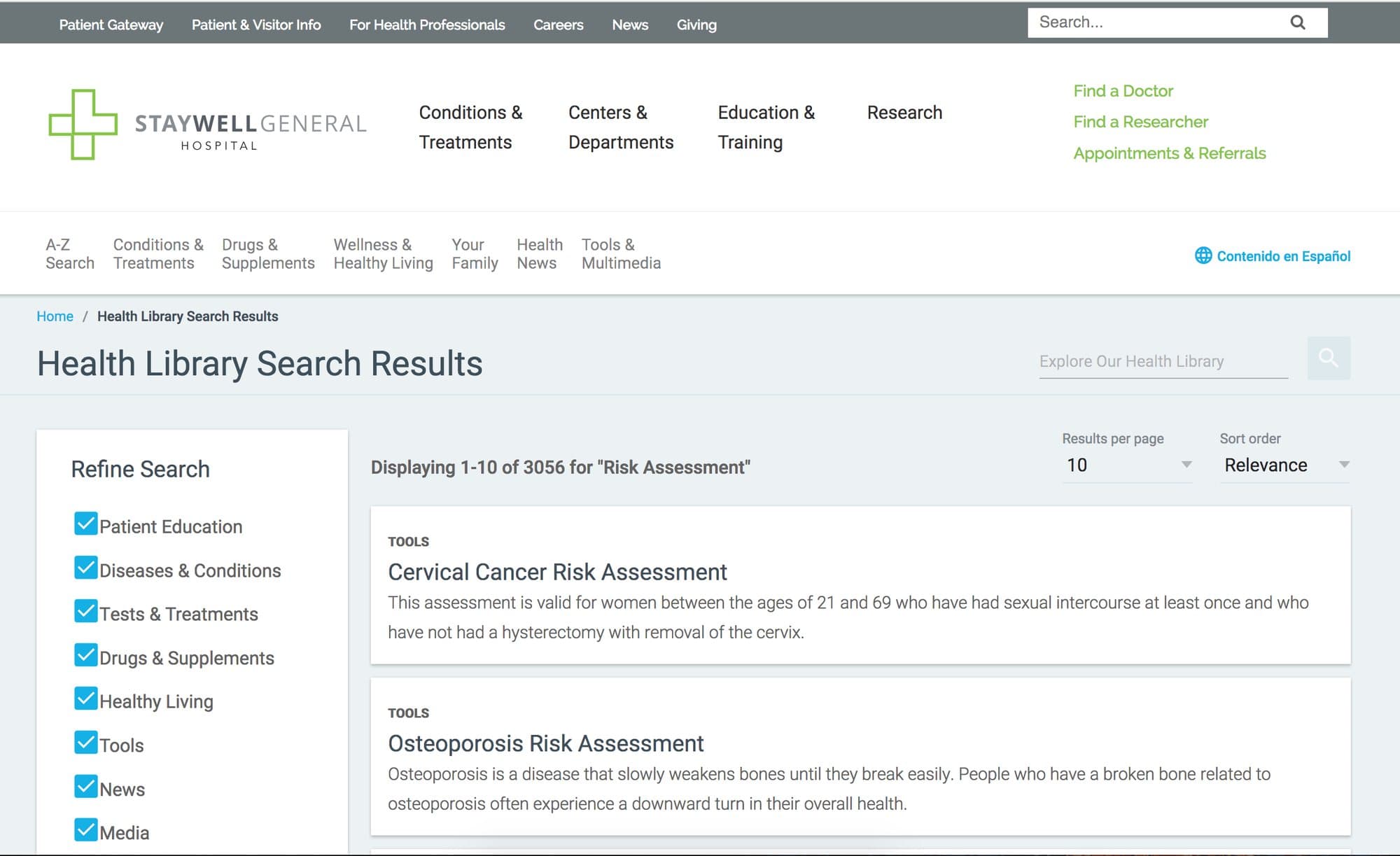
The Consumer Health Library is the Krames content a hospital puts on its own website: conditions, treatments, drugs, wellness, news and tools, in English and Spanish. It went through the same loop in the same winter.
The automated audit came first. In December 2017 it ran 74 tests against the demo site and reported 10.8% failing, with 36 issues: empty buttons, frames without titles, a menu that changed pages when used from the keyboard and text contrast as low as 2.4 to 1.
In January 2018 five people, ages 39 to 70, used the site as if their hospital had just launched it. They searched for diabetes, tried to book an appointment and looked for a health risk assessment.
System Usability Scale score
Participants, ages 39 to 70
Automated tests, 10.8% failing
Lowest contrast ratio in the palette, before and proposed
What worked
- Easy to use, said all five
- A clean, professional layout
- Switching to Spanish
What did not
- Too much on the home page
- Find a doctor and appointment buttons sat below the fold
- The health risk assessment was hard to find
- The blue and the green failed contrast
What we recommended
- Darken the blue and the green
- Shrink the header so the buttons sit above the fold
- Move the risk assessment into the carousel
- Raise contrast on the search icon
Two months later we walked a client through the next version and asked where the reviewer would look for a health assessment.
“I'm not sure, and I don't think my mother could figure it out.”Client reviewer at Baylor, from the session notes, March 2018
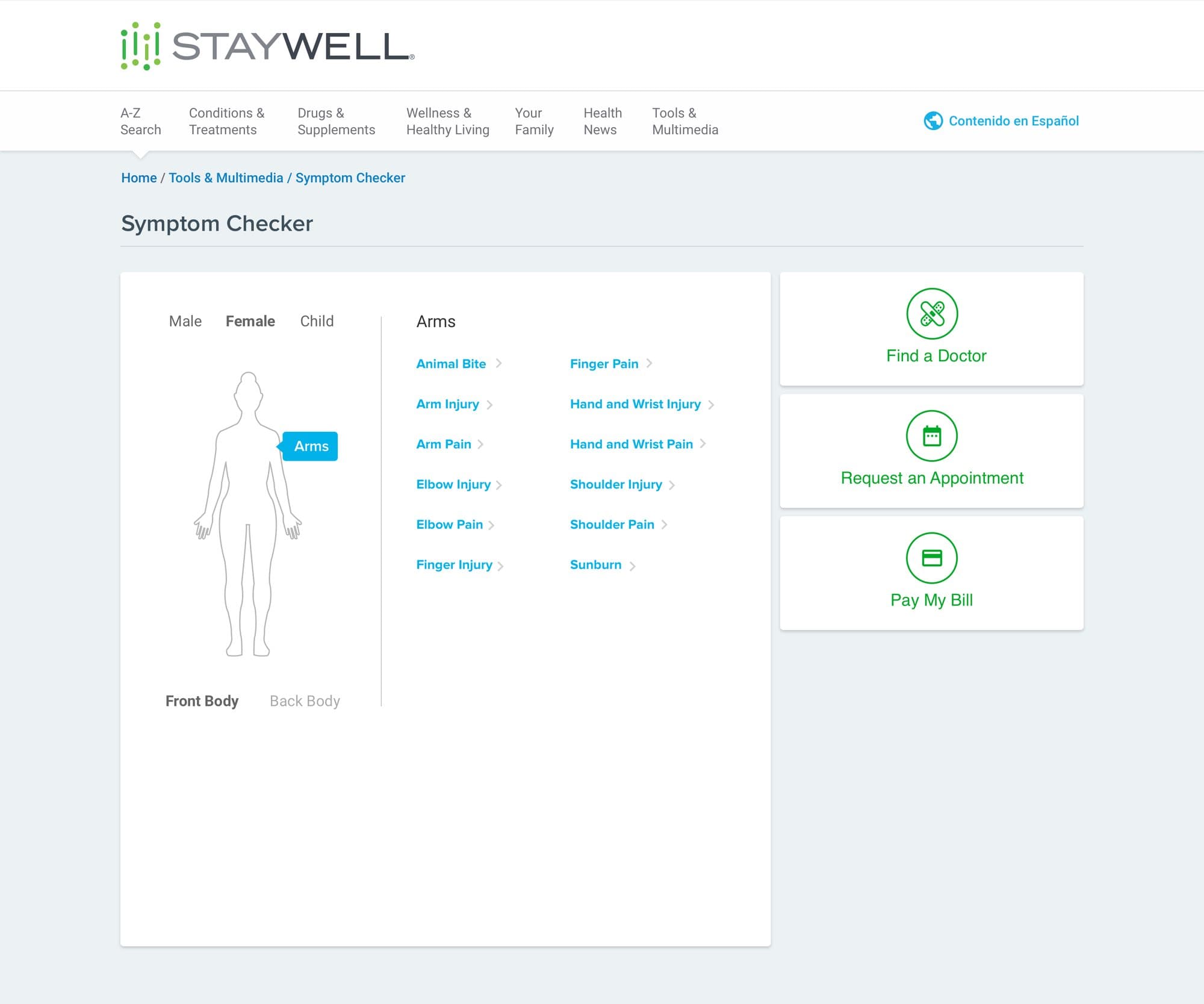
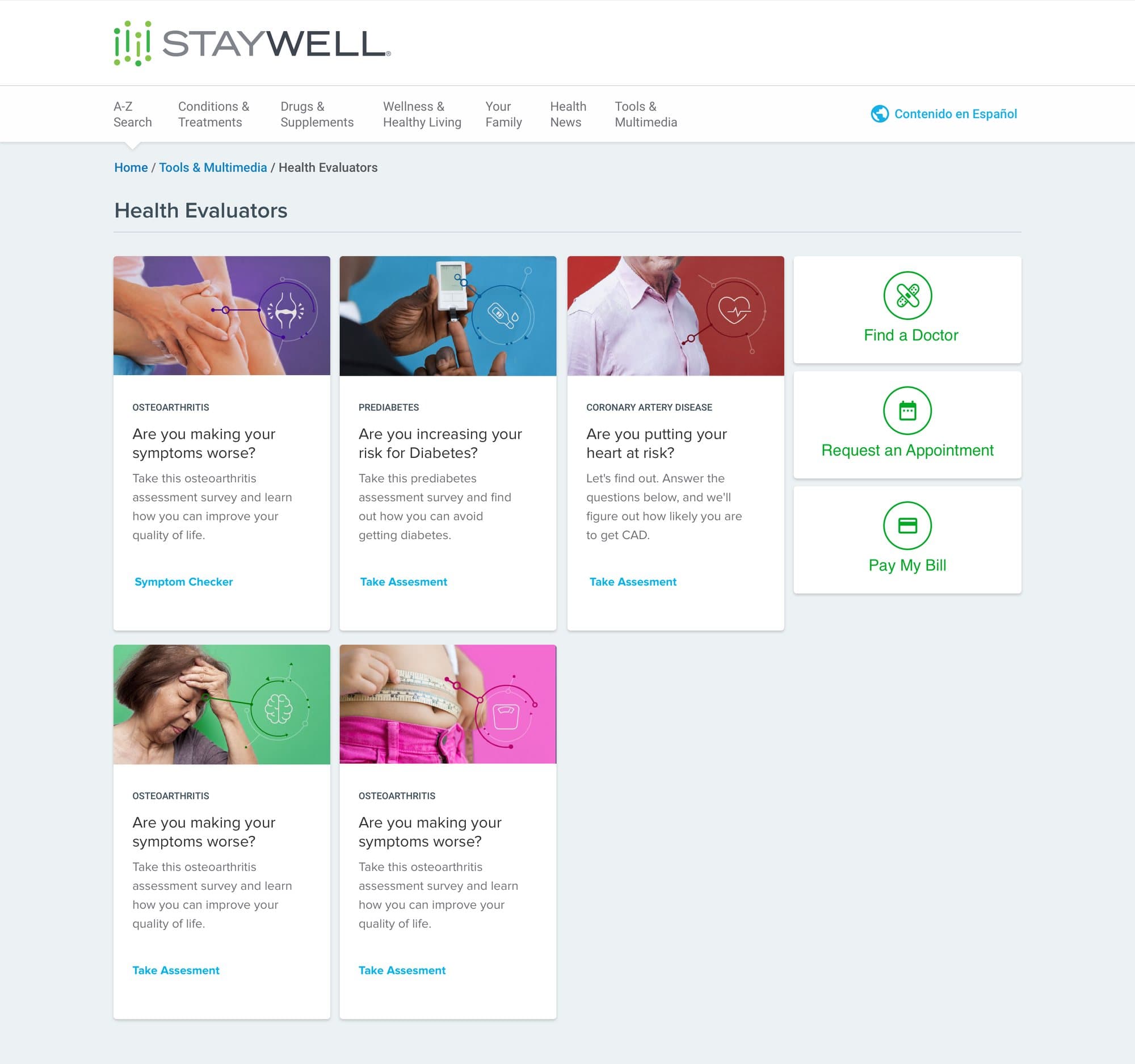
The redesign that followed puts what a hospital visitor came for in one row under the lead story: find a doctor, request an appointment, pay a bill and Return to Health. The symptom checker moved onto the home page. Health evaluators, a term the Baylor review flagged as unfamiliar, got a page that leads with the question each one answers.
Patient education inside the clinician's chart.
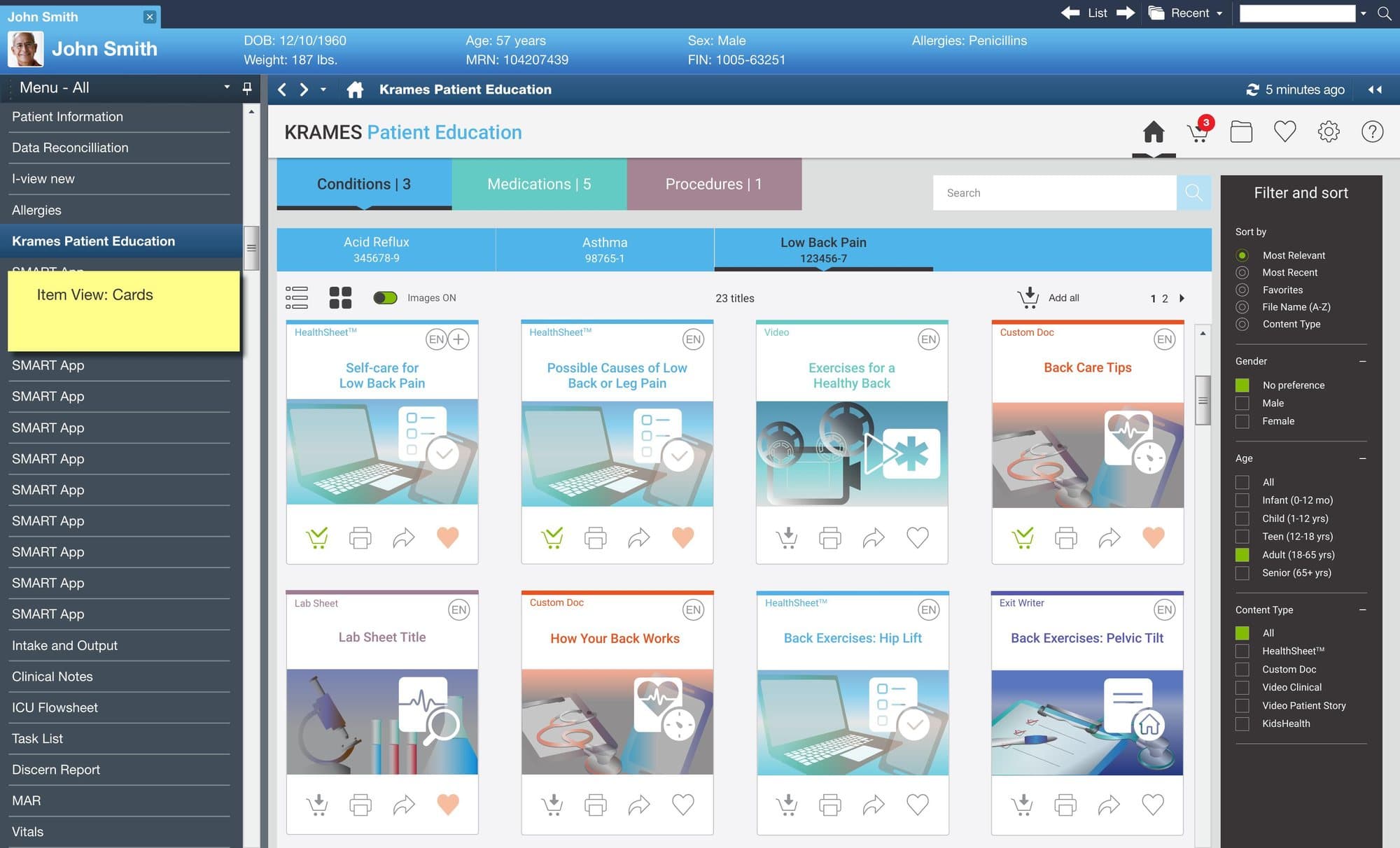
Hospitals loaded Krames content into their health record system by hand, about once a quarter. It took their IT groups 25 to 30 hours each time, the content could be out of date between loads, and the patient education screens inside the record were old.
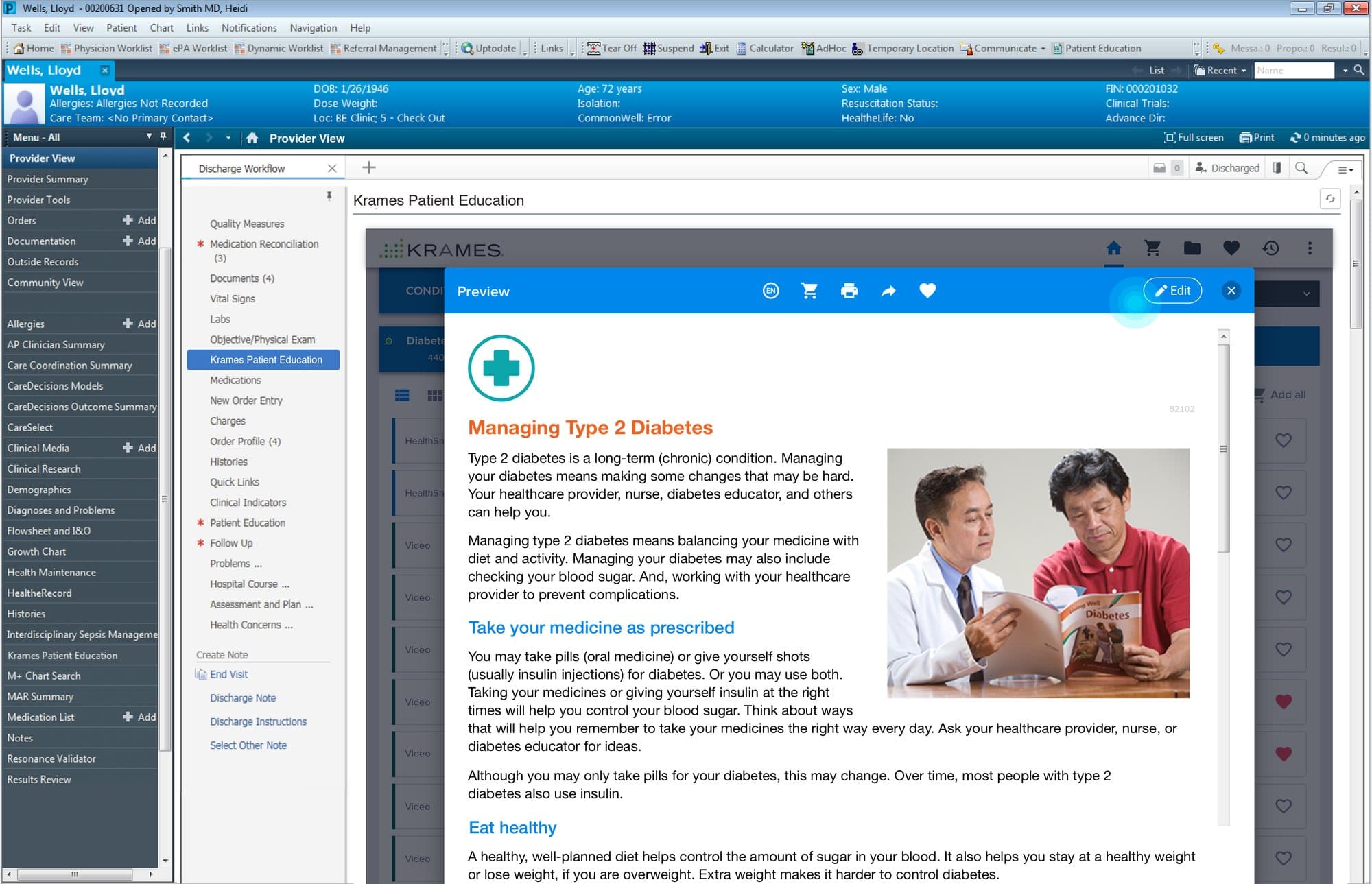
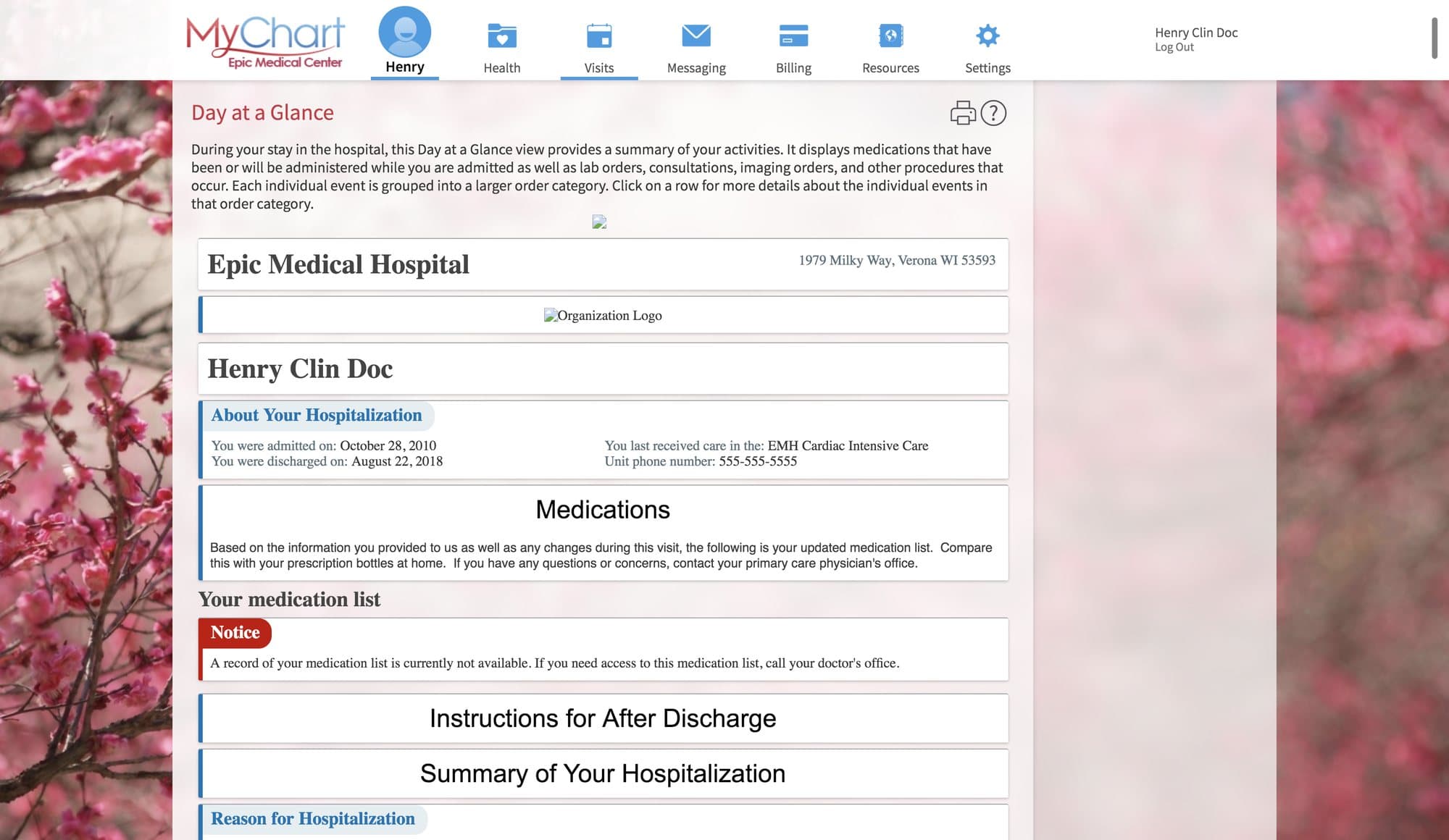
Krames on FHIR replaced the upload with an app that opens inside the chart. It reads the patient's conditions, medications and procedures and offers matching education. The clinician previews it, edits it, prints it or sends it to the patient portal, and the record keeps a history of what was given.
Furiae’s part was the experience: 42 pages of mock-ups revised after Cerner's UX review in September 2017, then clickable prototypes that walk the whole path from the chart to the patient's portal and back. Clinician testing was part of the prototype stage. The app was validated on Cerner and Epic, and StayWell's engineering leads presented it at HL7 FHIR DevDays in Boston in June 2018.
Hours a quarter of hospital IT time the manual upload took
Health record systems validated: Cerner and Epic
Pages of phase one mock-ups
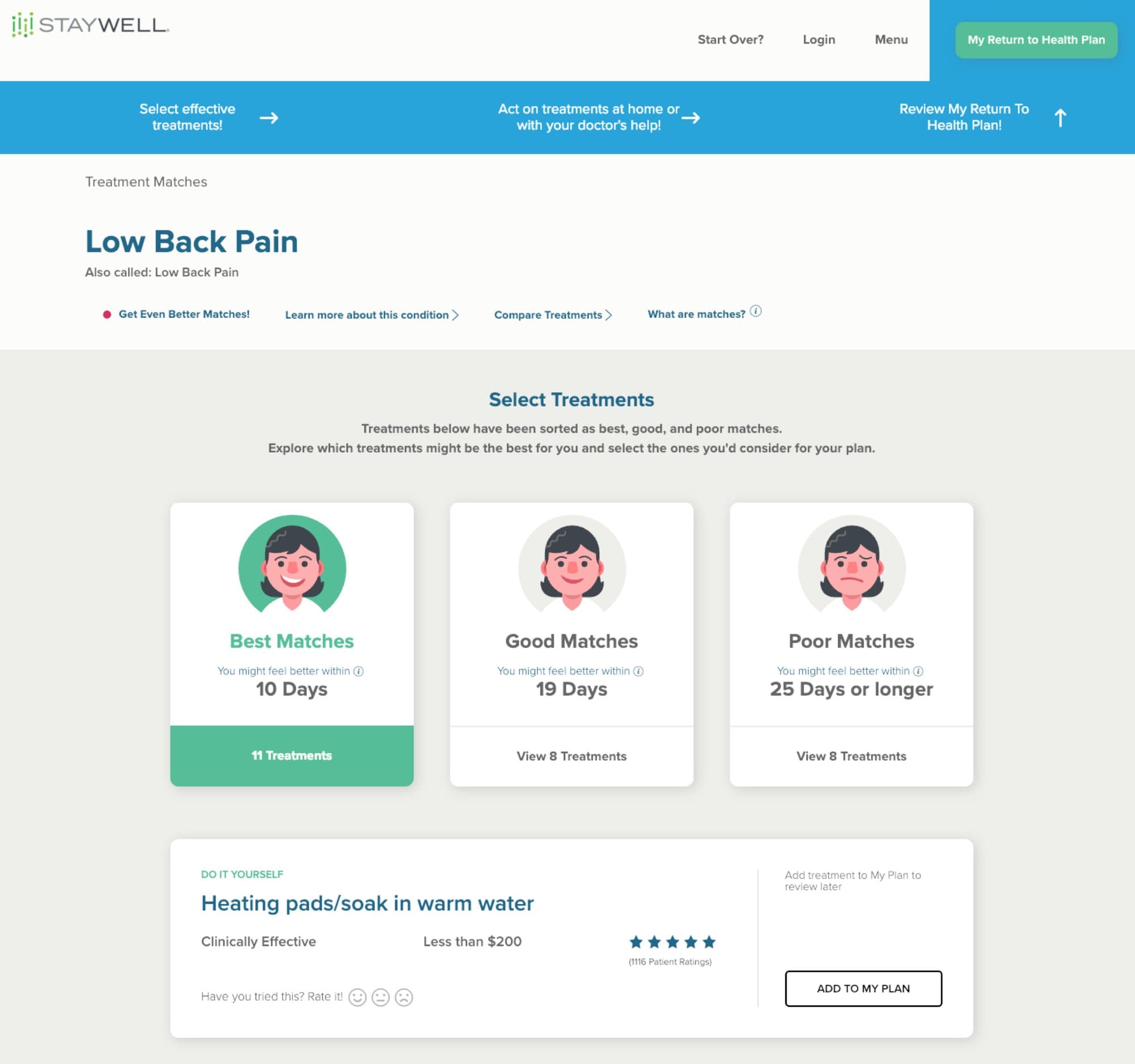
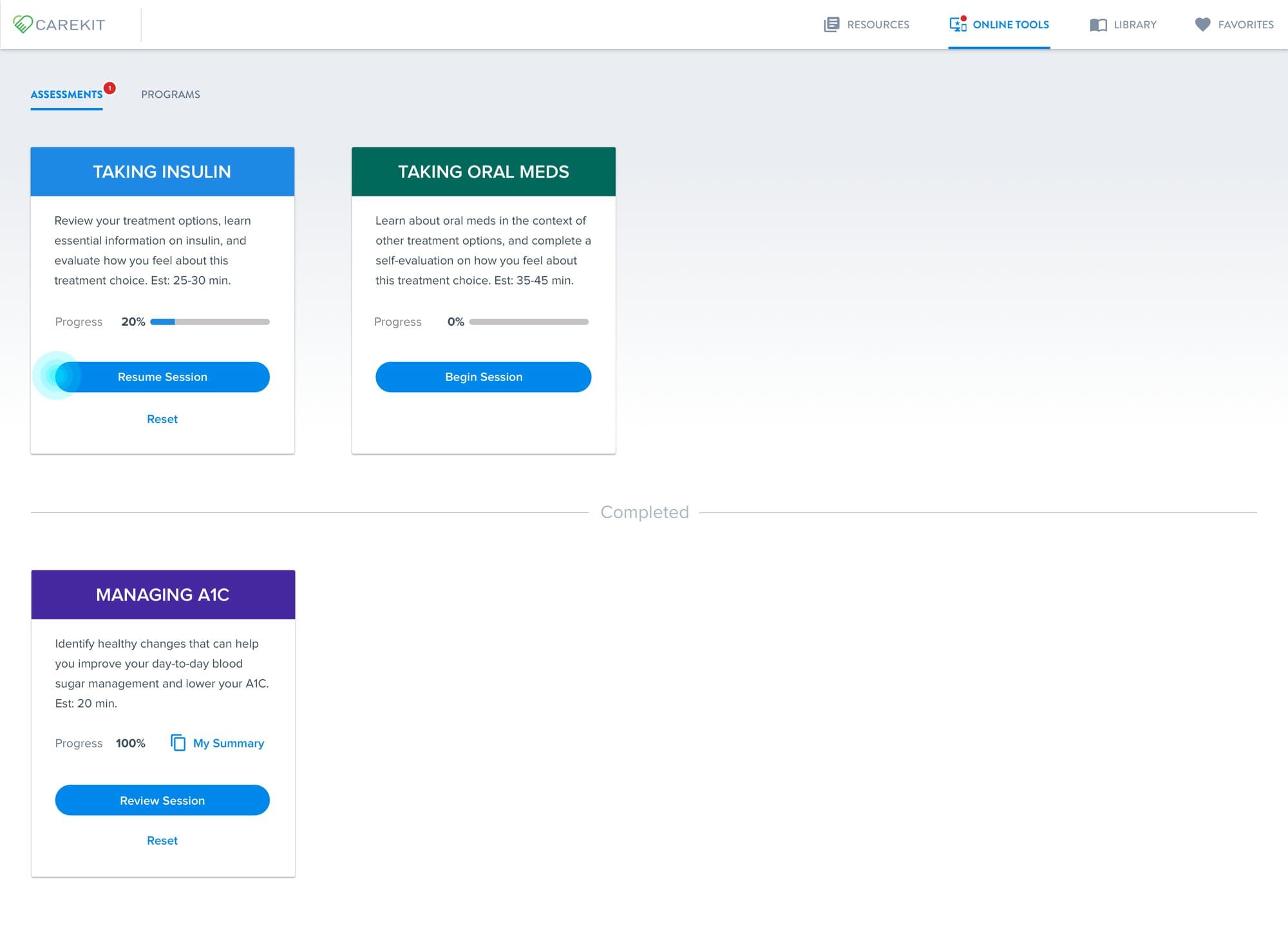
The decision aids from the first project turn up here as well. In the patient portal they sit under online tools, each with its own progress.
A wellness platform designed from the book of business.
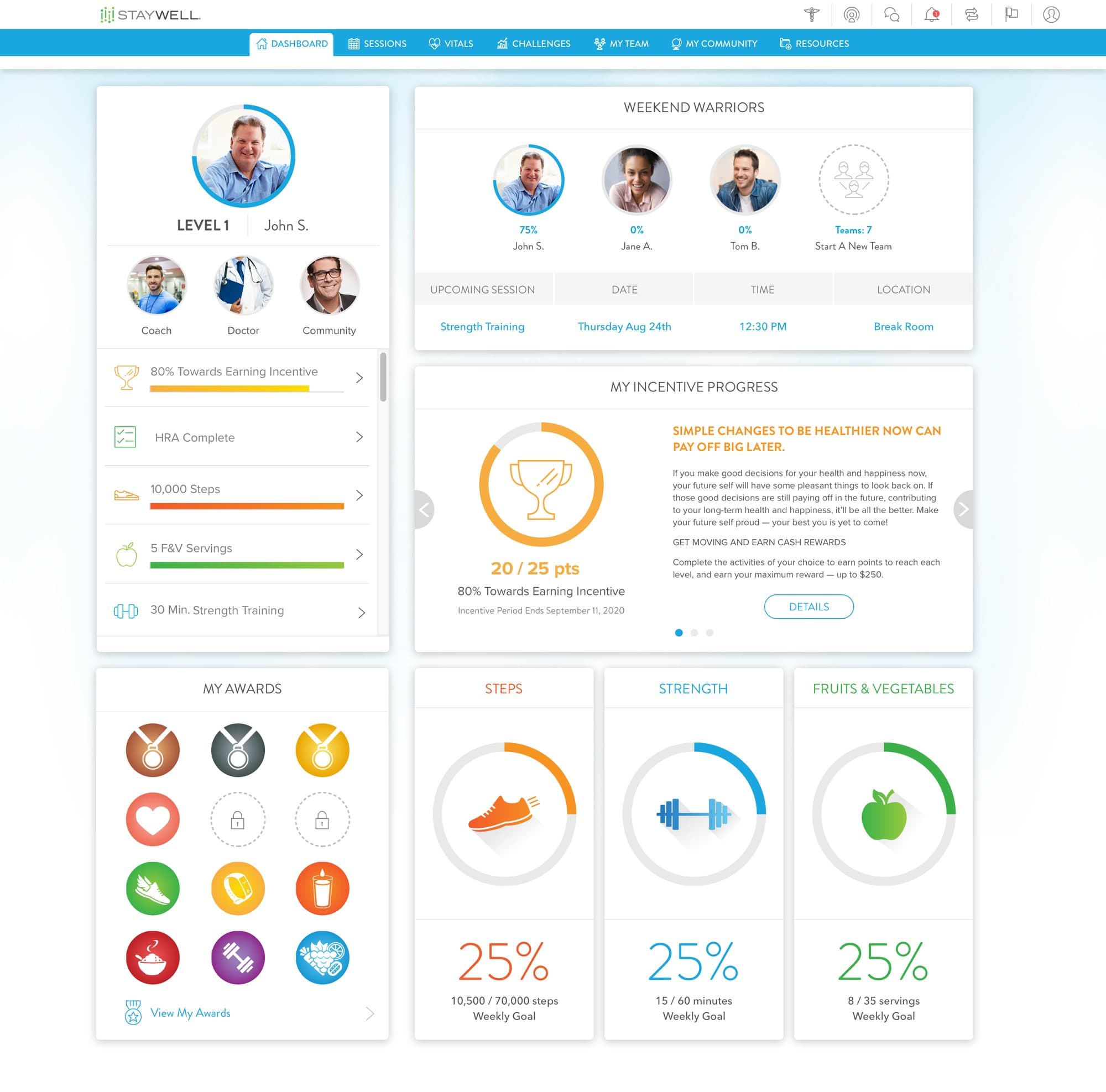
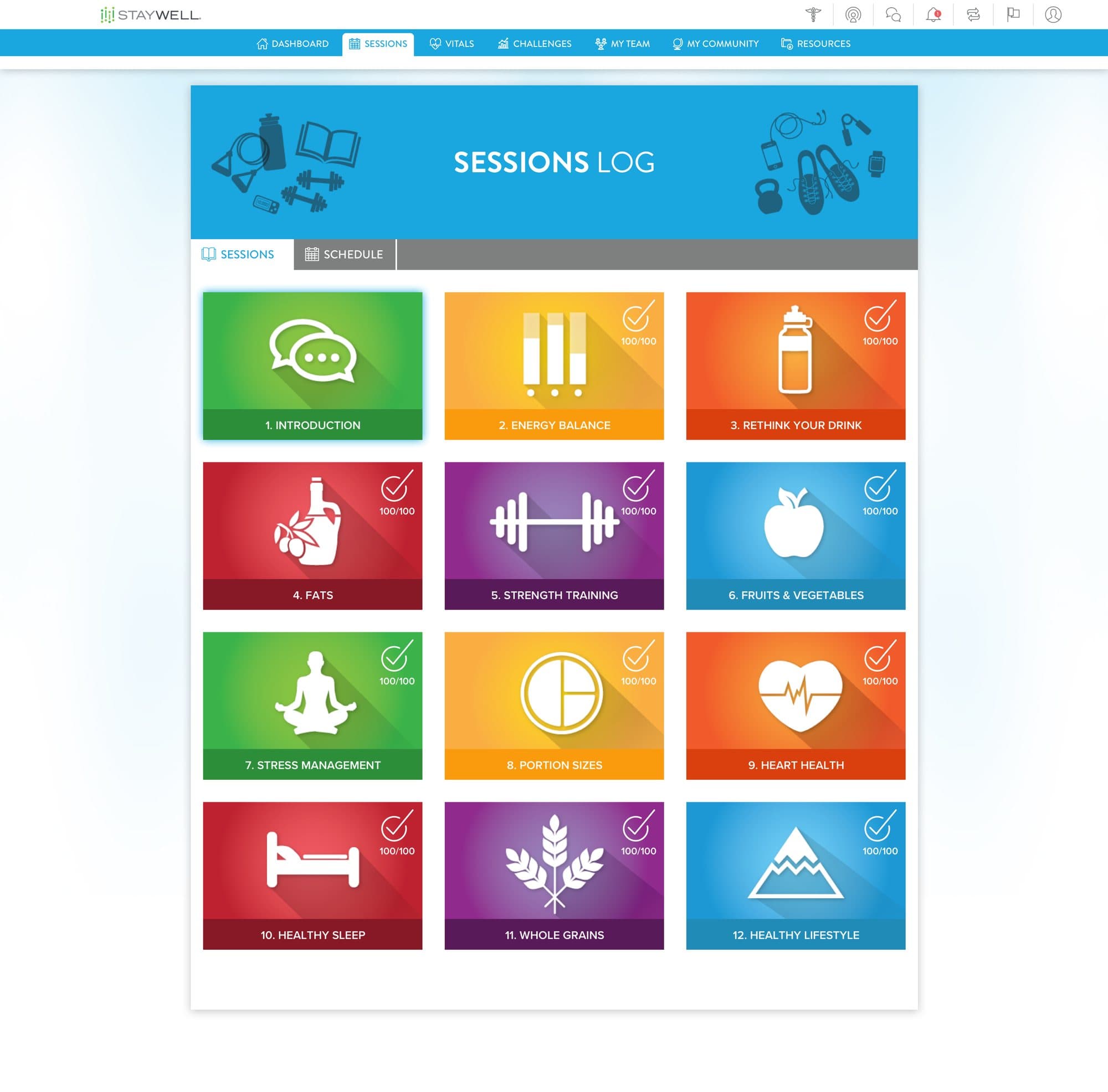
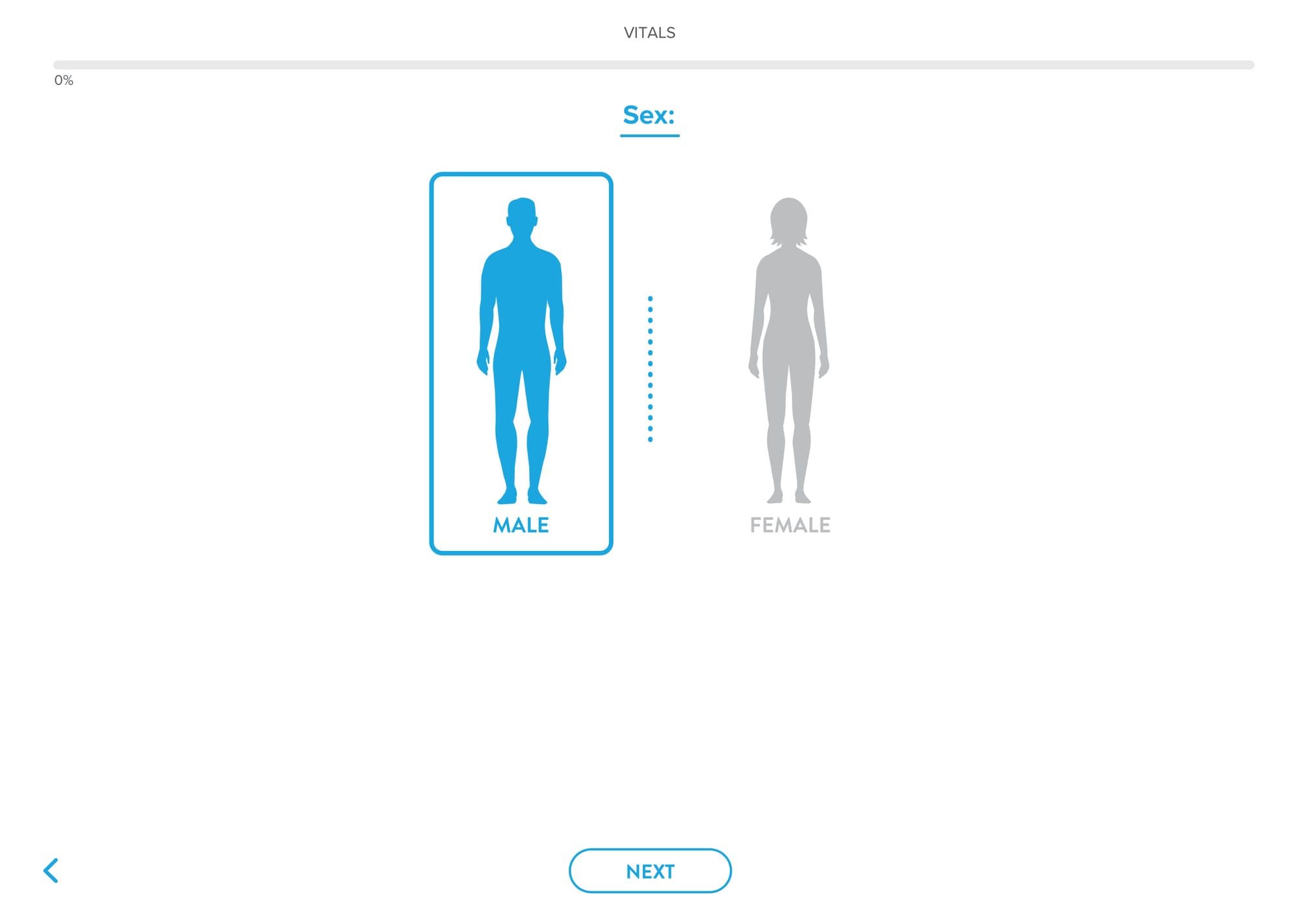
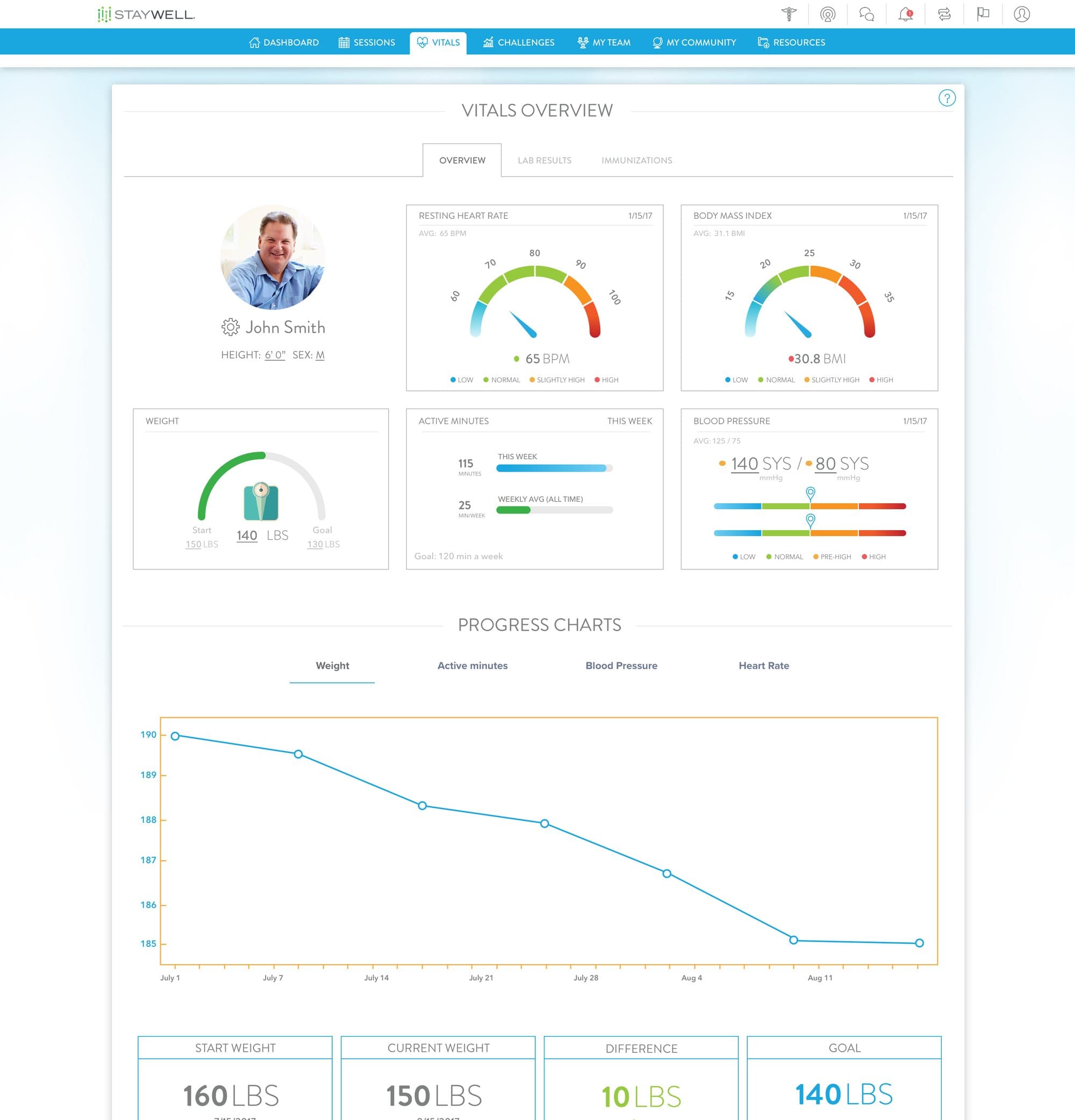
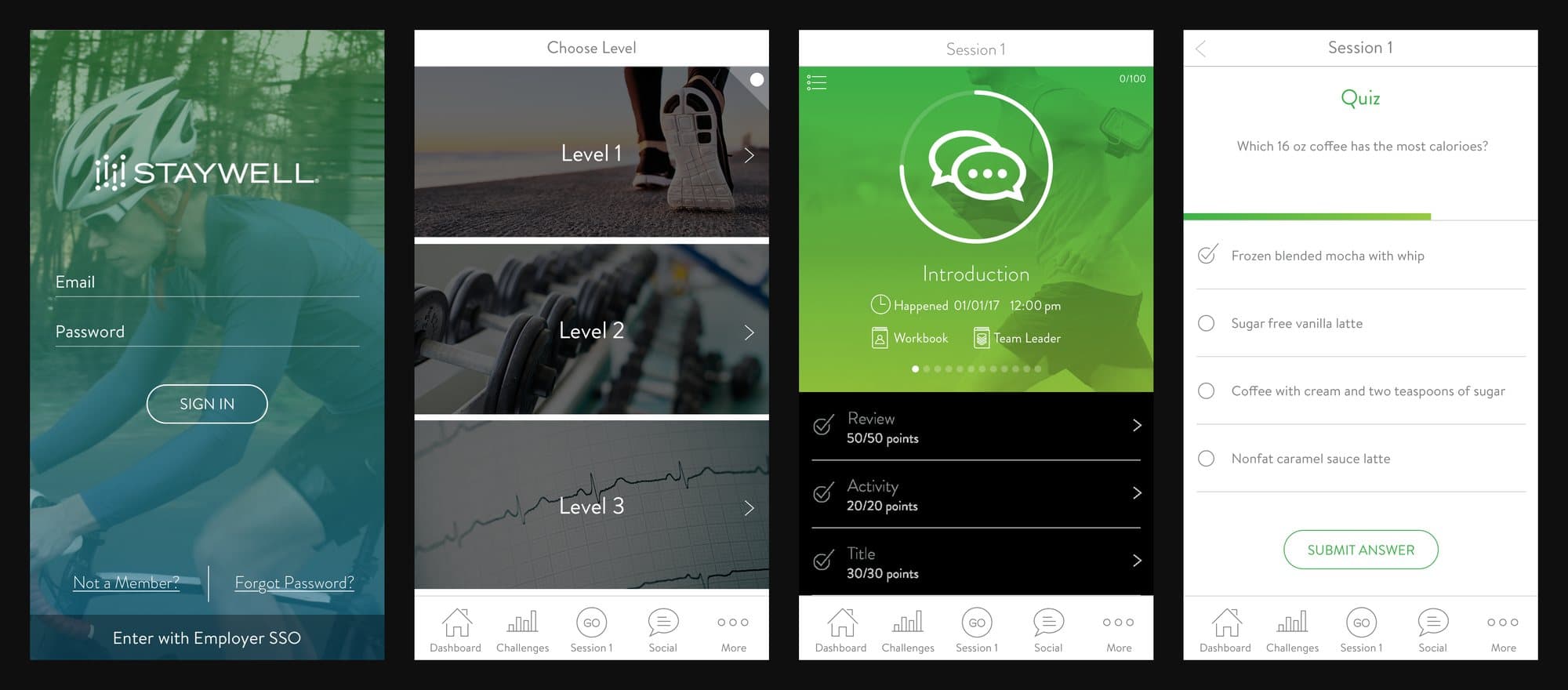
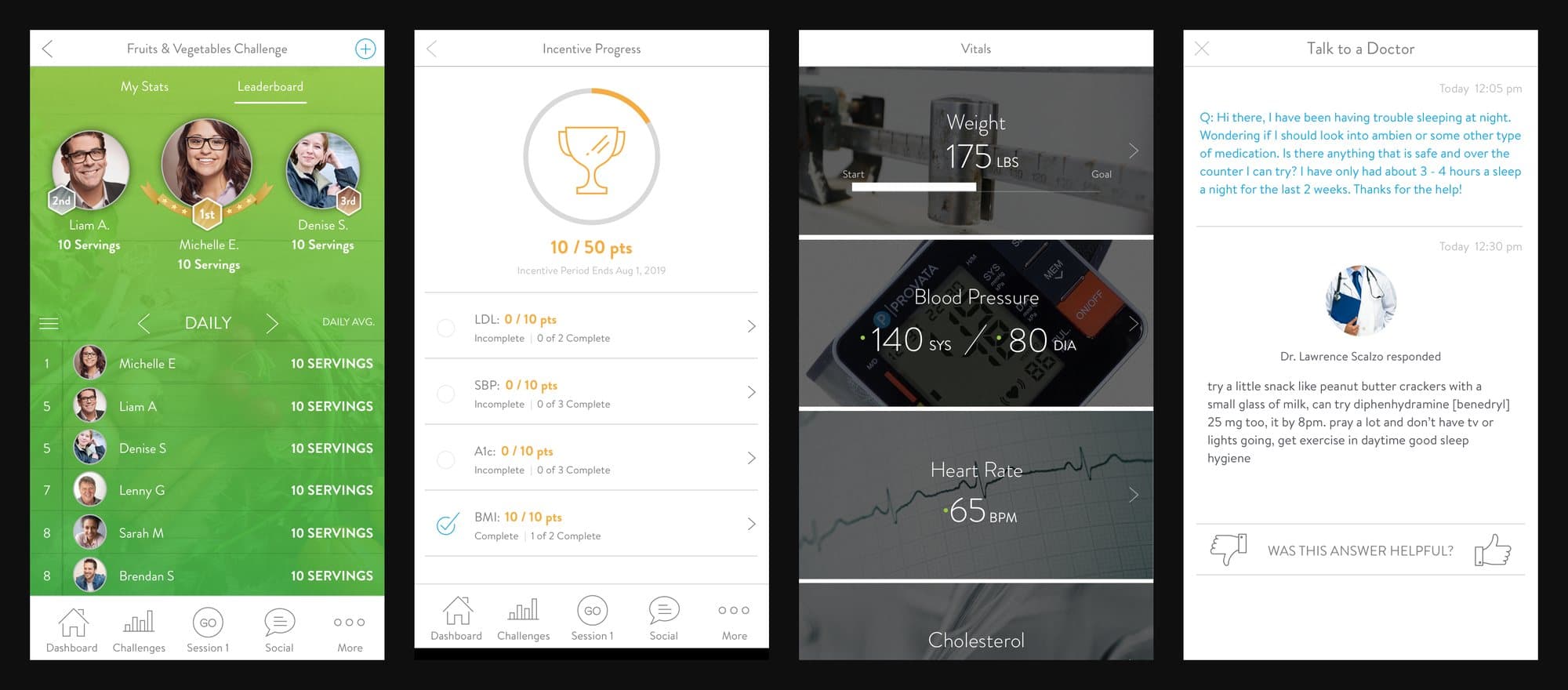
My StayWell is the wellness portal employers offer their staff: a health assessment, a twelve-session program taken alone or in teams, challenges, coaching, incentives and vitals.
We built the personas from data. The source was the book of business: 712,814 people across 66 organizations, average age 44.7, with 2.5 health risks each. The three personas presented in August 2018 each stand for a segment of that table.
The 2019 prototype runs to 48 desktop screens and about 90 on the phone. The dashboard leads with what the member is working toward: incentive progress, the next team session and three rings for steps, strength and fruit and vegetables.
Coaching
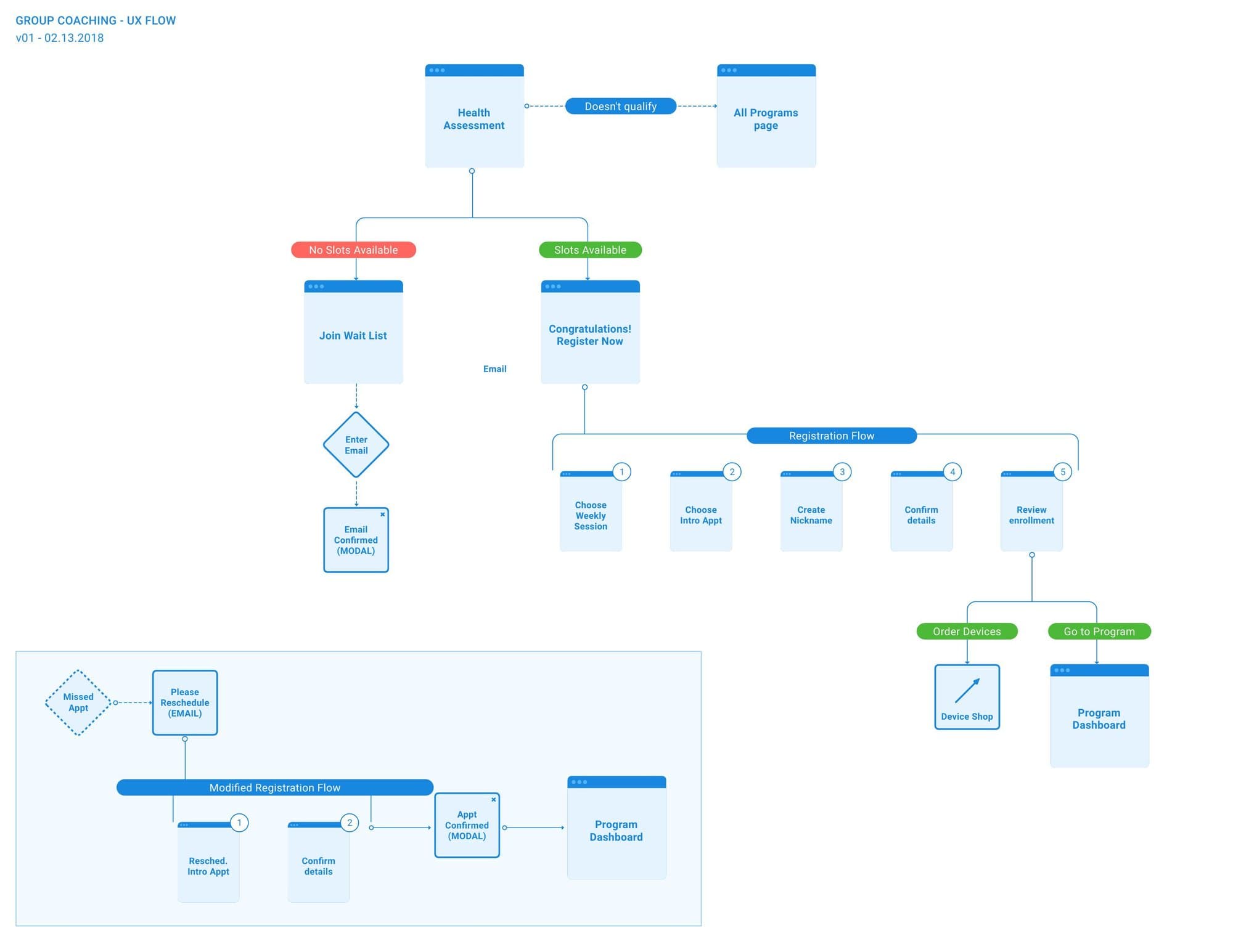
Group coaching needed a registration path with a branch for every outcome: no slots, a wait list, a missed appointment. We mapped it in February 2018 as a five-step registration with a separate, shorter path for rescheduling.
Listening after launch
In 2020 we collected what clients were telling their account teams and sorted it by part of the product: teams, sessions and levels, challenges and competitions, the dashboard and the sliders. The same points kept coming up. Joining a team was not obvious. The word "level" set up the expectation of a game that the product did not meet. Challenges and competitions were hard to tell apart.
On paper
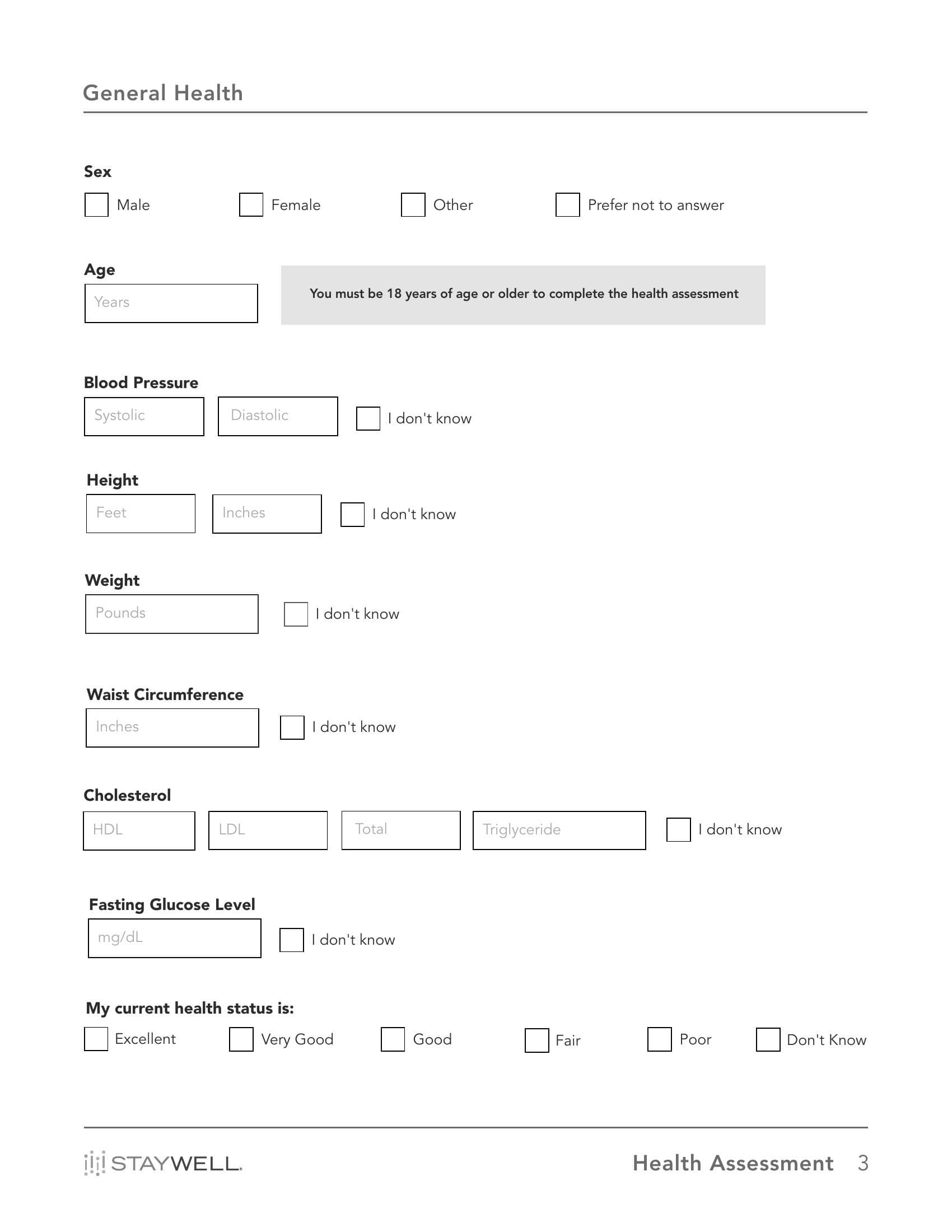
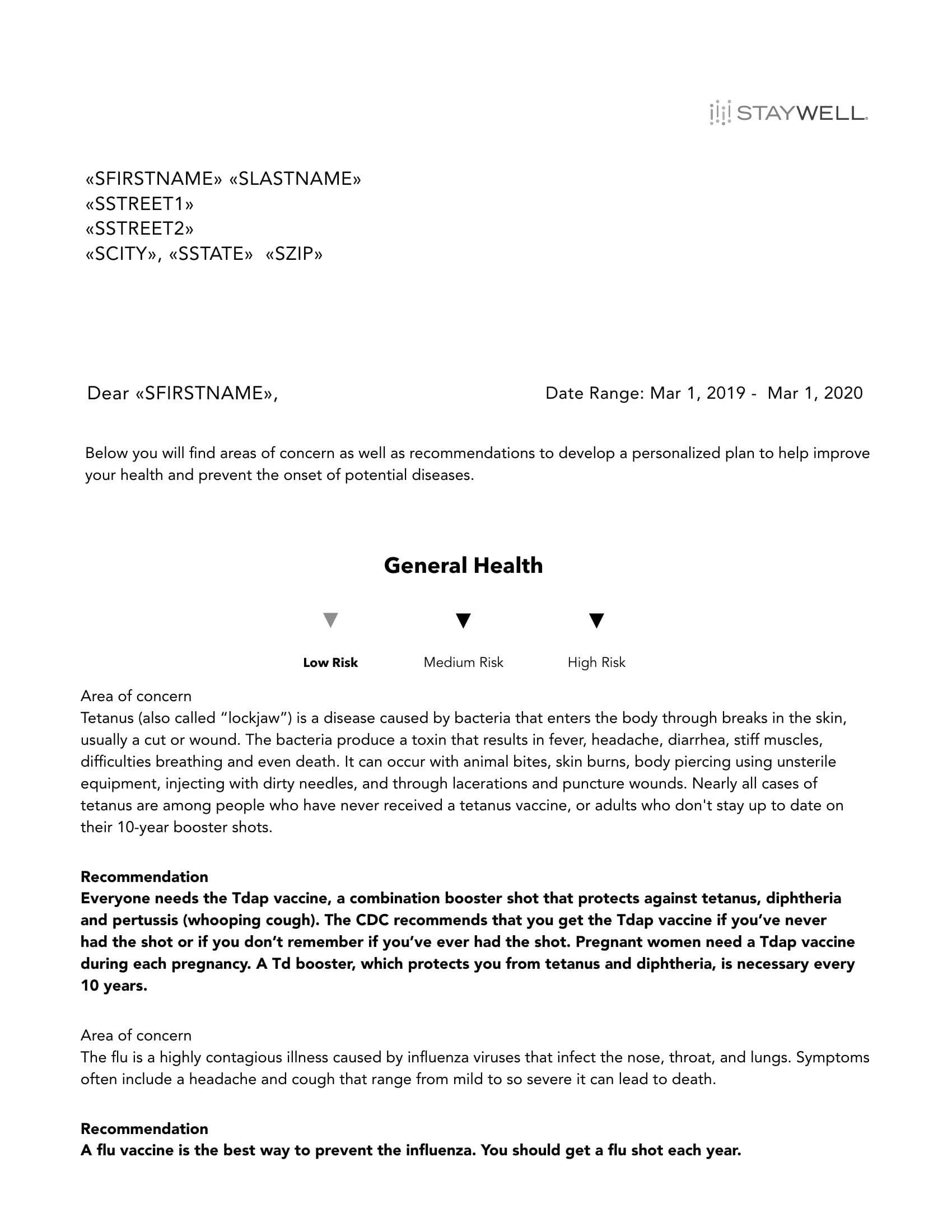
Not every member is online. In late 2019 we laid out the health assessment as a printed booklet, with editions for LivingWell programs in Kentucky and Wisconsin and one in Spanish. The first layout ran 49 pages. Version 14 ran 19.
Accessibility at five points, not one.
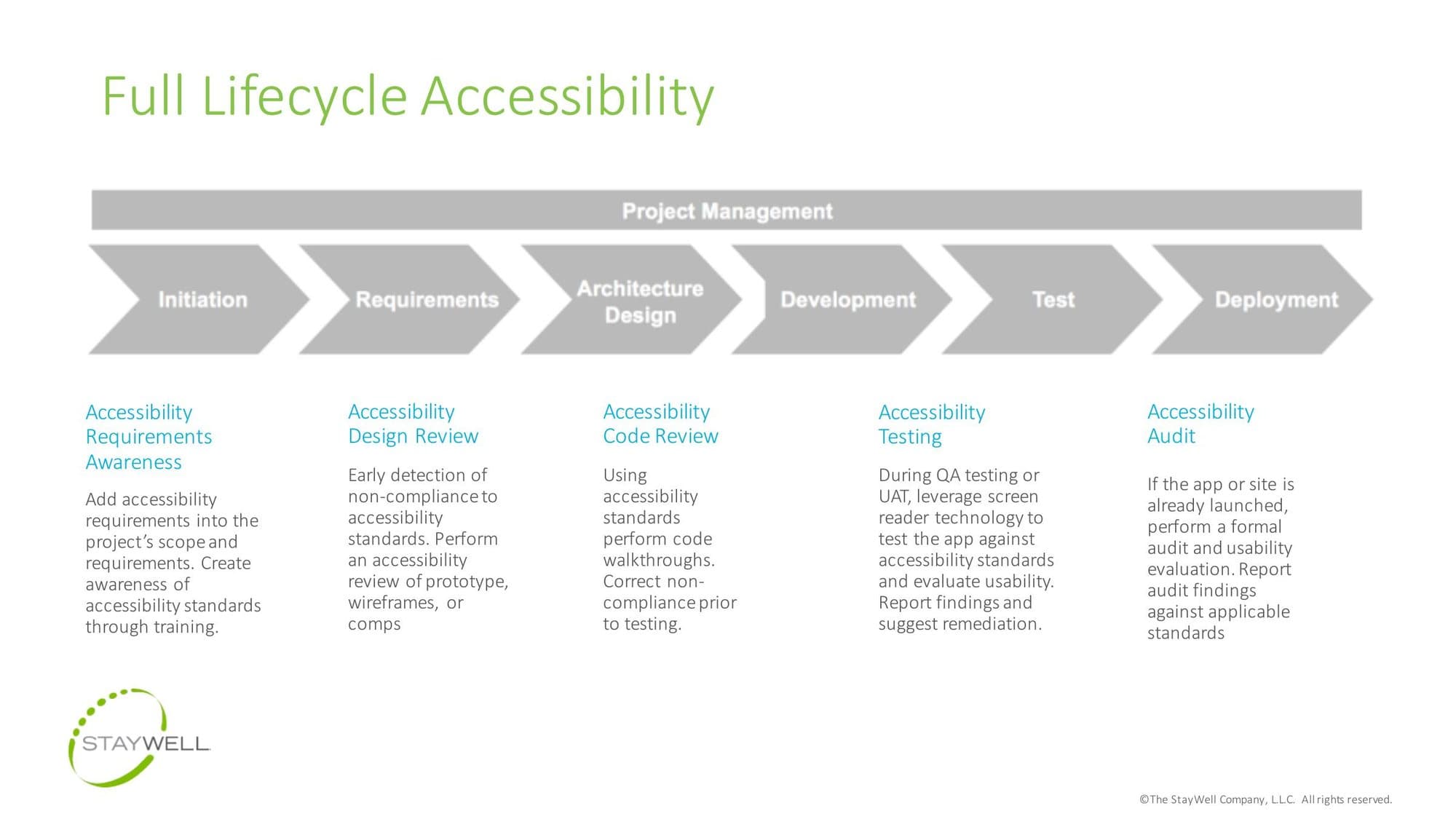
The 508 work on the decision aid turned into a training deck we wrote in December 2017 and updated in 2018 and 2019. It covers the law, how people with disabilities use apps and the difference between passing a standard and being usable. A compliant application can still have usability problems. A non-compliant one always does.
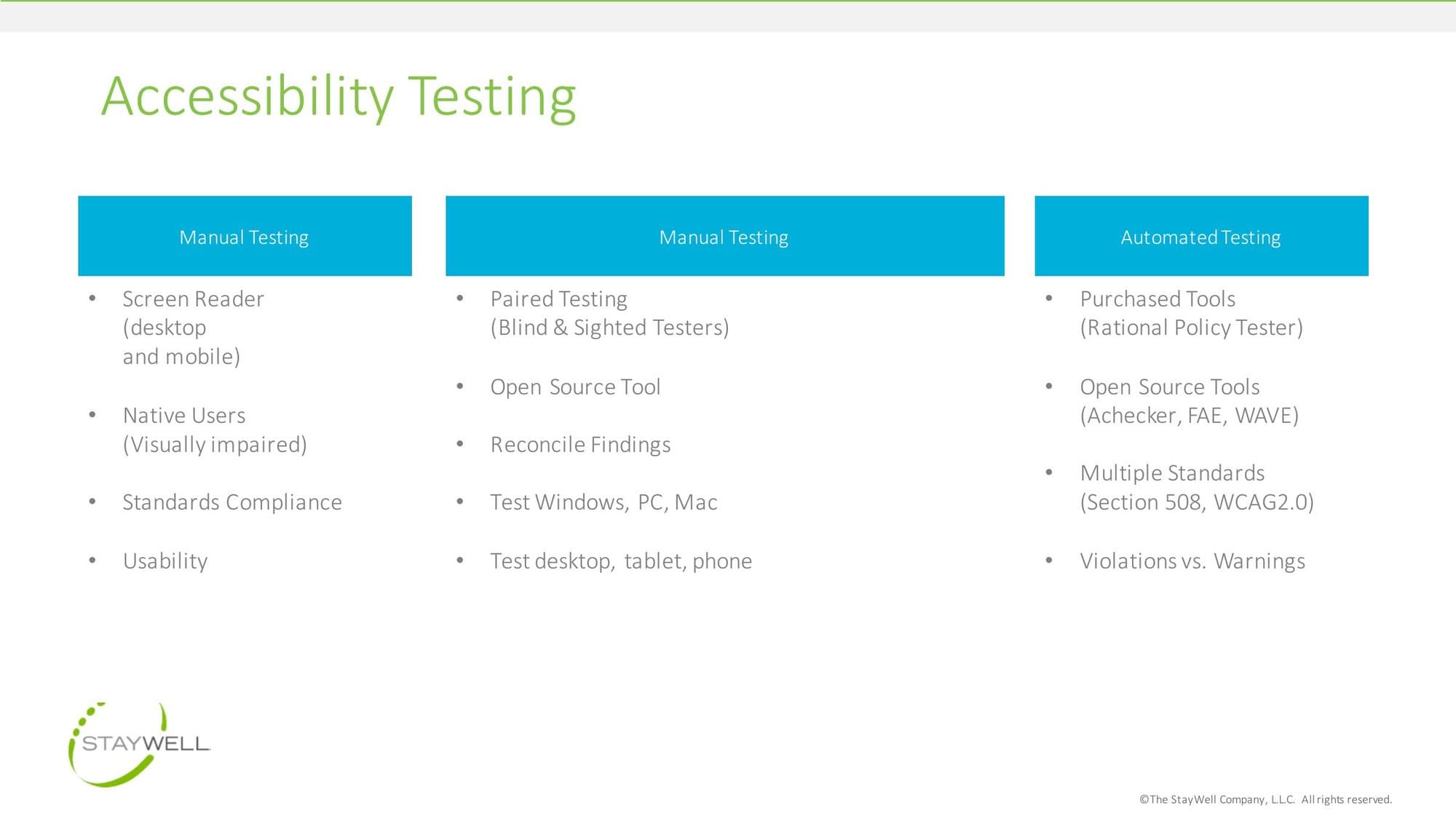
It asks for accessibility at five points: in the requirements, in design review, in code review, in testing with a screen reader and in an audit after launch. Testing pairs automated tools with manual passes on desktop, tablet and phone.
Two products scored, both above 80.
System Usability Scale score for the redesigned decision aid
System Usability Scale score for the health library
Automated 508 errors on the decision aid, before and after
Approximate growth of the team over three years
Both products that went through the full loop came back with a usability score the reports call well above average. The decision aid went from 23 automated accessibility errors to none, and the health library got a proposed palette that passes.
The team grew roughly fivefold over three years. The loop outlasted any one project: the accessibility deck was still being updated in 2019, and client feedback was still being sorted by the same method in 2020.