
Onlife Health · Case study
A dozen clients, three platforms, one member experience.
Furiae researched, tested and redesigned the member portal and mobile app for Onlife Health, a BlueCross BlueShield of Tennessee wellness company, consolidating three platforms into one. Across two rounds of focus groups the usability score rose from 80% to 93%.
An application nobody had touched in years.
Onlife Health is a wellness company owned by BlueCross BlueShield of Tennessee, covering more than 10 million lives. Health plans and employers license its portal so their members can take a health assessment, work with a coach, follow courses and track progress toward a goal.
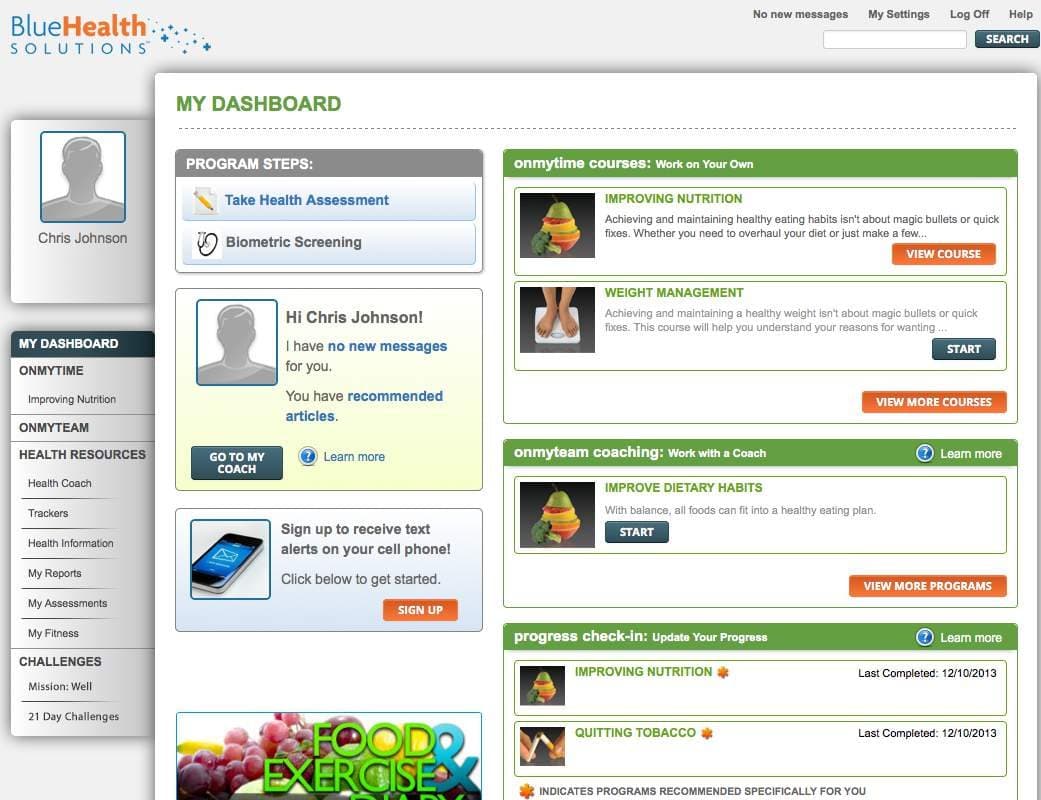
When Furiae came on board, the product had grown into three separate platforms with hundreds of screens, serving more than a dozen clients. The interface had not been updated in years. Screens looked dated, behaved differently from one platform to the next, were not responsive and lacked clear calls to action.
The first request was modest: review the application and recommend improvements. The review made the case for something larger, and the project became a complete rebuild.
One product, a dozen clients, every kind of member.
10 million covered lives
Charts and results had to read clearly across the full range of ages, in more than one language, and meet Section 508.
A brand for every client
Each health plan and employer needed its own branding, programs and promotions, without a separate build for each.
Different paths for different risks
A member flagged for tobacco, cholesterol or glucose needed a different experience. We worked with the clinical team to define the behavior each path should lead to, so success was grounded in clinical science.
Many owners
Sales, clinical, client services and the health plans all had a stake. Prototypes and test results were how we built trust and agreement.
The old dashboard made the eye work too hard.
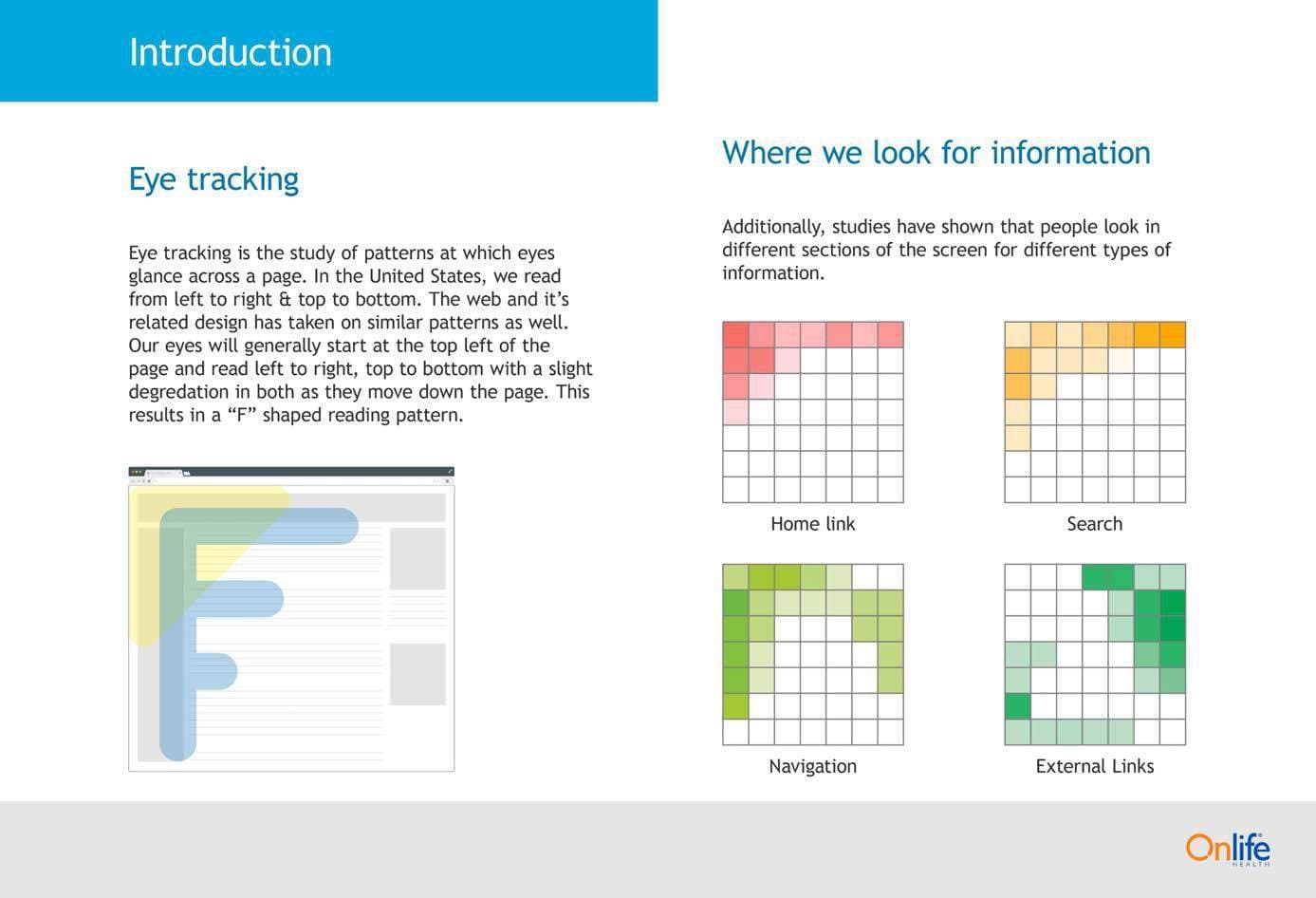
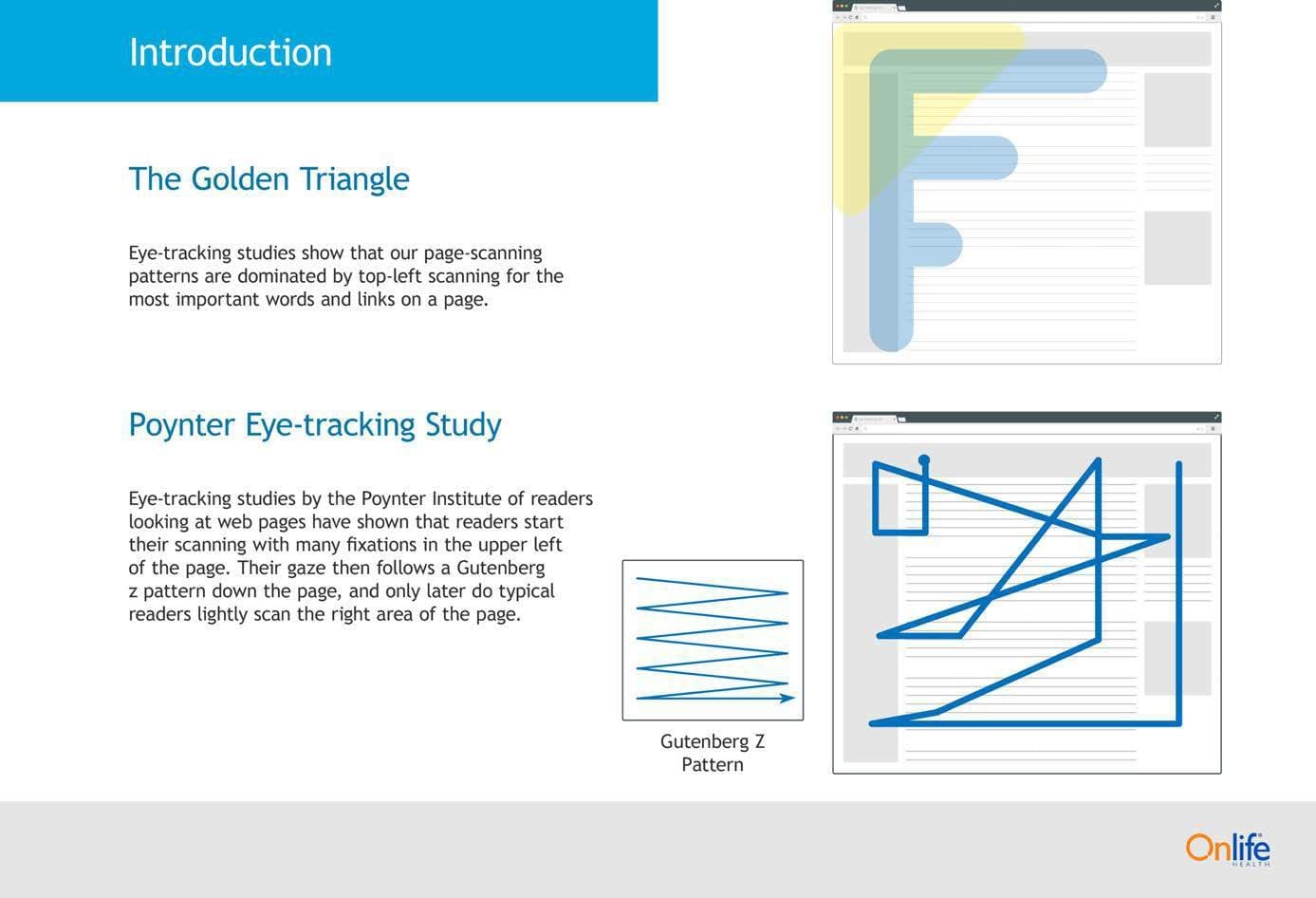
We started with an eye-tracking review of the existing dashboard. People scan a page in predictable ways: an F shape down the left side, most attention in the top left corner, then a Z across the rest. The question was whether the dashboard let them.
It did not. Placement was not the main problem. Volume was. Long runs of text and too many calls to action pulled attention in every direction, and the gaze path never settled into a reading pattern. Random eye movement signals confusion, and confusion ends in people leaving the screen.
Top issues found
- Visual hierarchy of page elements
- Navigation visibility
- Button color and placement
- Cohesion of illustrations
- Spacing between elements
- Weight of the avatar
Three people the product had to work for.
Personas kept the clinical paths concrete. Each one follows a member from a health concern, through a first engagement with the product, to an action.
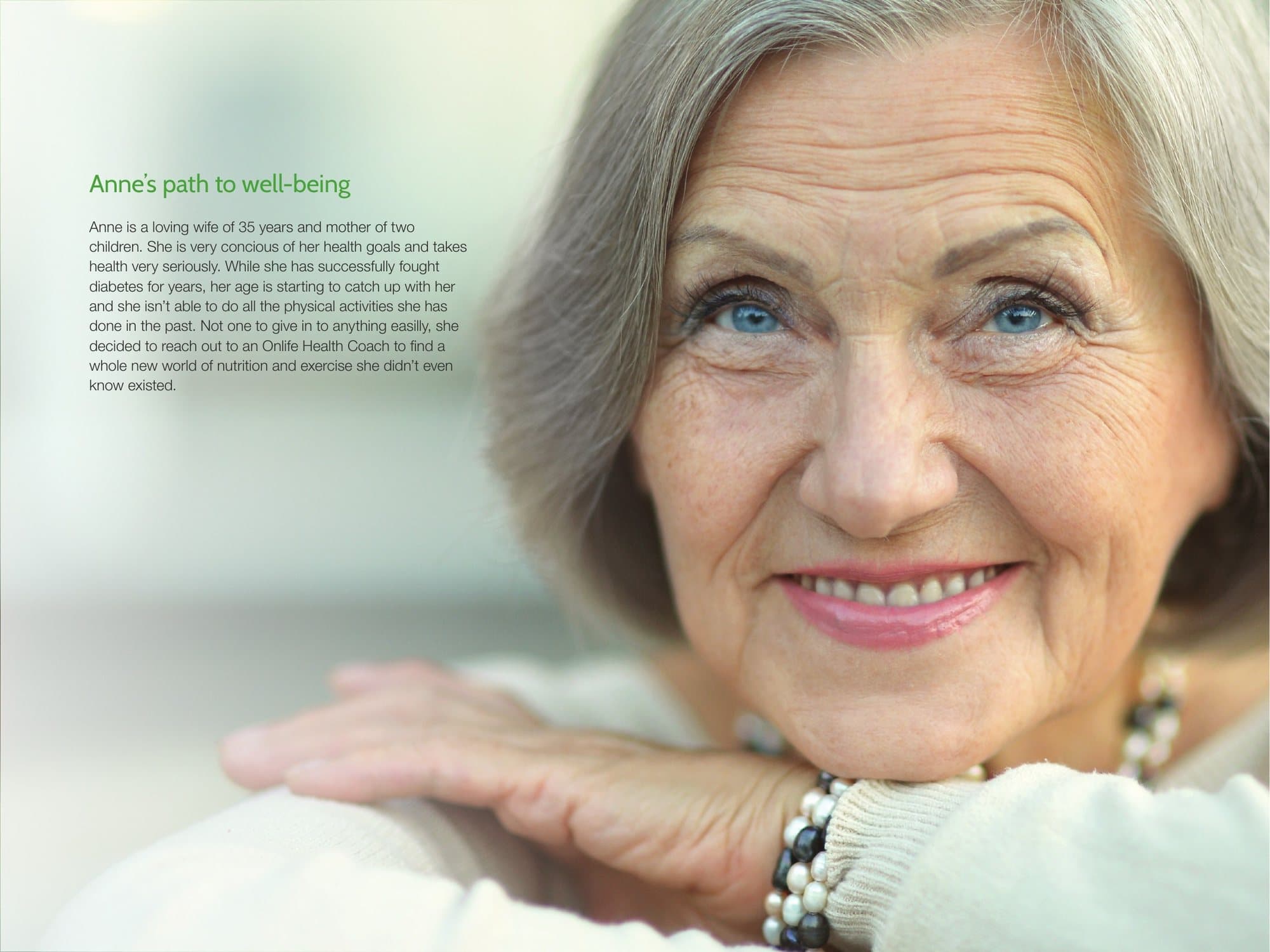
Anne
Diagnosed 15 years ago and doing well, but age is making her old routines harder to keep. She takes the health assessment and starts working with a coach, who suggests small changes to her diet and gentler exercise.
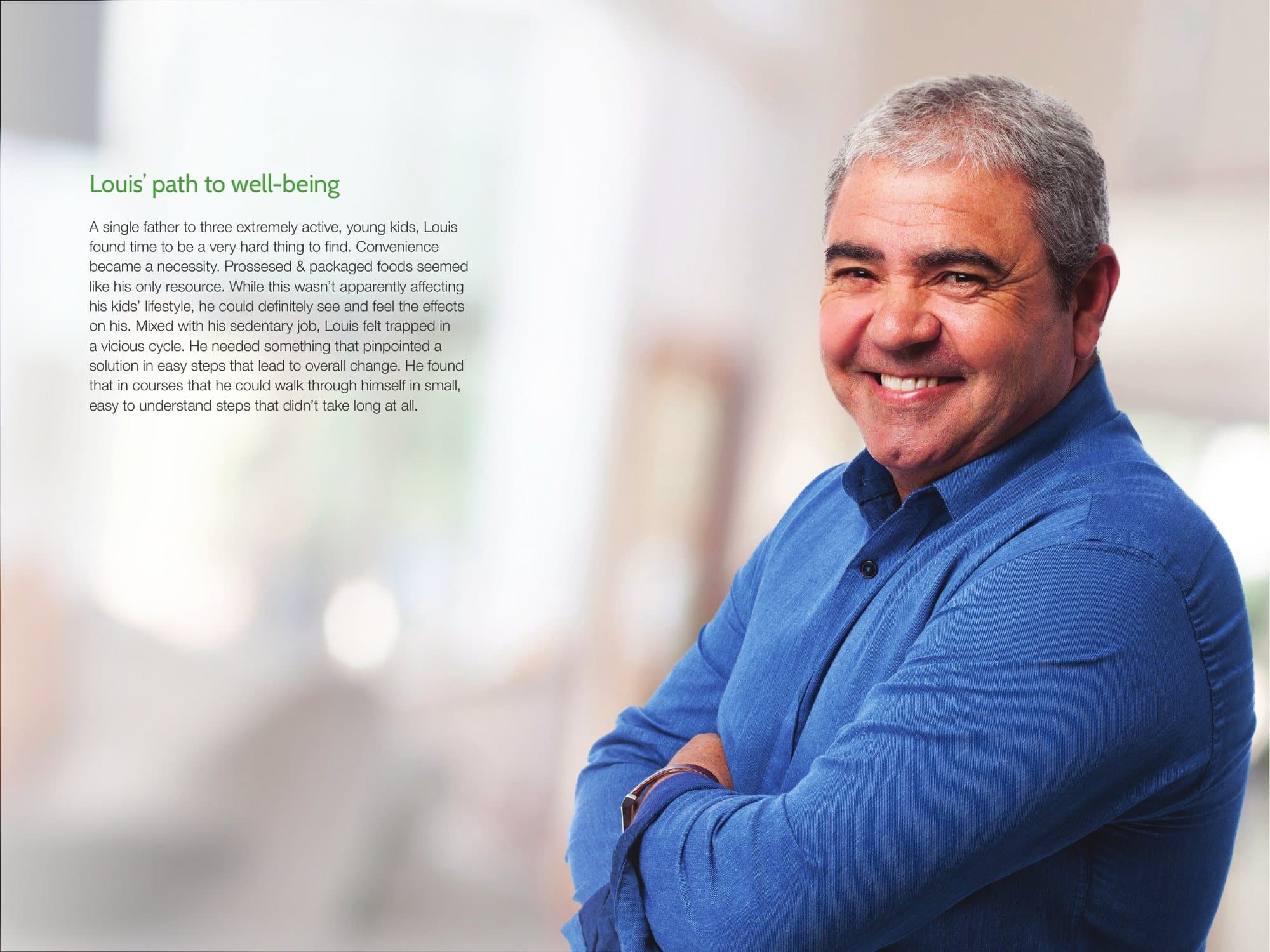
Louis
A single father of three with a desk job. Packaged food had become the default. He enrolls in self-coaching courses he can get through in two minutes a step.
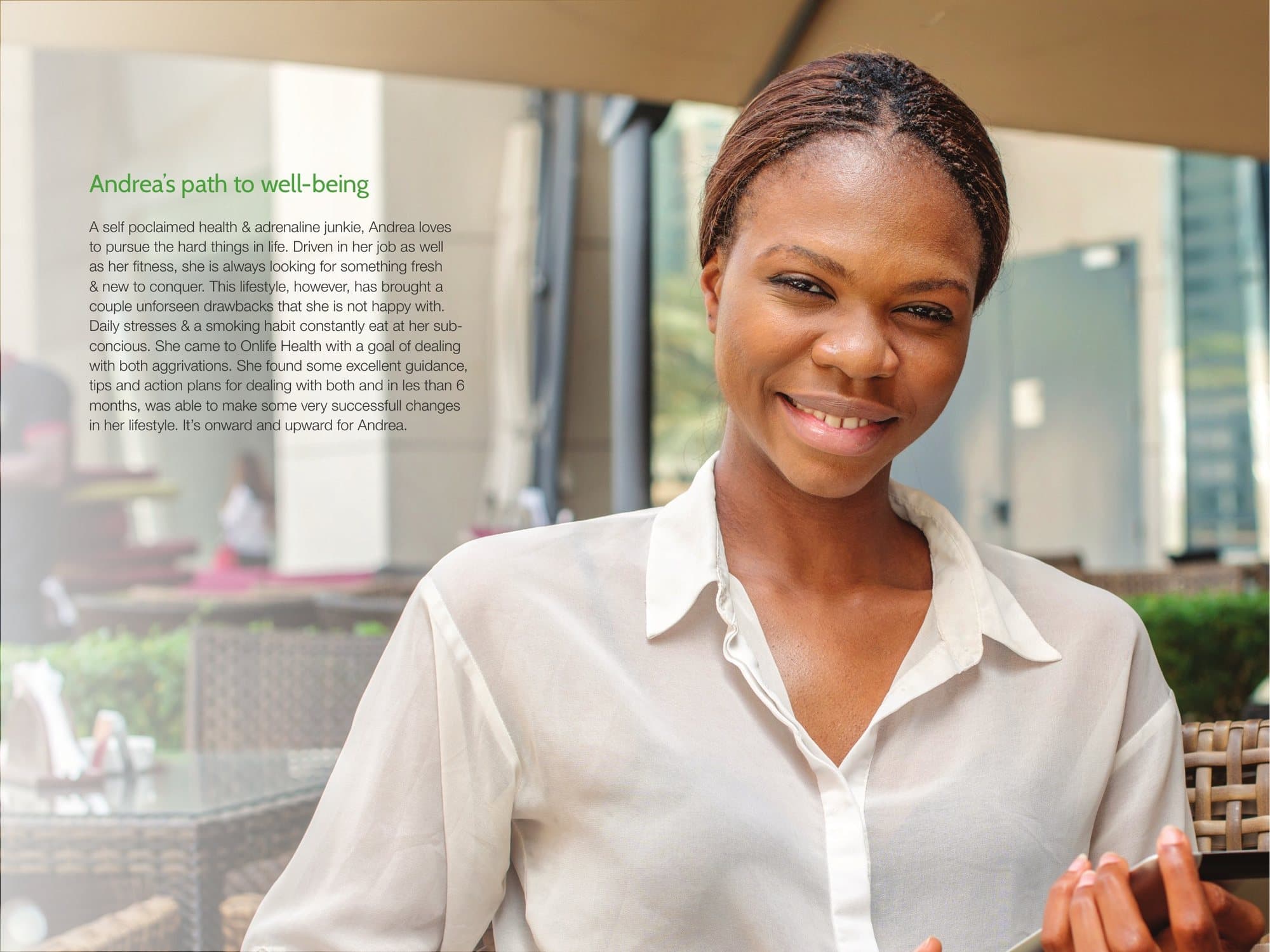
Andrea
Active and driven, with a stressful job and a ten-year smoking habit. After a first call with a coach she takes on stress management and the smoking cessation course together.
Structure first, on every screen size.
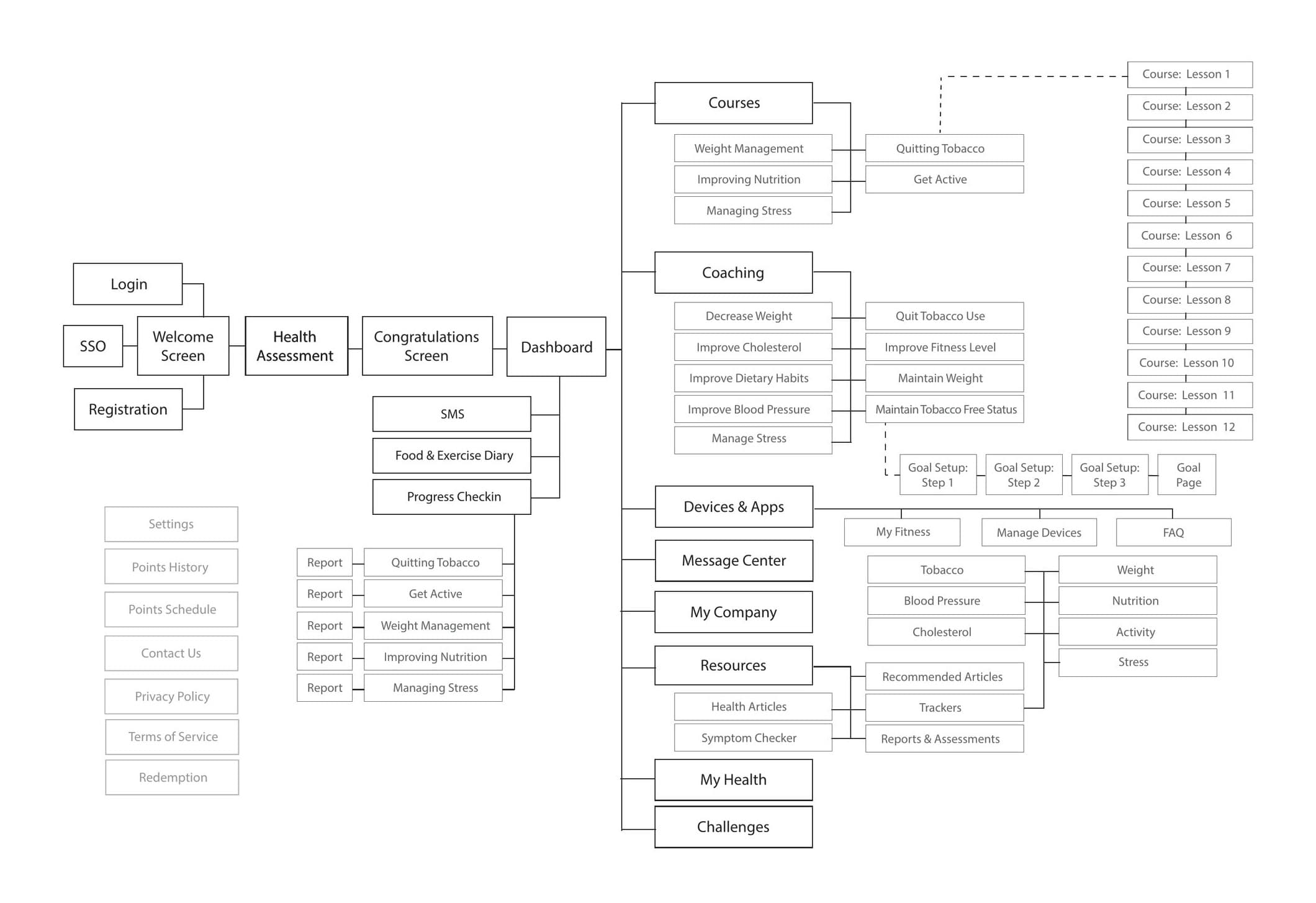
The sitemap came first: one login, one health assessment, one dashboard, and every program reachable from it.
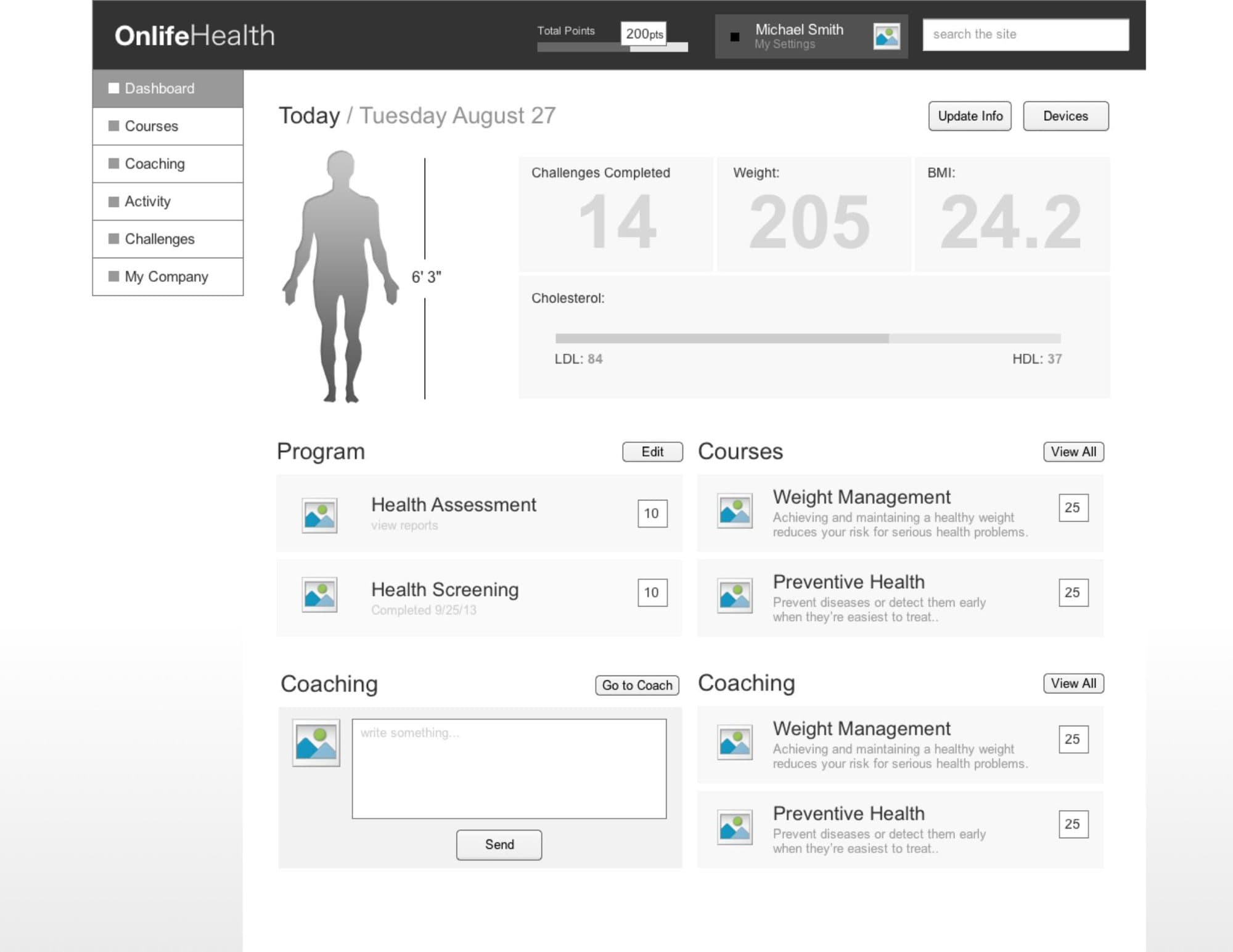
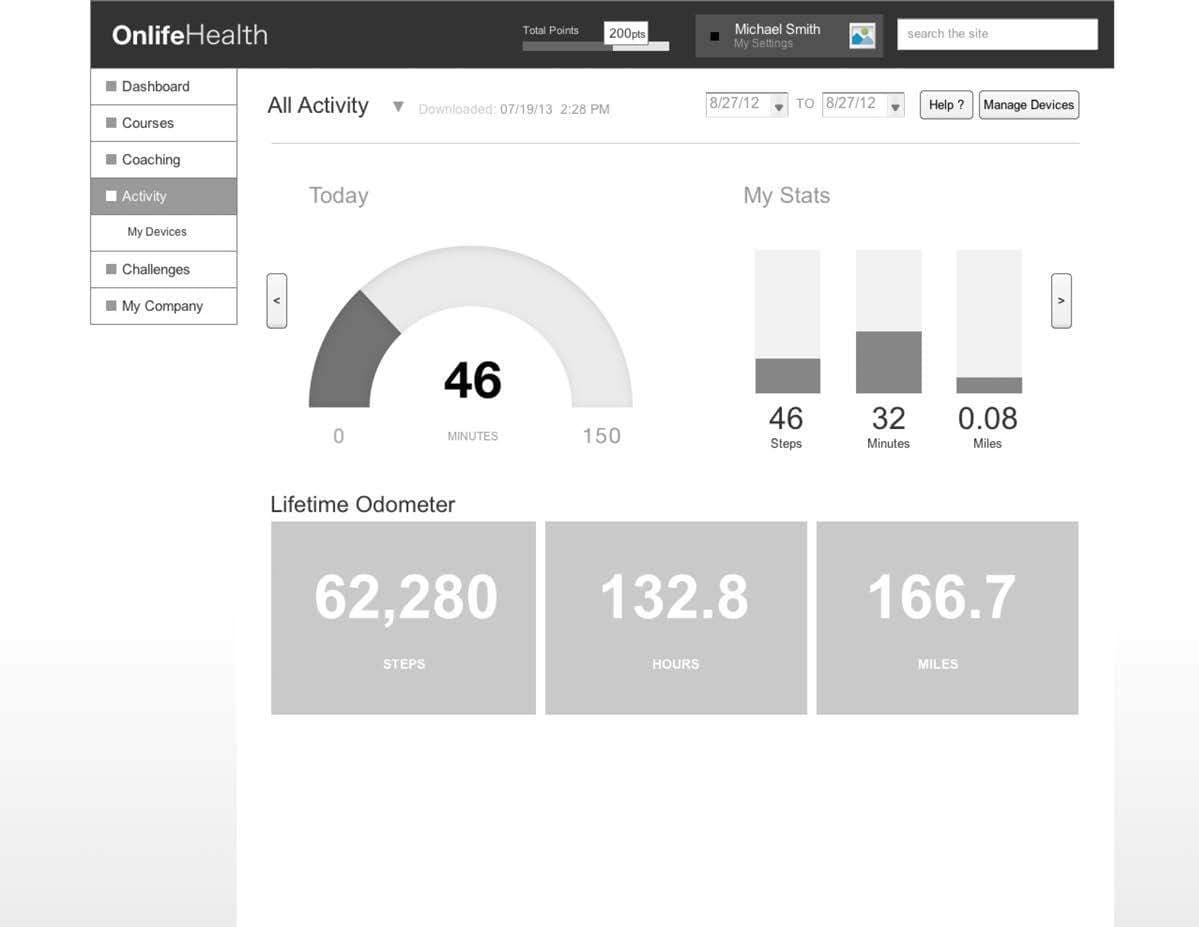
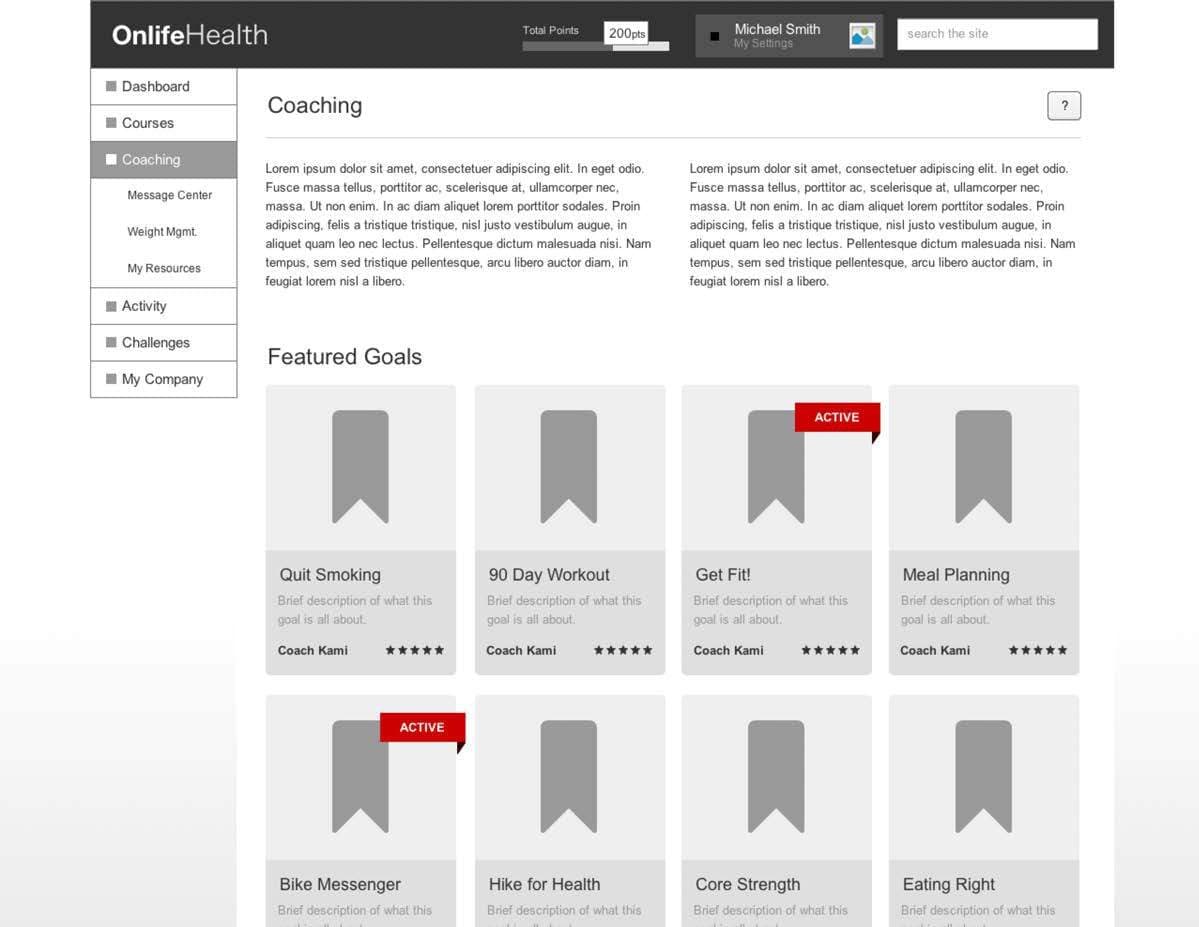
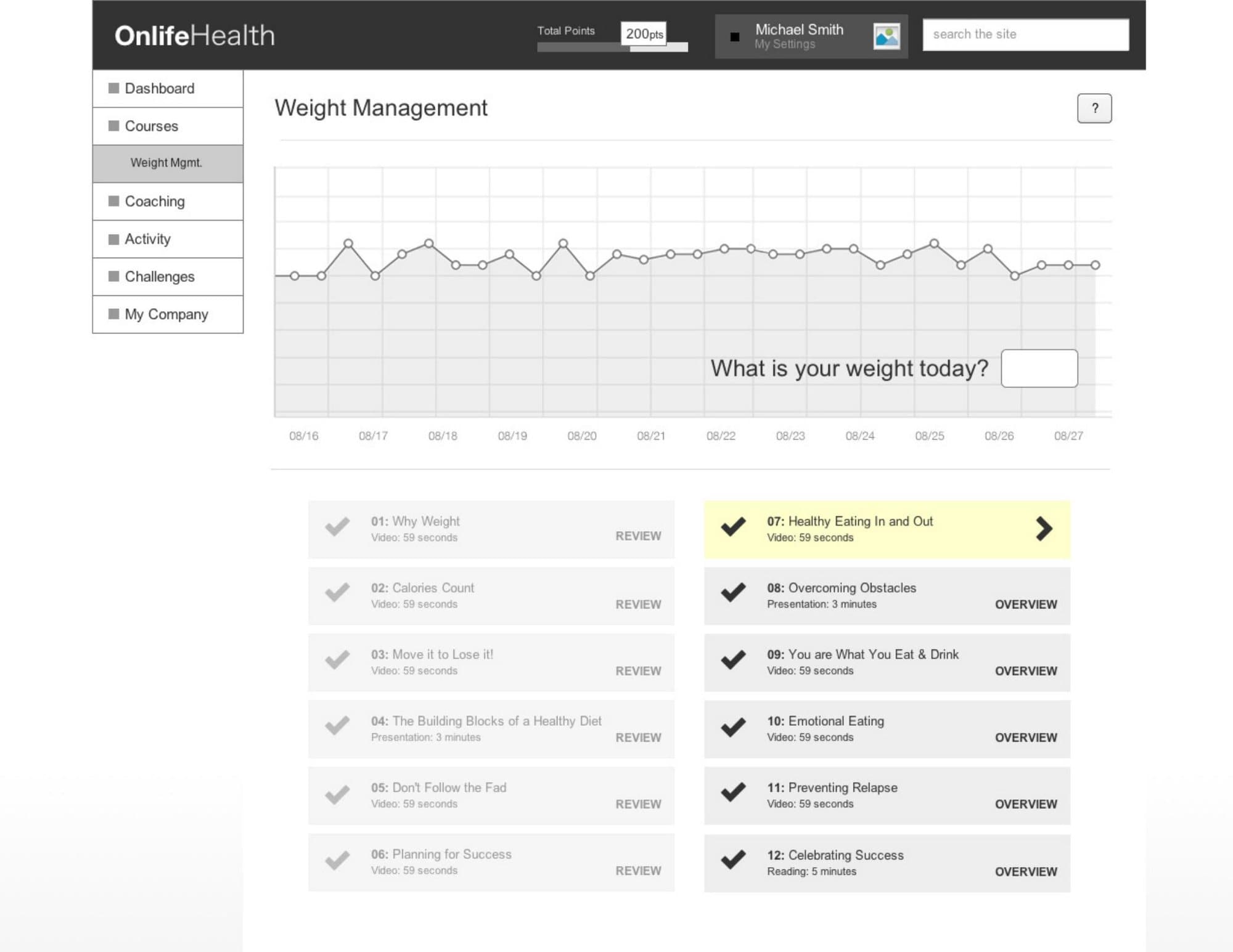
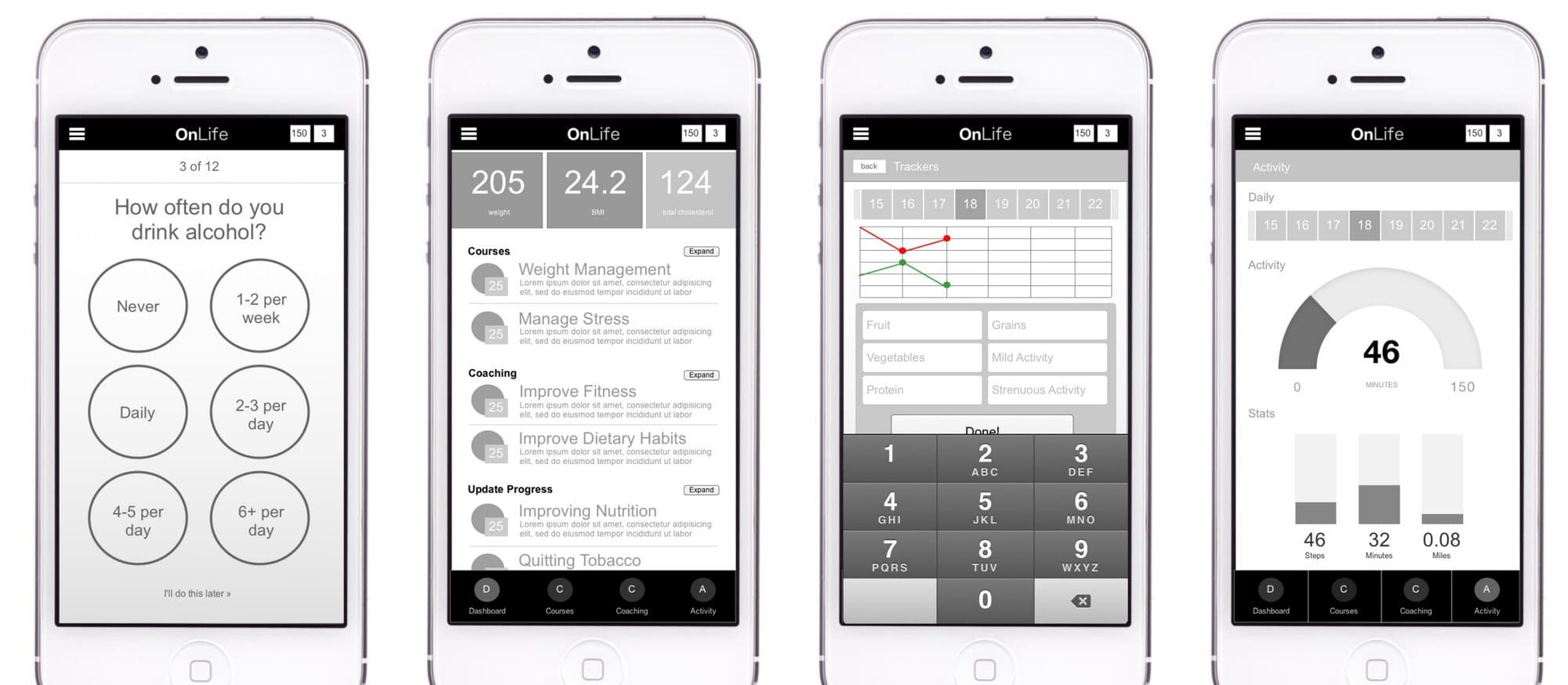
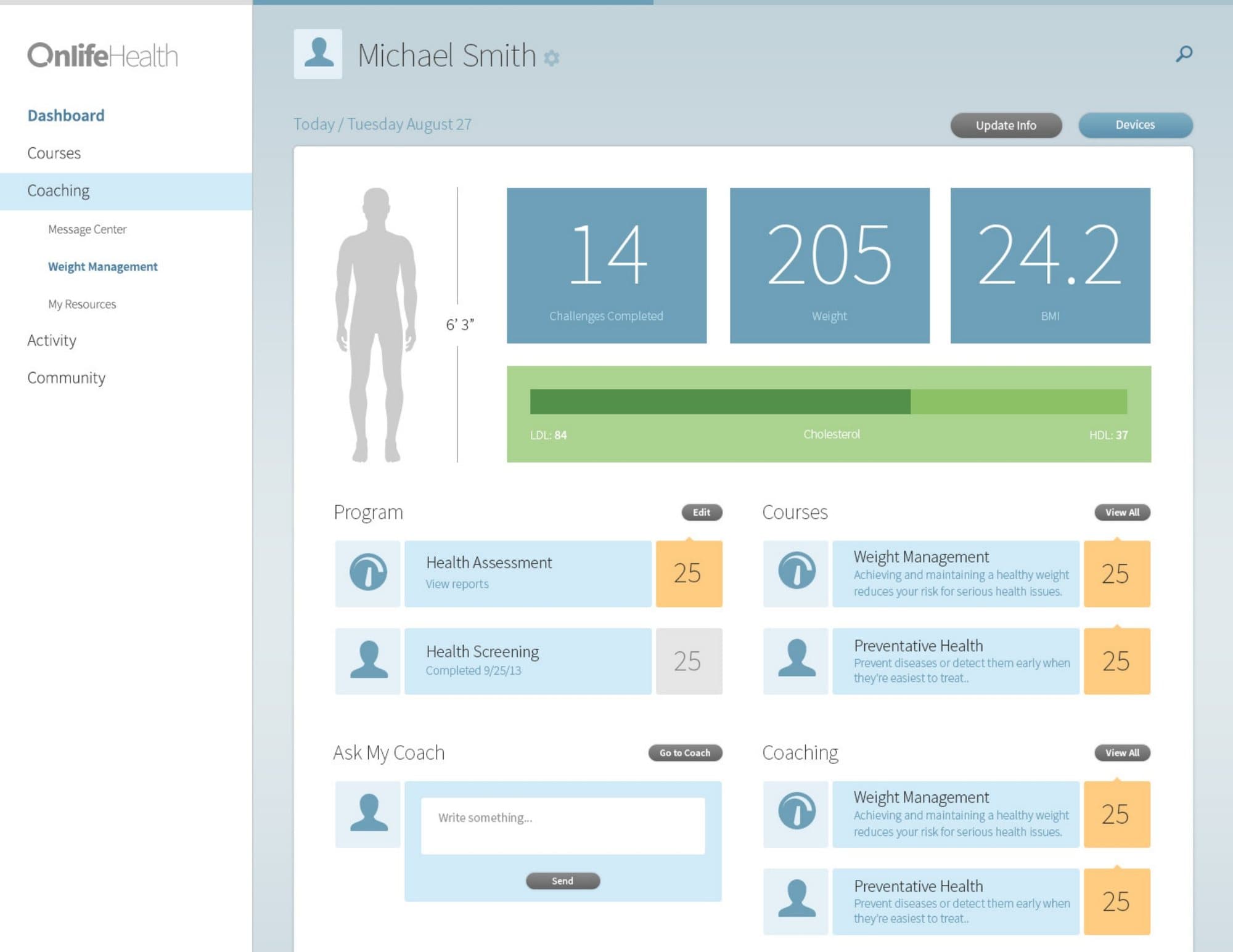
We wireframed the core flows in grey before any visual design: dashboard, activity, coaching and weight management. Each was drawn for desktop, tablet and phone together, so responsive behavior was designed in from the start. The mobile app got its own set of 40 wireframes.
The wireframes became clickable prototypes in InVision. We put them in front of members, and also in front of Onlife's sales team, client sales teams and consultants, because they had to sell the product and explain how a client could customize it.
Mockups in front of 20 people.
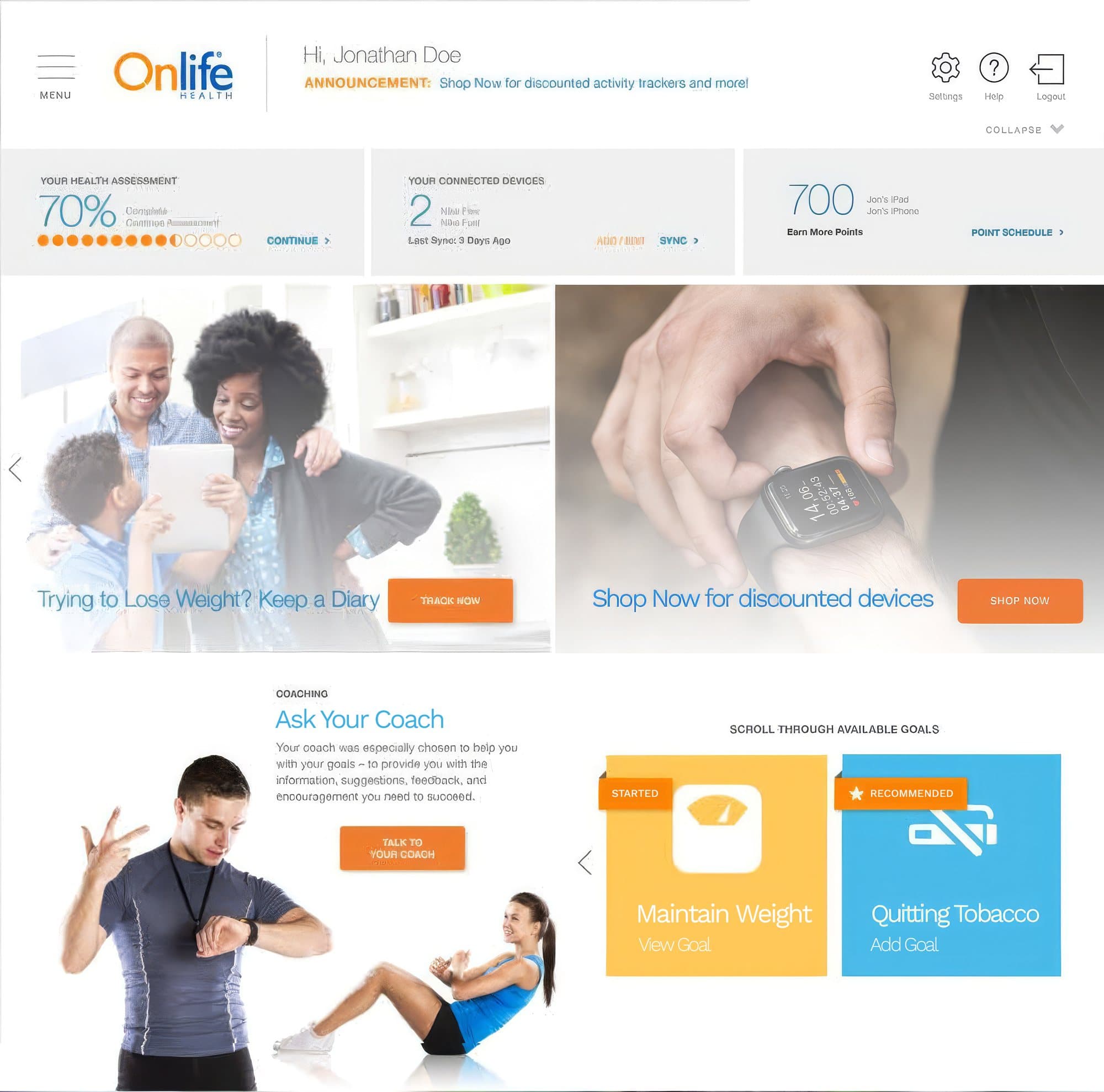
In July 2015 we took 11 mockups of the redesign to a focus group of 20 participants, 13 women and 7 men: the dashboard in two client brandings, trackers, the message center, the device dashboard, the health assessment and coaching. Every session was scored on four measures: efficiency, accuracy, recall and emotional response.
Participants also told us which sites and apps felt great to use, and those became the benchmark: QVC, Pottery Barn, Dropbox, Pinterest, Google, Samsung S Health and Apple Health.
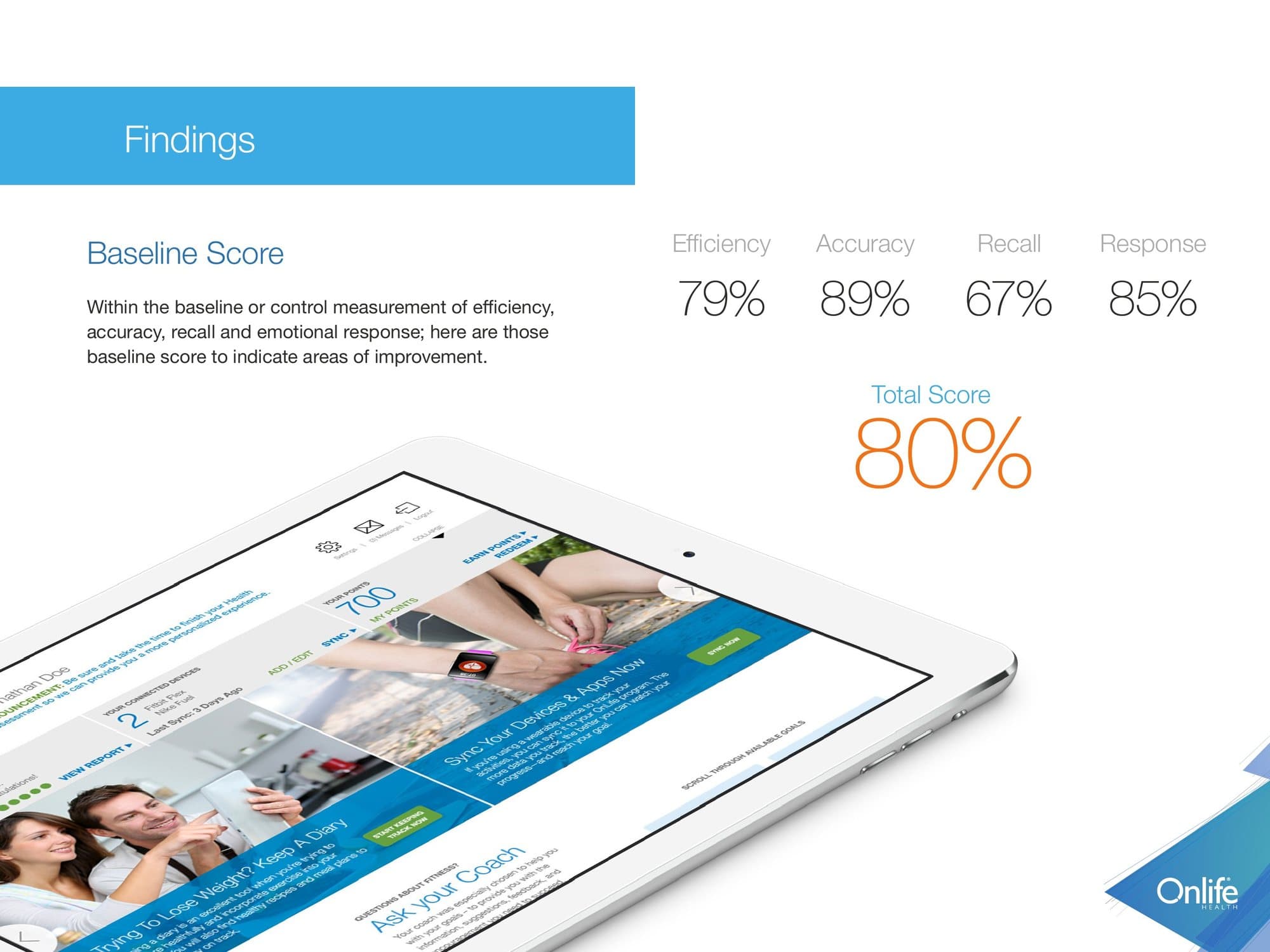
Usability score for the first round of mockups
Participants. 13 women, 7 men.
Mockups shown
What worked
- The blue and orange palette felt encouraging
- Tools looked useful once people found them
- The overall look was engaging
What did not
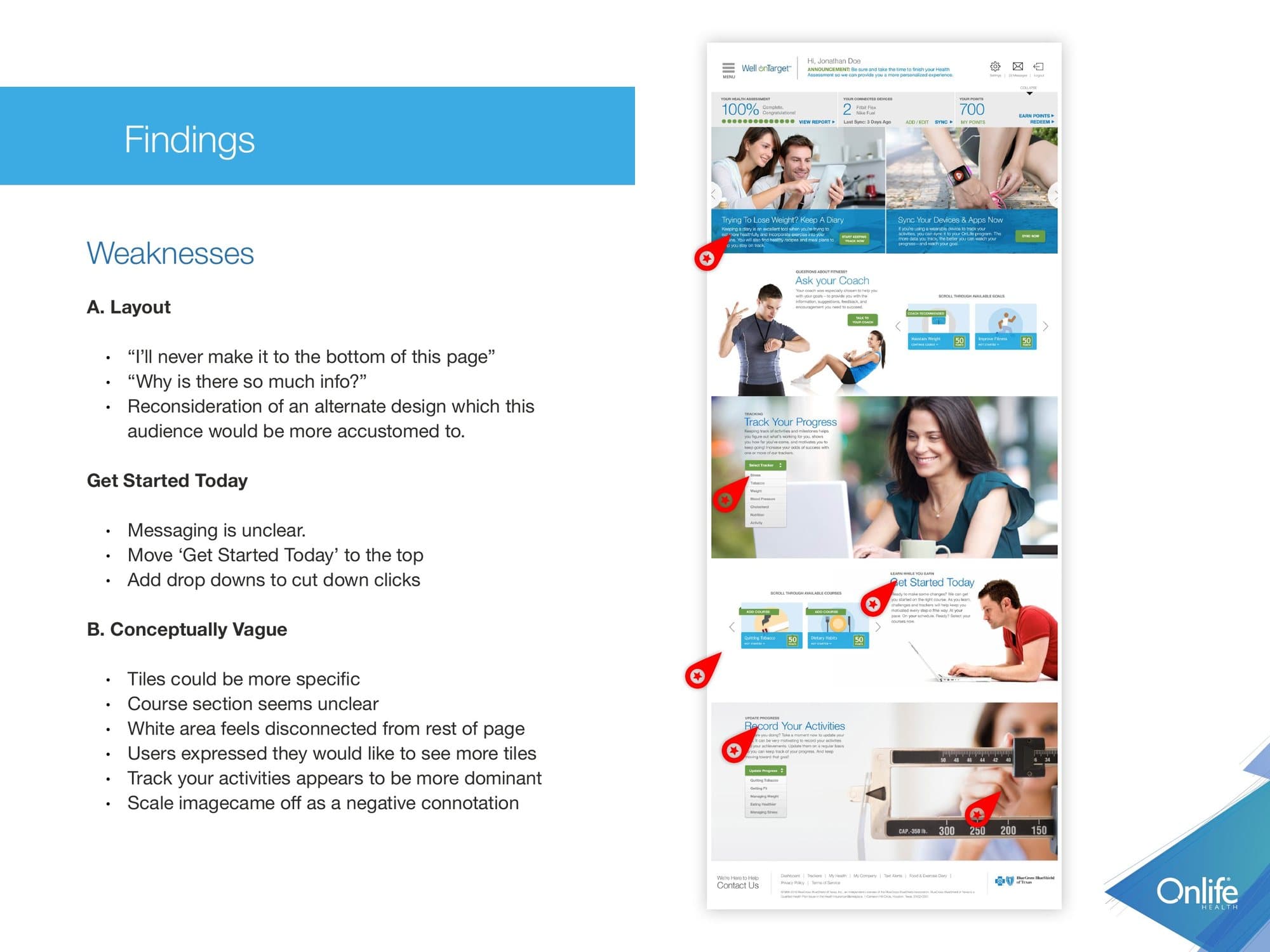
- The page ran too long
- Too much information at once
- 'Get Started Today' was unclear
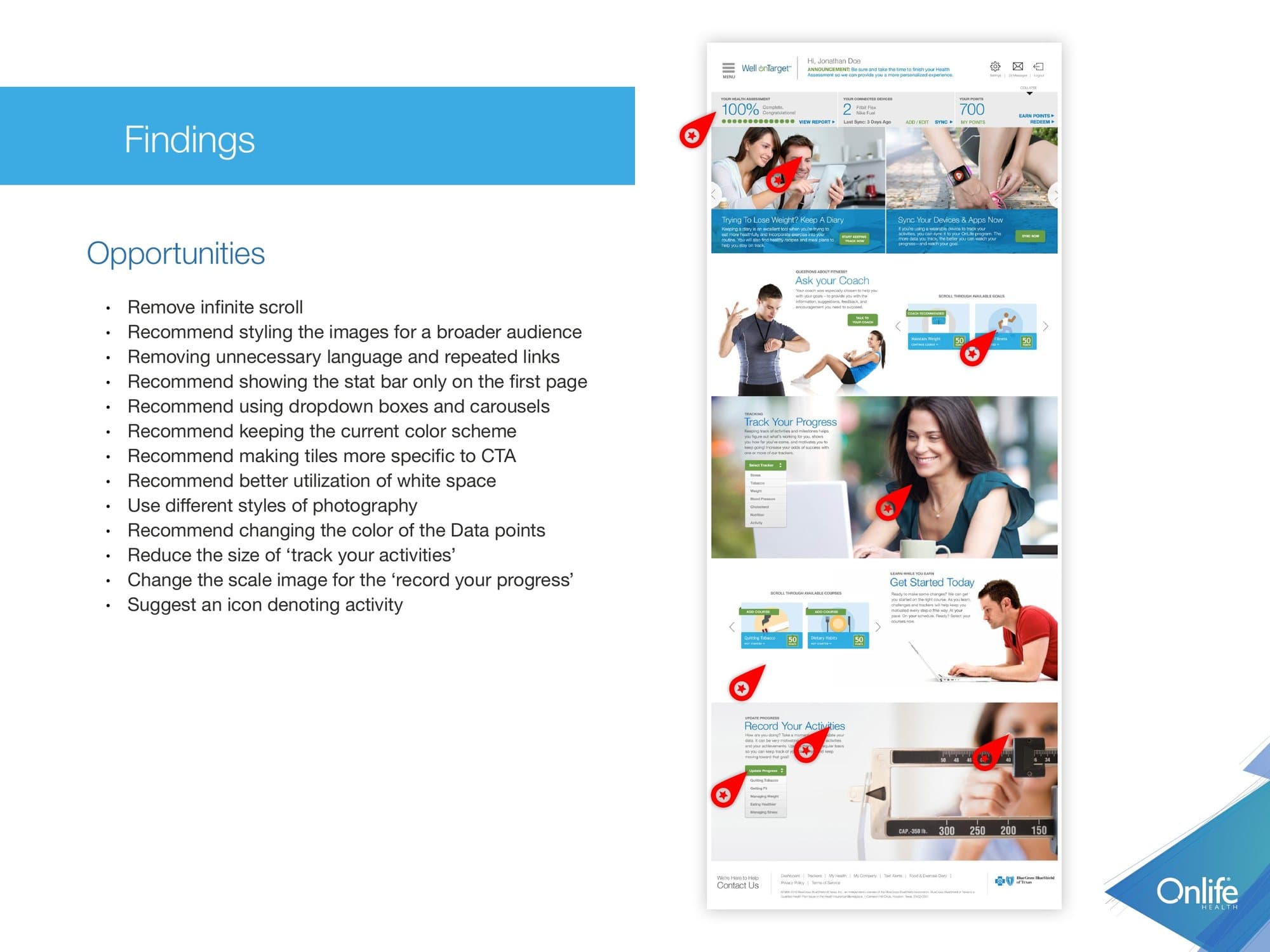
- Tiles were too vague to act on
What we took from it
- Remove the endless scroll
- Group content into dropdowns and carousels
- Make every tile specific to one action
- Cut repeated links and extra copy
“I'll never make it to the bottom of this page.”Focus group participant, July 2015
Scrolling was the loudest complaint, and we did not take it at face value. Every focus group complains about scrolling, and heat-map studies show people scroll anyway. The real problem underneath was weight: the dashboard gave everything the same volume. So alongside the fixes we started an alternate, card-based dashboard to test against the long page.
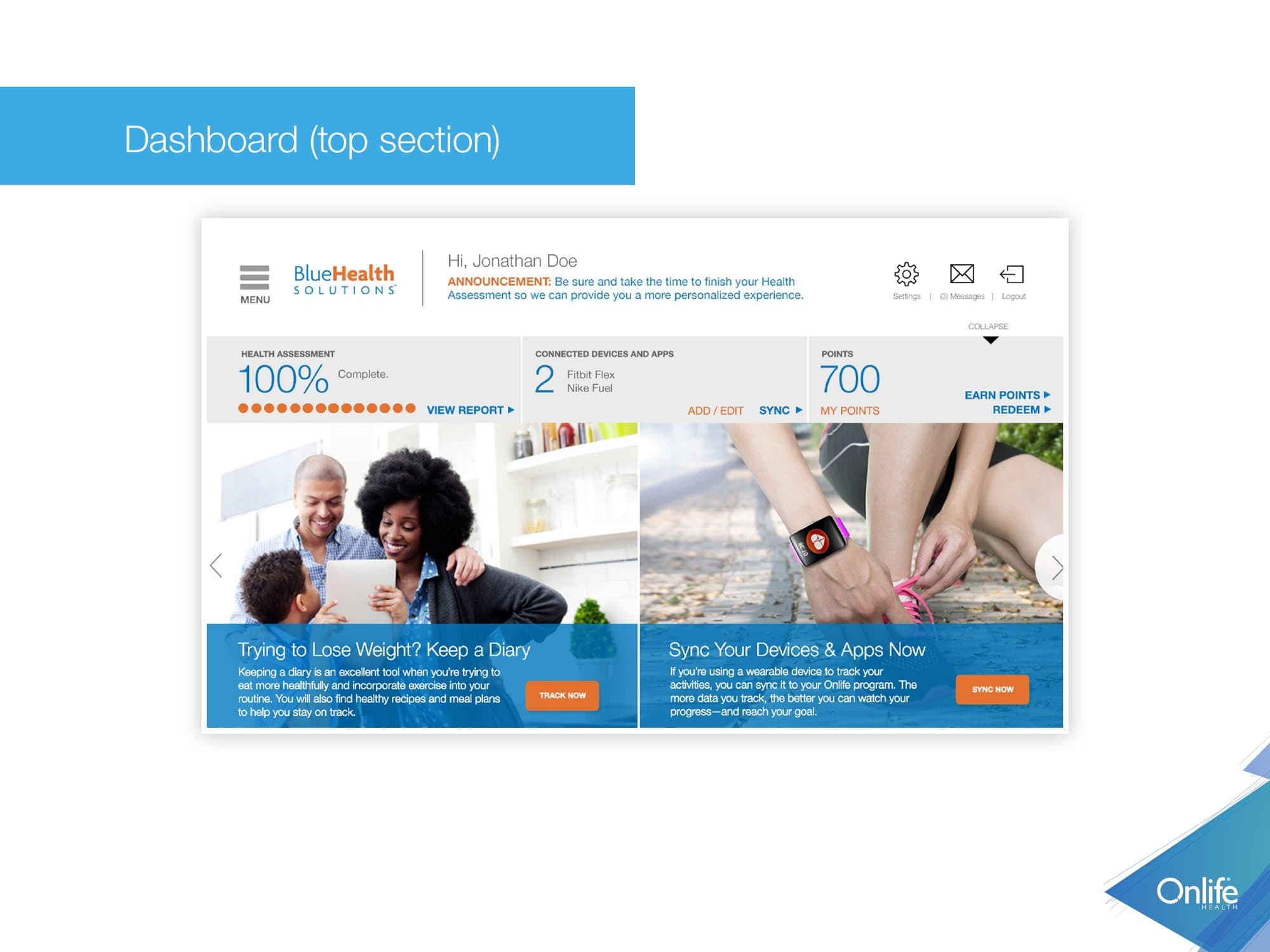
What changed after round one.
Navigation people can find
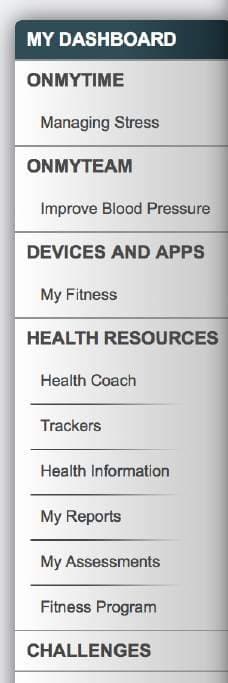
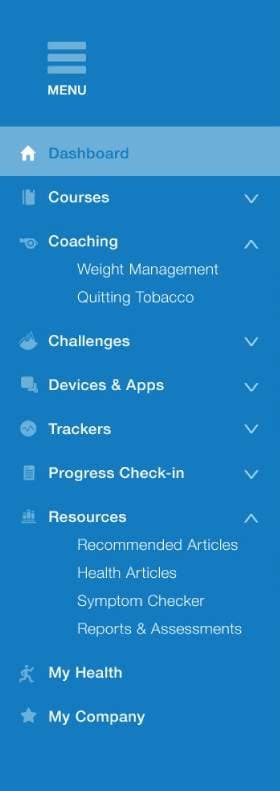
The eye-tracking review showed the menu sat outside the area where people look for navigation, and the links were too small to read as navigation at all. The new menu has larger type, an icon for every section and a marker for unread messages.
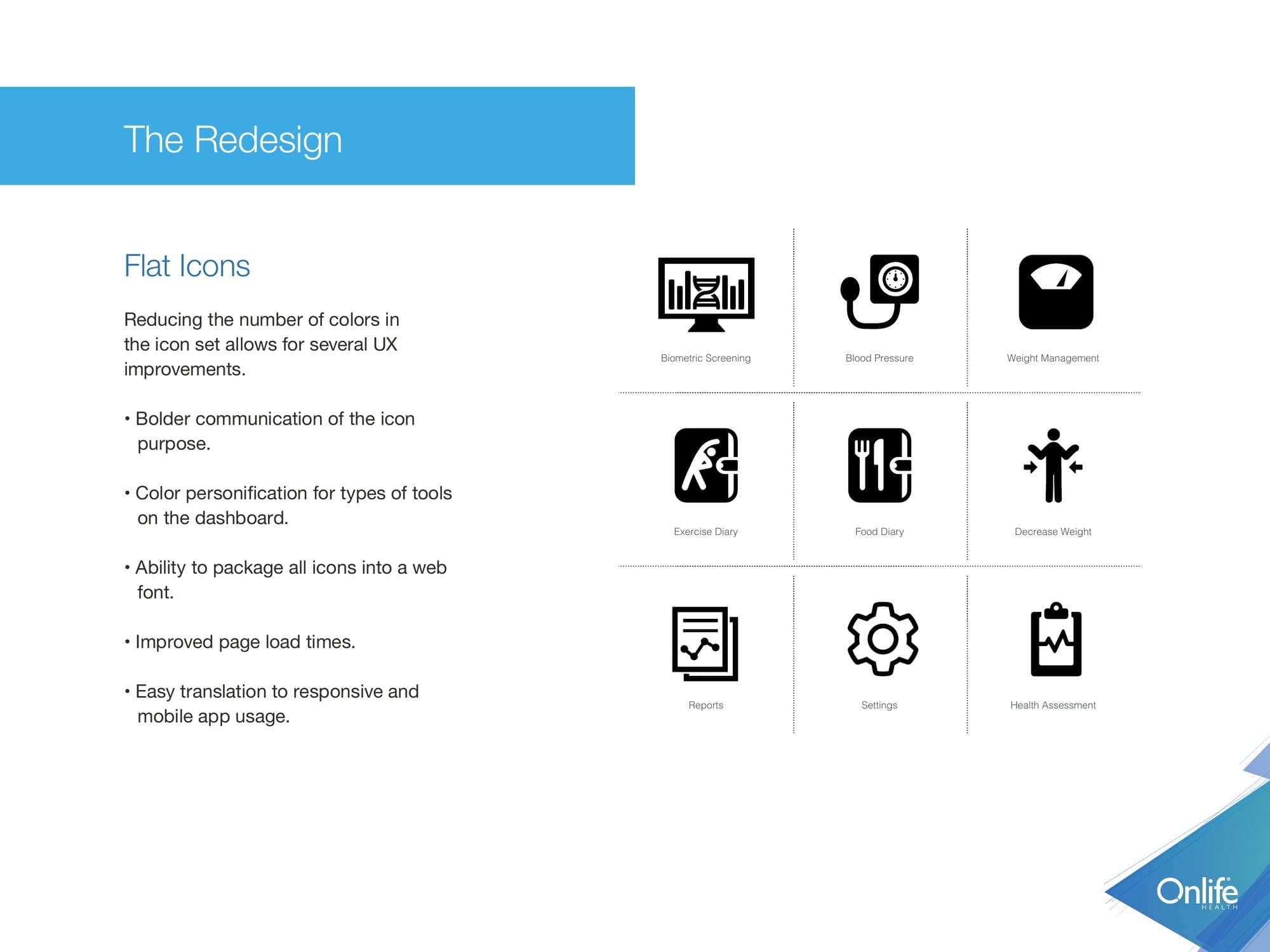
Flat icons in fewer colors
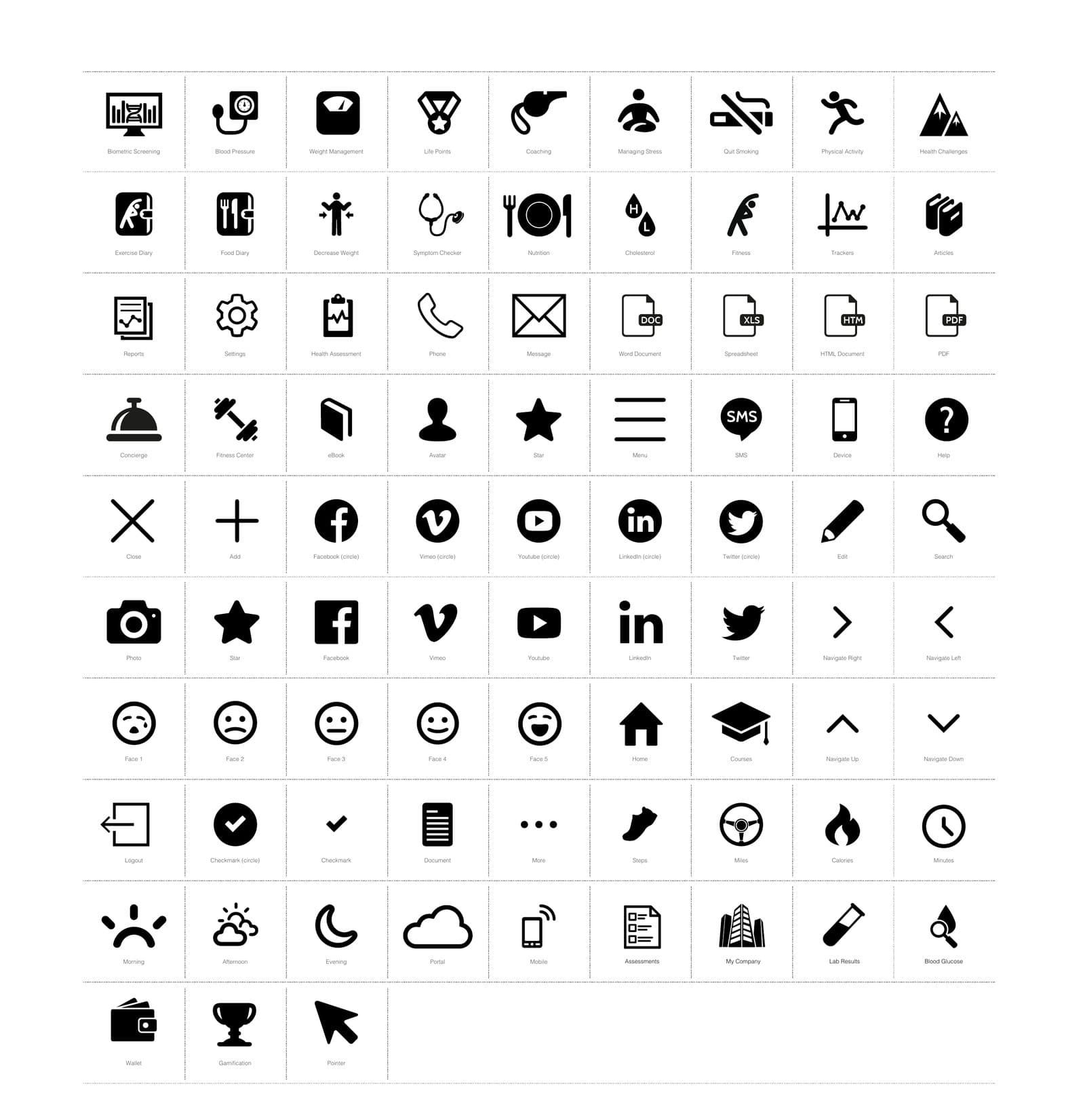
Cutting the number of colors in the icon set made each icon's purpose bolder and let color stand for a type of tool. It also let us ship every icon in one web font, which cut page load time and carried straight over to the mobile app.
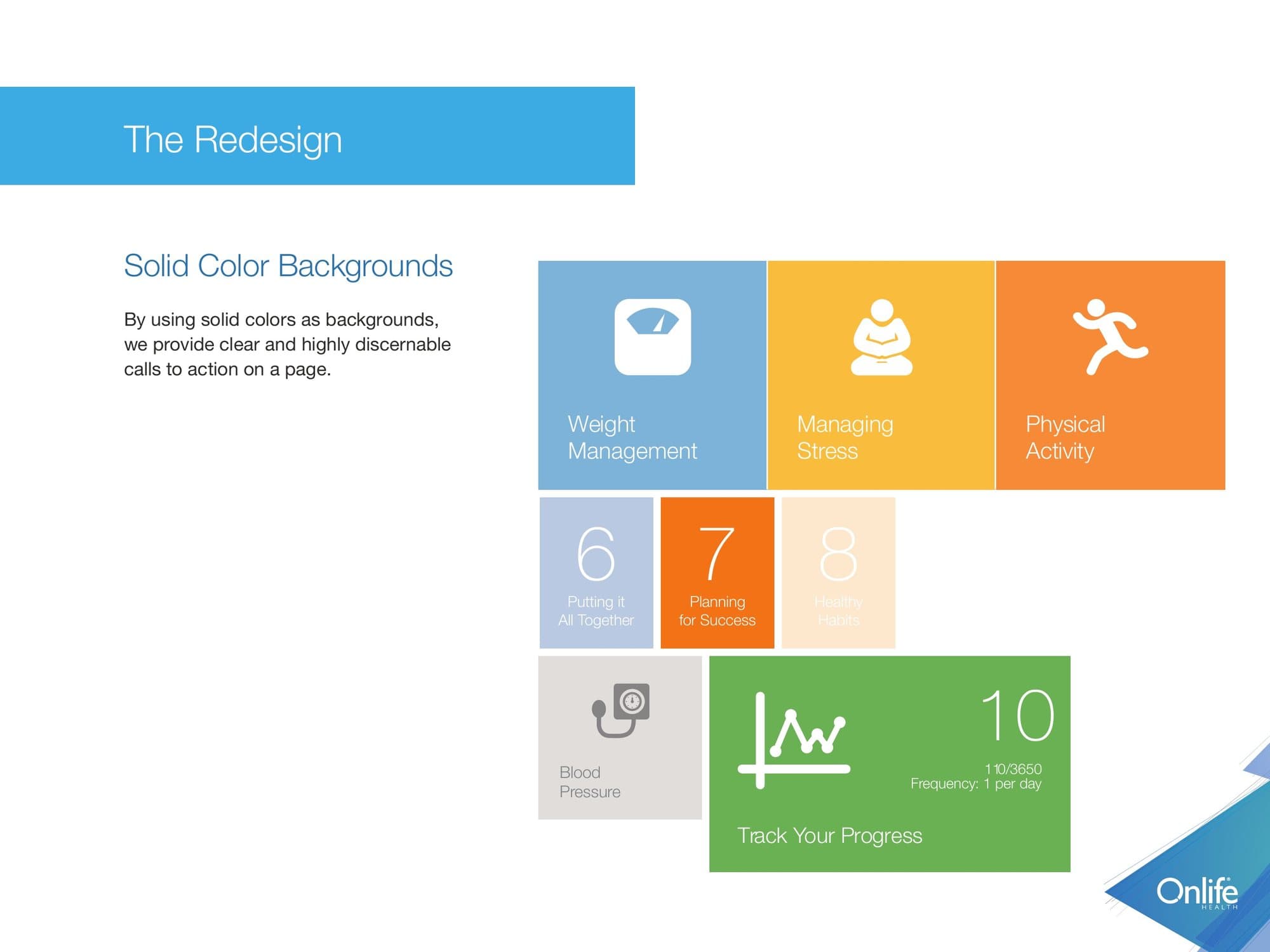
Solid color behind every call to action
Solid backgrounds make the next action clear and easy to pick out on a busy page.
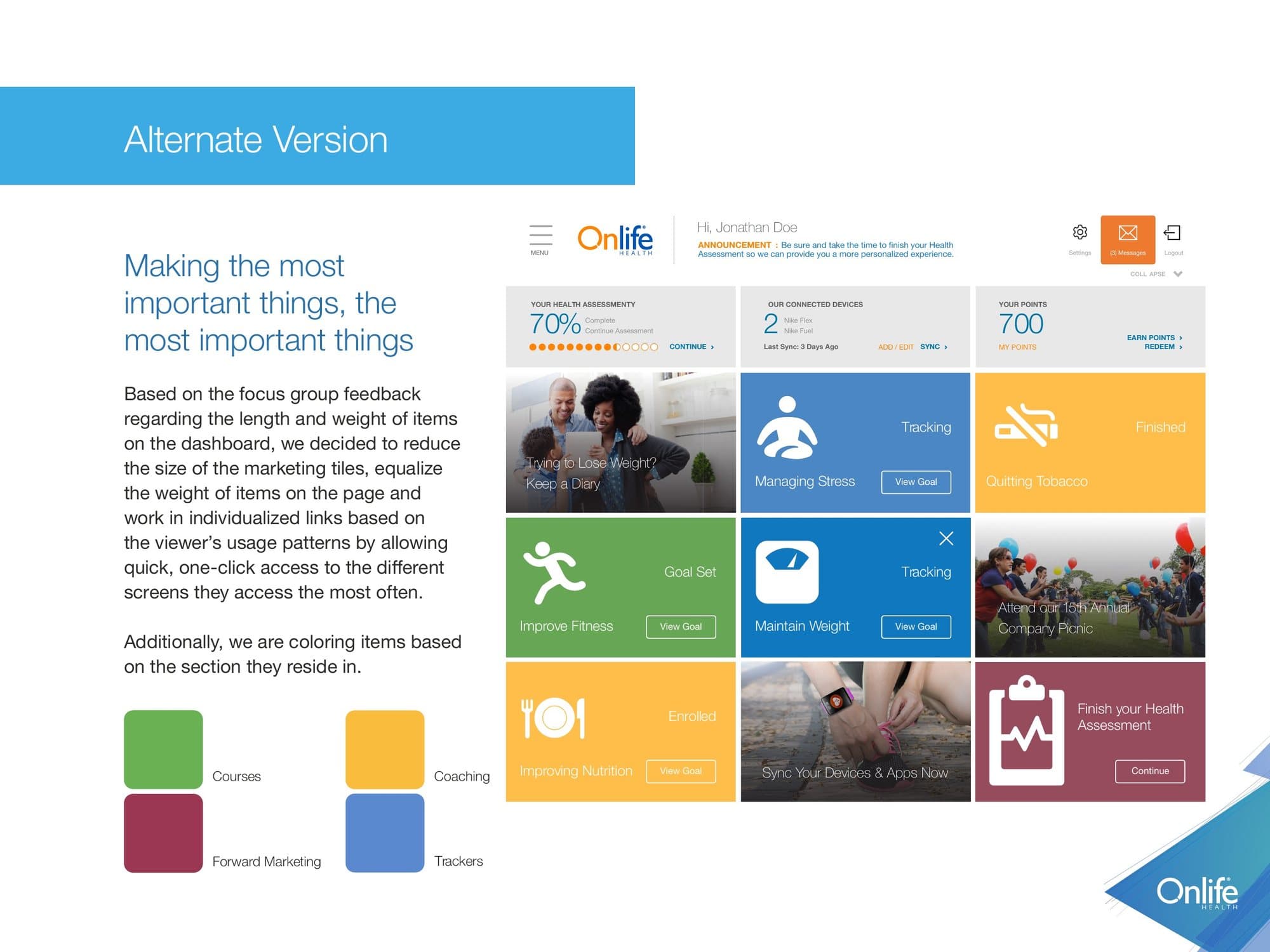
A lighter dashboard
In answer to the feedback on length and weight, we reduced the marketing tiles, gave every item equal weight, and added one-click links to the screens each member uses most. Items are colored by the section they belong to.
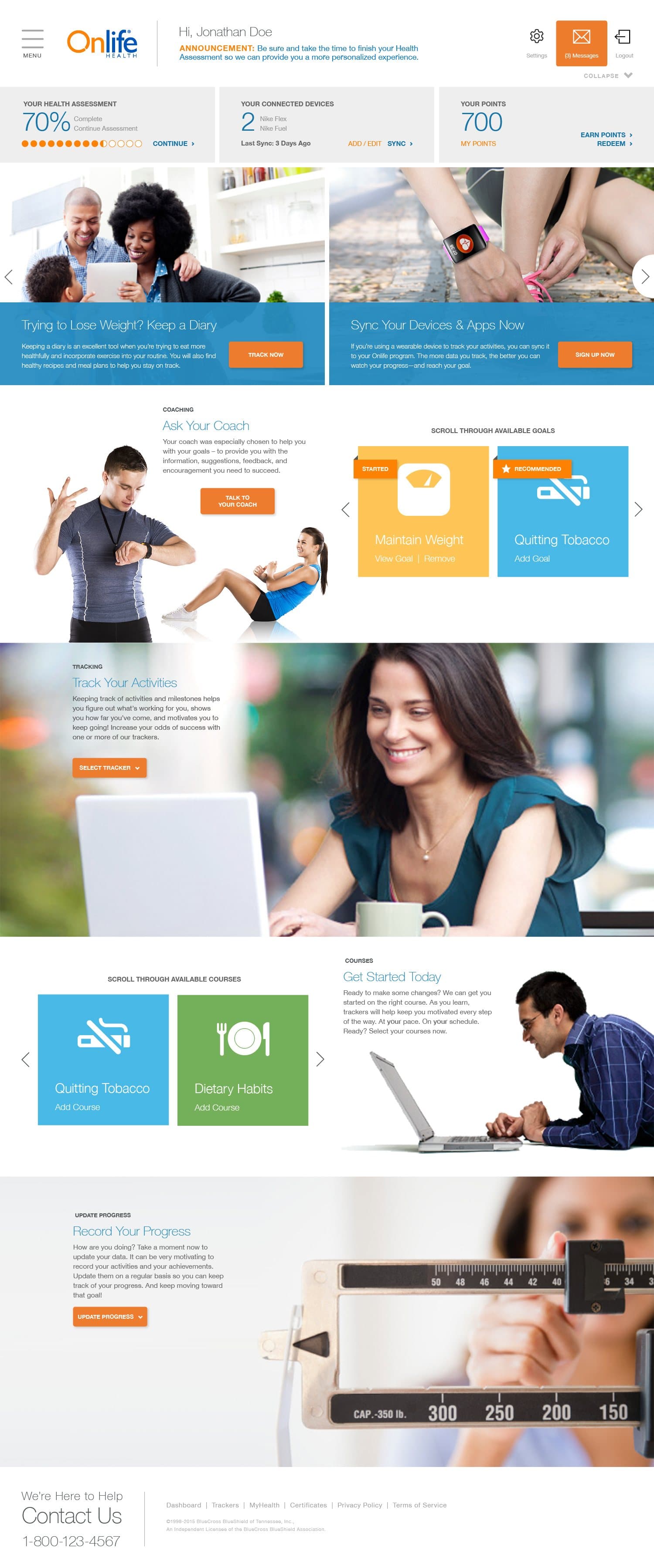
The live product, hands on.
In fall 2015, with the redesign implemented, we went back for hands-on feedback in a practical setting. This round covered the pages nobody had seen yet and the things we changed after round one: icons, devices and graphs. It also tested goal setup in the mobile app, and when to ask members for feedback and App Store reviews.
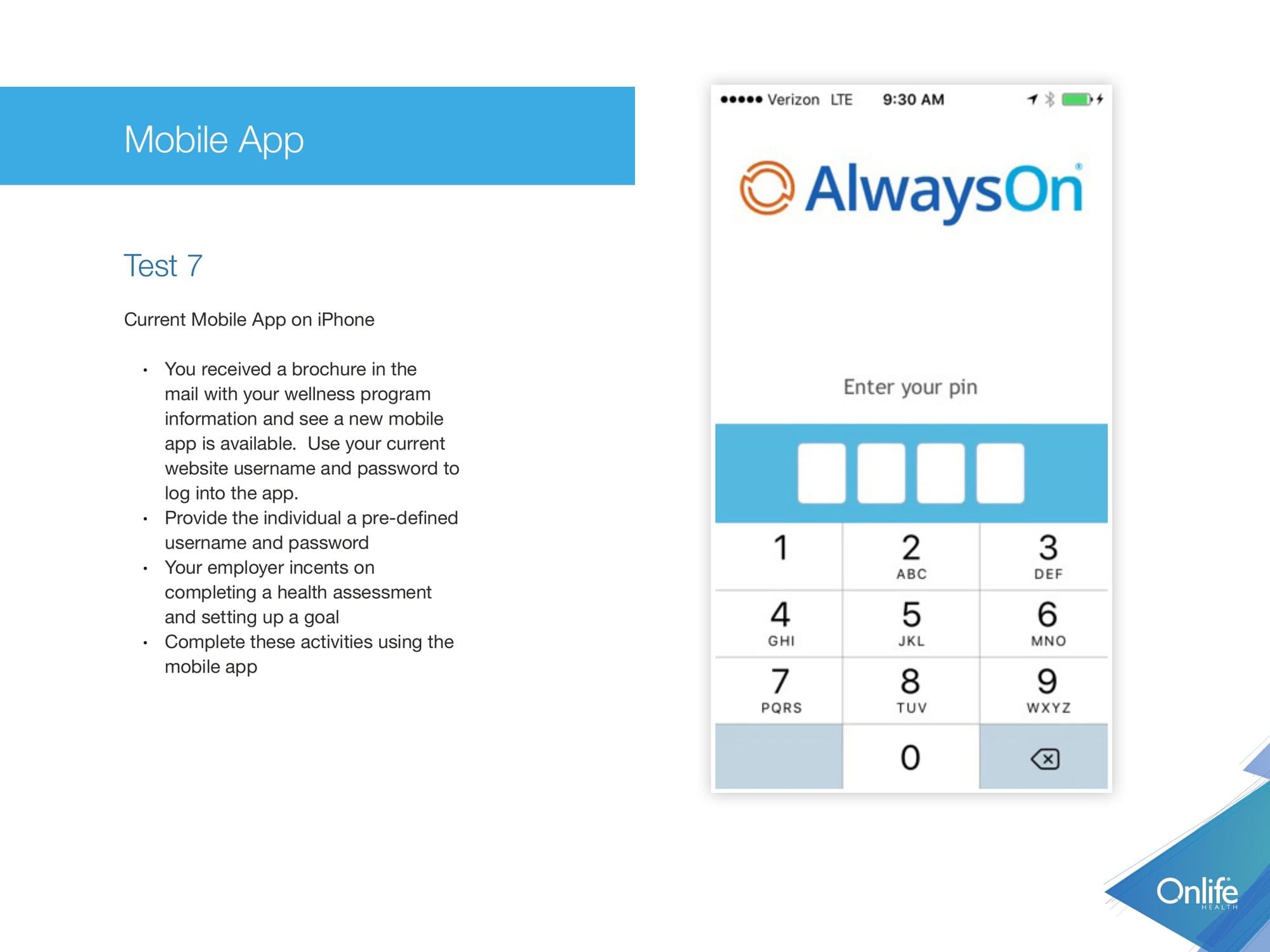
Participants worked through ten scenarios, six on the web portal and four in the mobile app, from logging in with a mailed brochure to messaging a coach, setting a goal and updating a tracker.
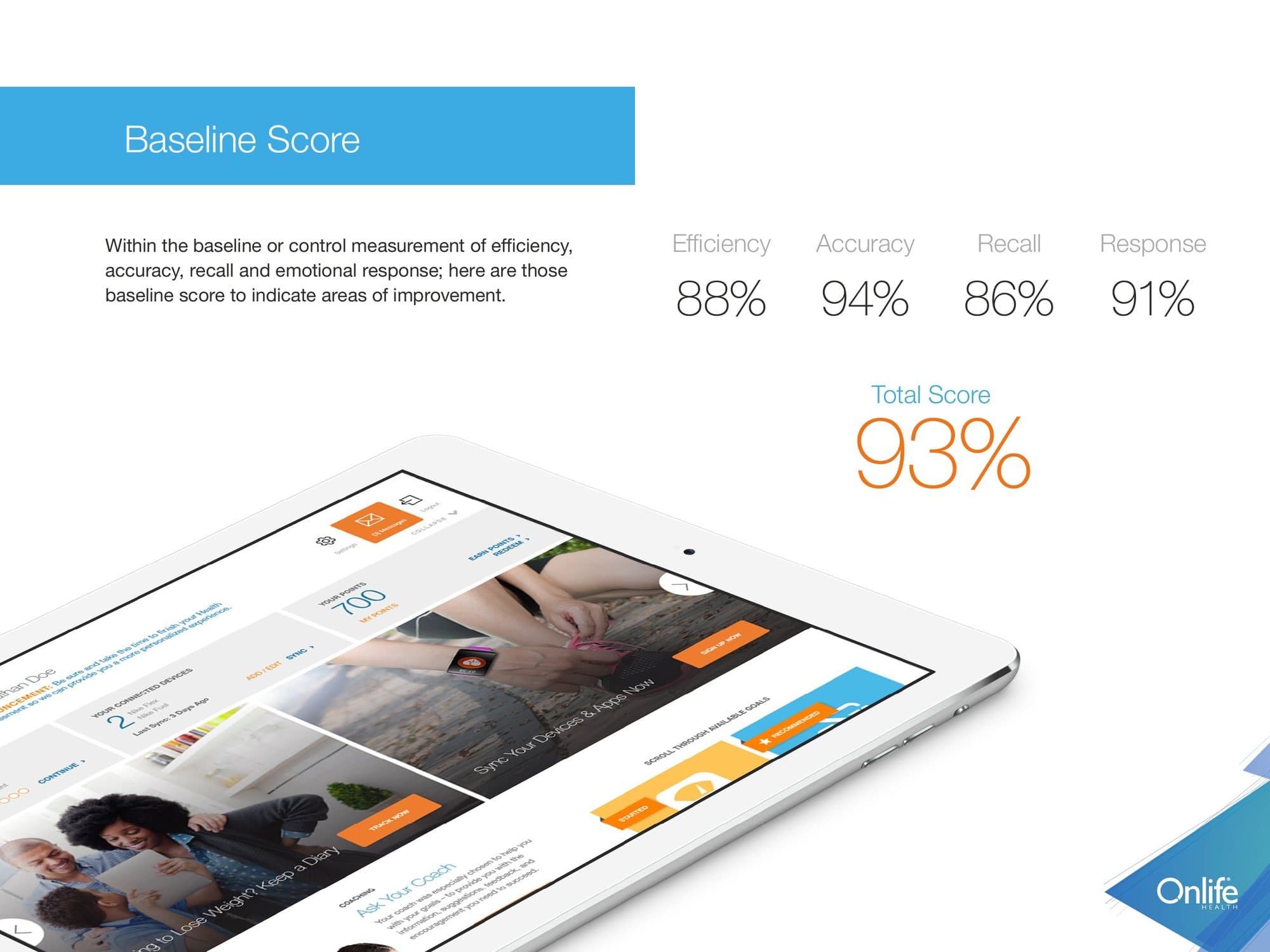
Usability score for the implemented redesign
Task scenarios
Web portal and mobile app
What landed
- Users loved the new devices page
- The new health assessment display was well received
- 'Contact your coach' became the primary call to action
What still needed work
- Not fully responsive: people wanted the full browser width
- Goals, trackers and courses were hard to tell apart
- Some items in the left menu were not clickable
- Trackers and graphs needed to be bigger
- The app and the portal had different names
What we planned next
- Let members pick a topic first, then how it is delivered
- A welcome tutorial for first-time users
- Scroll the next assessment question into view automatically
- Clean up the mobile assessment and add a way to quit
One system across web, tablet and phone.
The finished platform covers the health assessment, coaching, self-guided courses, trackers, device sync, points and rewards, biometrics, reports, a symptom checker and video lessons. Every module is built from the same components and follows the same rules.
Data visualization
Members see their own numbers first: assessment results, biometrics against healthy ranges, and trackers for nutrition, weight, stress and cholesterol. The same data prints as a report to take to a doctor.
Mobile app
The iOS and Android app opens on the day's numbers: steps, nutrition, sleep, weight, active minutes. Trackers, coaching and messages sit one level down.
Design system
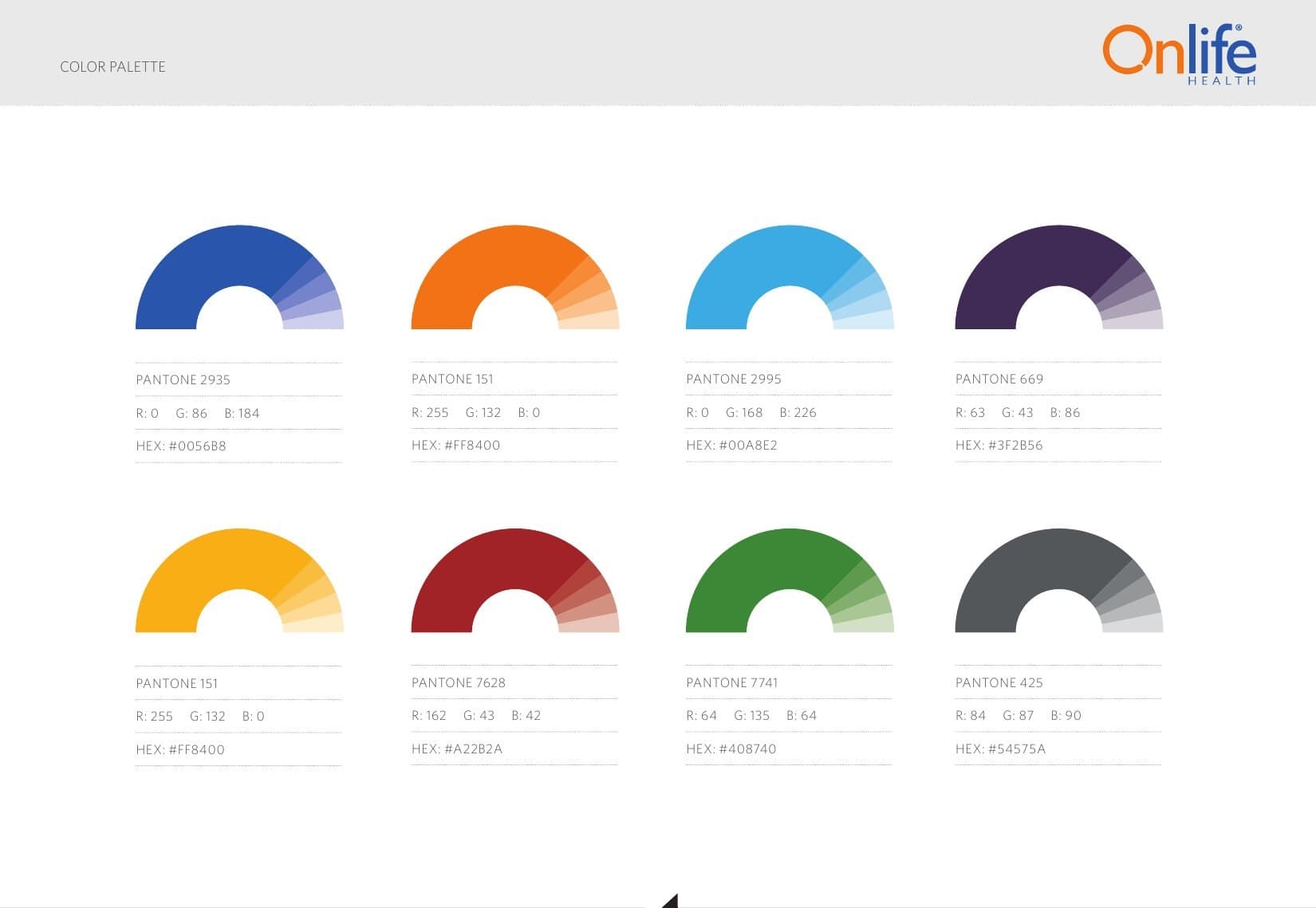
Eight colors with Pantone references and a single icon font, so new modules and new client brands start from the same parts.
A dashboard that learns, and a plan to test it.
The health assessment tells the system a member's age, habits and risks. We designed the dashboard to use that. A new member sees a simple default with a nudge to finish the assessment. Each answer after that unlocks the data and shortcuts that fit them: someone who reports high blood pressure sees that tile first, and someone who wants to eat better gets a one-click link to the weight management course.
What the dashboard promotes depends on the member. Coaching for people who ask for help, challenges for the competitive, the symptom checker when something feels wrong, and device-linked trackers for the numbers they watch.
We also wrote the analytics and A/B testing plan for the mobile and responsive application: the questions to ask of the data, eleven experiments, and a monthly release cycle that tests two or three things at a time and ships the winners.
Questions for the data
- How long does the health assessment take?
- Which question gets skipped most?
- What do people do right after finishing it?
- Do they reach courses from the dashboard or the menu?
Experiments
- Larger type against assessment completion
- Shorter question copy
- Password or PIN at login
- Sliders or buttons for multiple choice
- One-screen or step-by-step tracker entry
Cadence
- Launch with a minimum viable product
- Test three elements for a month
- Ship what wins, then start the next set
From 80% to 93%.
Total usability score across two rounds of focus groups
Lower bounce rate across the redesigned applications
Platforms consolidated. Two were retired.
ADDY awards. 2 gold, 4 silver.
Every measure improved between the two rounds. Recall moved the most, from 67 to 86.
Three platforms became one, and two legacy platforms were retired. Every client moved to the same product, configured for their own brand and programs. Testing did not stop at launch: we kept a standing loop of user testing and client reviews.
Alongside the product, we rebranded seven business units and built a shared media library of more than 1,200 assets, which cut marketing production time by 40%.